JobCRM: the CRM your sales reps will actually use
Visual pipeline, customer maps, voice-recorded visits, an AI assistant that queries your data in plain language and expense OCR. Designed for field sales teams, not for reporting to management.
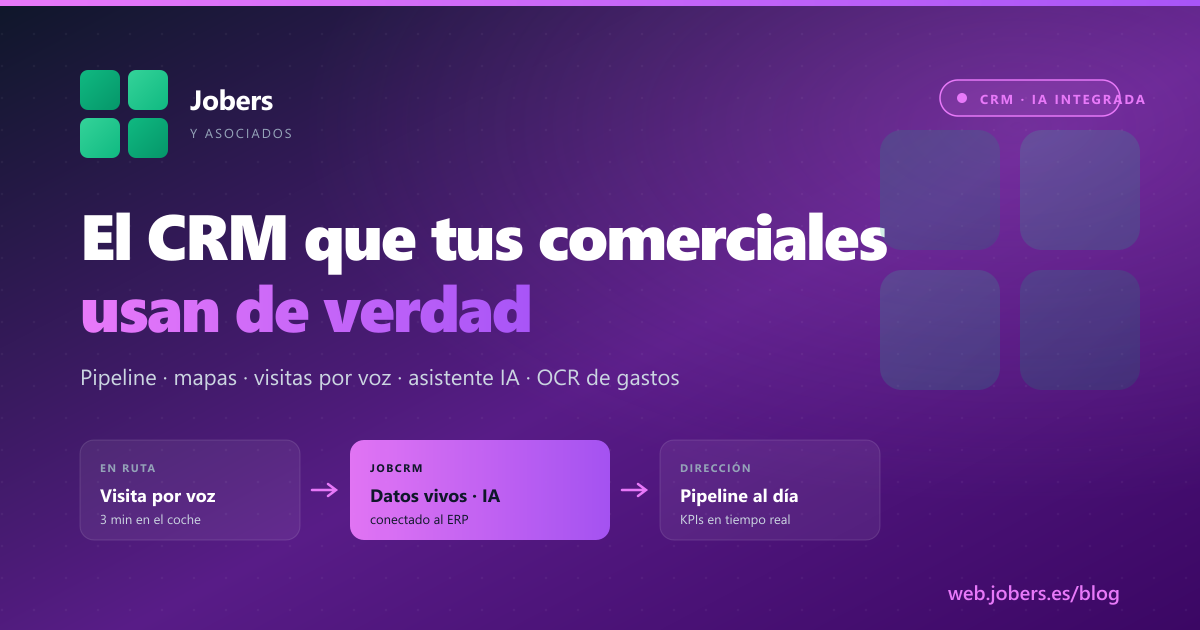
Almost every company you know has tried a CRM. Salesforce, HubSpot, Zoho, Pipedrive. Almost all of them have reached the same conclusion: the sales reps don’t use it. They open it on Monday to “fill in last week’s stuff”, spend 20 minutes fighting mandatory fields, and go back to their spreadsheet.
JobCRM is designed the other way round. It is not a tool for management to police the team. It is a tool for the sales rep to work better on the road, so that management, as a by-product, has up-to-date data without having to ask for it. If the sales rep finds no value in it, the CRM does not work — full stop.
What a building materials sales rep really does
A sales rep in the building materials/ceramics/hardware sector does not spend the day in front of a computer. What they do every day:
- Set off early to visit 5–8 customers spread across the region.
- Between customers they drive for 30–60 minutes, in the car.
- At each visit they talk for 20–40 minutes. Out come small orders, big opportunities, complaints, comments about the competition, requests for quotes.
- At midday they have lunch, deal with urgent orders by phone, make a couple of sales calls.
- In the afternoon they repeat the route or head back to the office.
- When they get home, the last thing they want is to type up 5 visits in a CRM with 30 fields.
The typical result: visits go unreported, opportunities are lost, management does not know what is going on, and the sales rep burns out explaining the same thing every Monday.
What JobCRM does differently
Visits by voice, in the car, in 3 minutes
The sales rep leaves the customer, gets in the car and, while driving to the next one, dictates the visit out loud from the app. Built-in voice recognition, automatic transcription, structured data in its place. The visit is recorded before they reach the next customer.
Result: management has the report that same day, not Friday at 7 pm when the sales rep no longer remembers.
An AI assistant that queries your data in plain language
Before walking into a customer, the sales rep can ask the AI assistant things like:
- “How much has this customer bought from me this year compared with last year?”
- “Do they have overdue receivables?”
- “Which references did they buy last time?”
- “Is there any open opportunity with them?”
- “What visits did we make in the last 3 months?”
The assistant reads your ERP and CRM data in real time and answers. It does not force you to navigate 5 screens to find the information.
Visual opportunity pipeline
The sales funnel as a kanban board with customisable stages (first contact · quote sent · negotiation · order won · lost). Each opportunity has an estimated likelihood of success and a value. Management sees the quarter’s forecast without calling anyone.
Customer map with geolocation
The sales rep opens the map and sees all the customers in the area they are in, with their volume, last visit and open opportunities. If they are visiting one and have an hour to spare, they open the map and plan a nearby visit that was not scheduled.
Receivables + risk alerts
In the customer record, the sales rep sees:
- Overdue receivables — outstanding invoices with their dates.
- Customer risk calculated from their history.
- Age of debt — how long they have gone without paying.
Before passing on a large order, they know whether they should check with the accounts department. Without having to go back to the office.
Expense OCR
A photo of a receipt or invoice from a restaurant, a petrol station, a toll — and JobCRM processes it automatically with AI, extracts the amount, VAT, supplier and date, and records it. The sales rep’s expense claims go from a monthly spreadsheet to something done on the spot.
Sales dashboard for management
With all of the above fed in real time:
- Live KPIs: sales for the month, visits made, new opportunities.
- Customer Pareto: the 20% that brings in 80%, identified instantly.
- Comparison between sales reps: performance, conversion, visit-to-order ratio.
- Analysis by department: if you have several areas or several products, you see who is where on each axis.
What you gain
| Before | With JobCRM |
|---|---|
| Visits written up on Friday at the office | Visits dictated in the car, in 3 minutes |
| Sales rep asks accounts “what’s this customer’s risk?” | Sales rep sees receivables + risk in the record instantly |
| Quarterly forecast in an out-of-date spreadsheet | Visual pipeline, live |
| Expense receipts lost in a wallet | Instant OCR, invoice filed |
| ”How much has this customer bought from me?” → call accounts | AI assistant answers straight away |
| Monthly activity report → 1 hour every Monday | Activity consolidated automatically |
The key: integrated with the ERP
JobCRM is not a data silo separate from the ERP. It reads from and writes to the same place:
- Actual sales from the ERP flow into the CRM as the customer’s history.
- Opportunities won in the CRM become ERP orders with one click.
- The assigned sales reps are the same in CRM and ERP — no midnight synchronisation.
- The items the sales reps offer are the same ones in the ERP catalogue, with their price list.
If your current CRM makes you type things twice (once in the CRM, again in the ERP when the deal closes), you have the most typical problem of generic CRMs.
See it live
- At the fair: at Hábitat Valencia (28 Sept – 1 Oct) and Eurobrico (6–8 Oct) we are bringing JobCRM on a tablet. Bring last week’s visits and try dictating them live with voice recognition.
- Online: ask us for a 45-minute demo with your sales director. We set up a session with sample data from the sector — or with yours if you share them beforehand.
A CRM the sales rep does not use is a cost, not a tool. If you have spent a long time trying to get your team to record their visits and there is no way, the problem is not the team. It is the CRM.
Shall we talk about your case?
If you would like to see how Jobers could work in your company, ask us for a no-obligation demo.
Request a demo