B2B portal for trade customers
JobStocks — catalogue, stock and order proposals 24/7
Your trade customers browse your catalogue with photos, see real stock by quality, shade and calibre straight from your ERP, download technical data sheets and send you order proposals without calling the sales rep. Switch it on and they can also check their orders, delivery notes and invoices. In Spanish, English and French, with your company’s branding.
Porto Tile 60x60
REF: AZ-P6060
Sahara Stoneware 30x60
REF: GR-S3060
White Skirting 8x45
REF: RD-B845
Gallery
Features in detail
Catalogue with photos and real stock
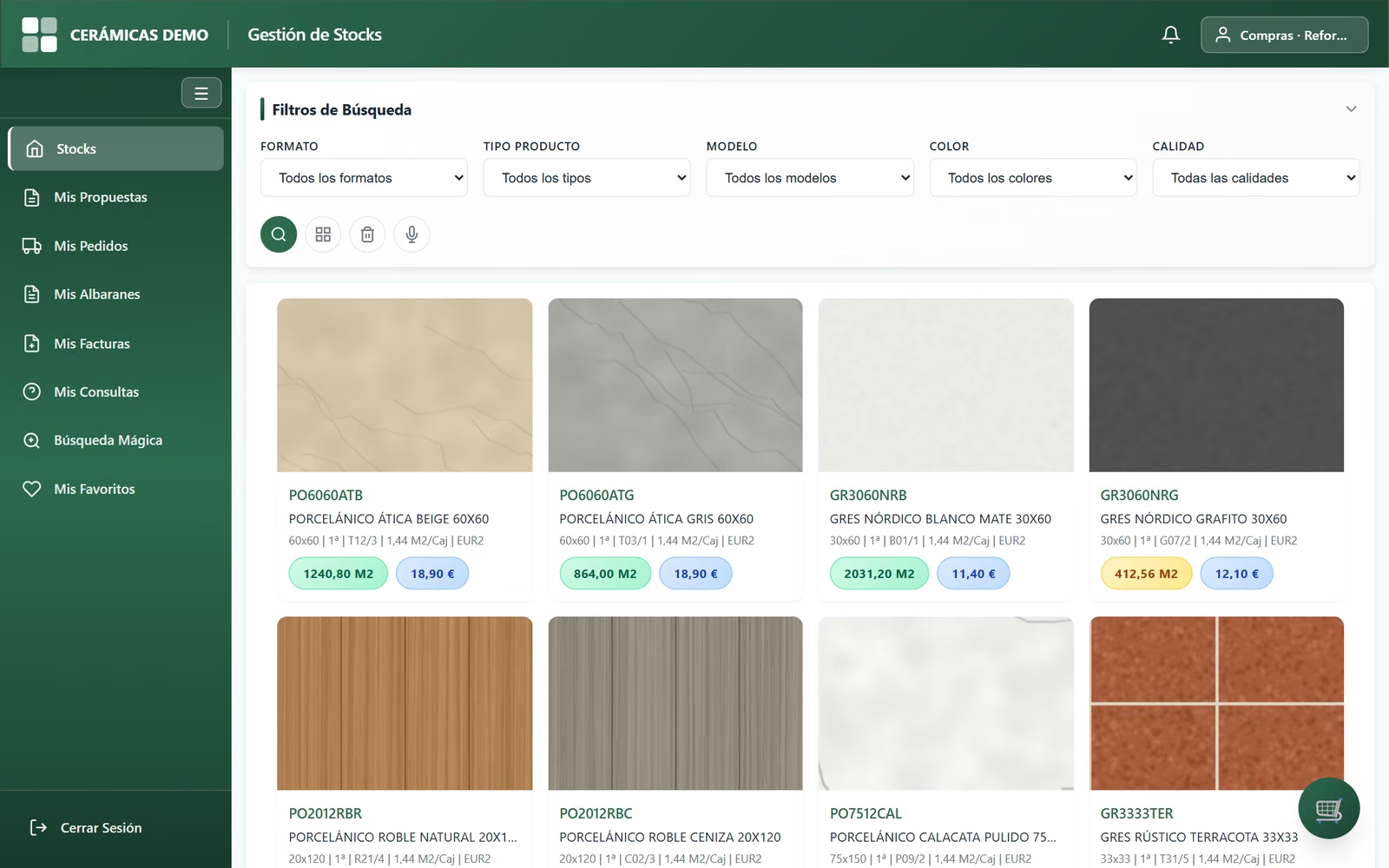
Product sheet
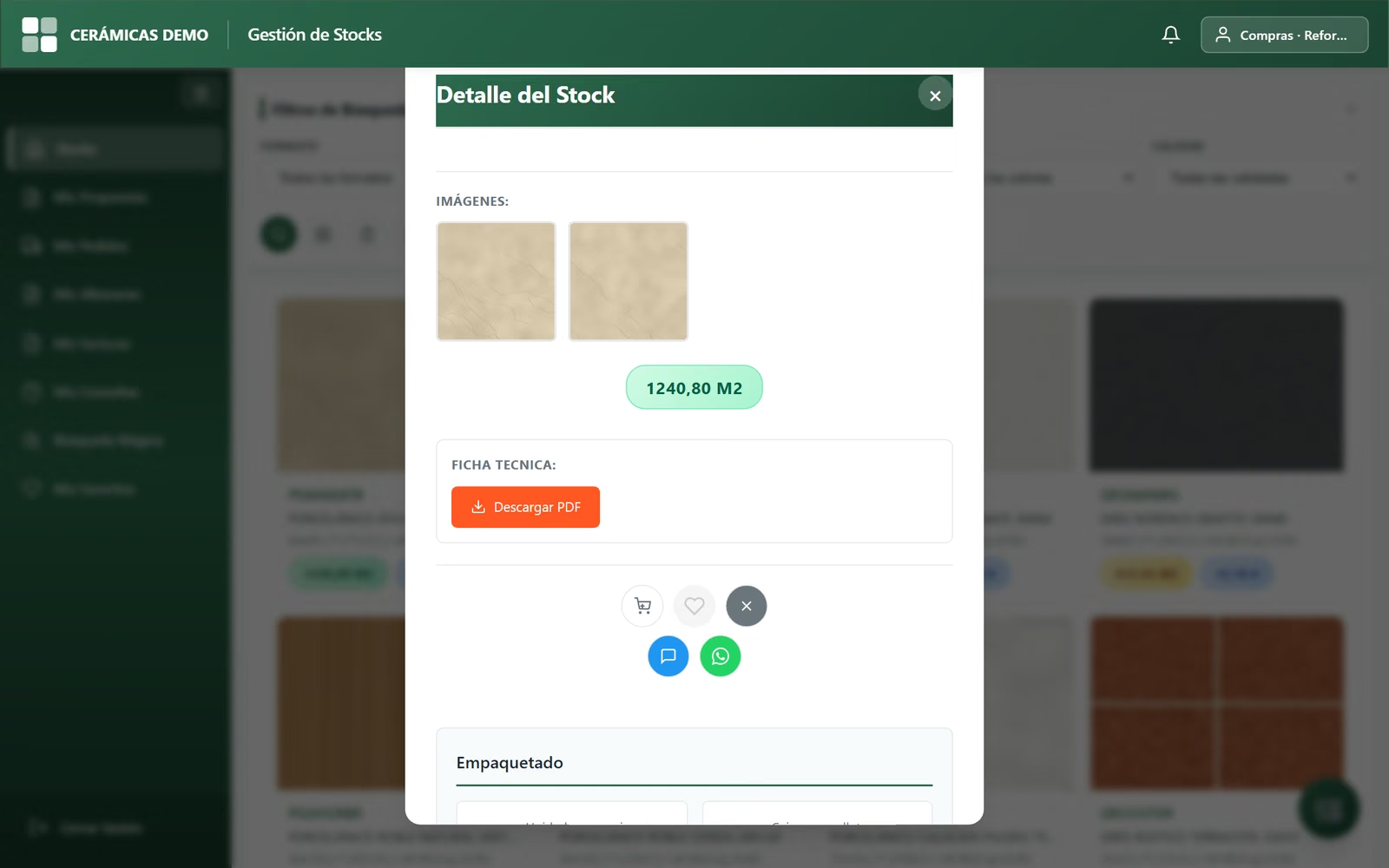
Image search
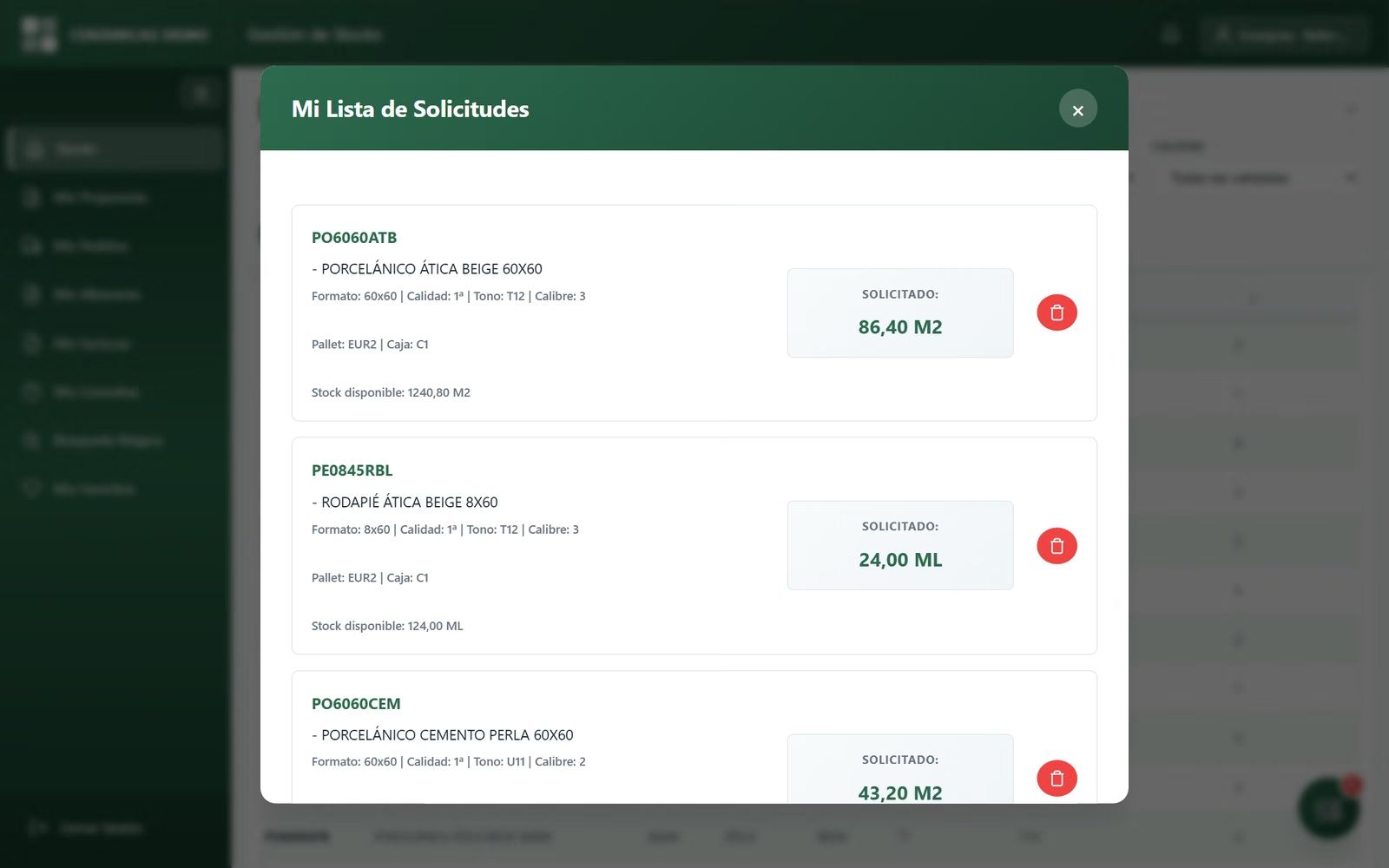
Order proposal
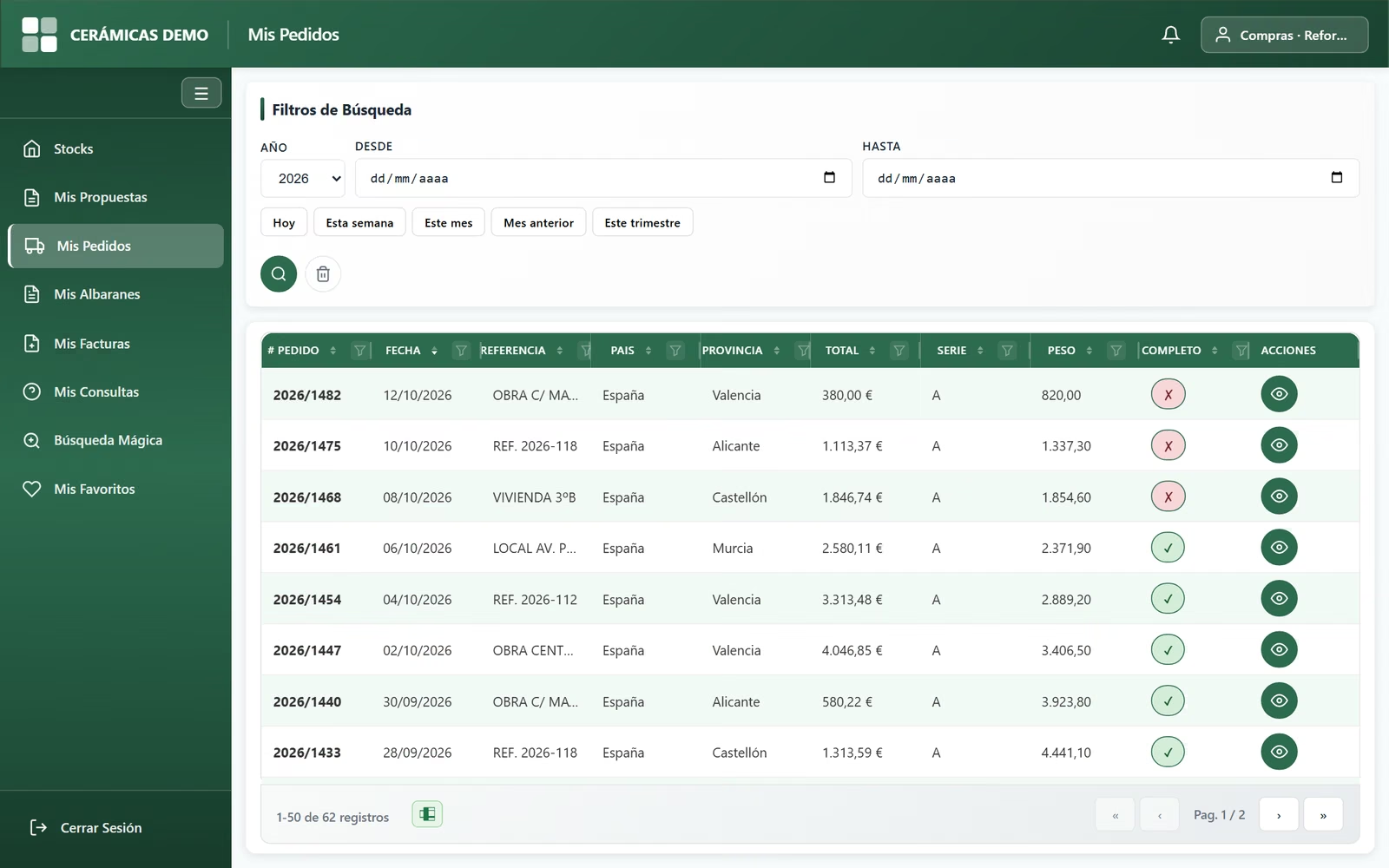
My orders
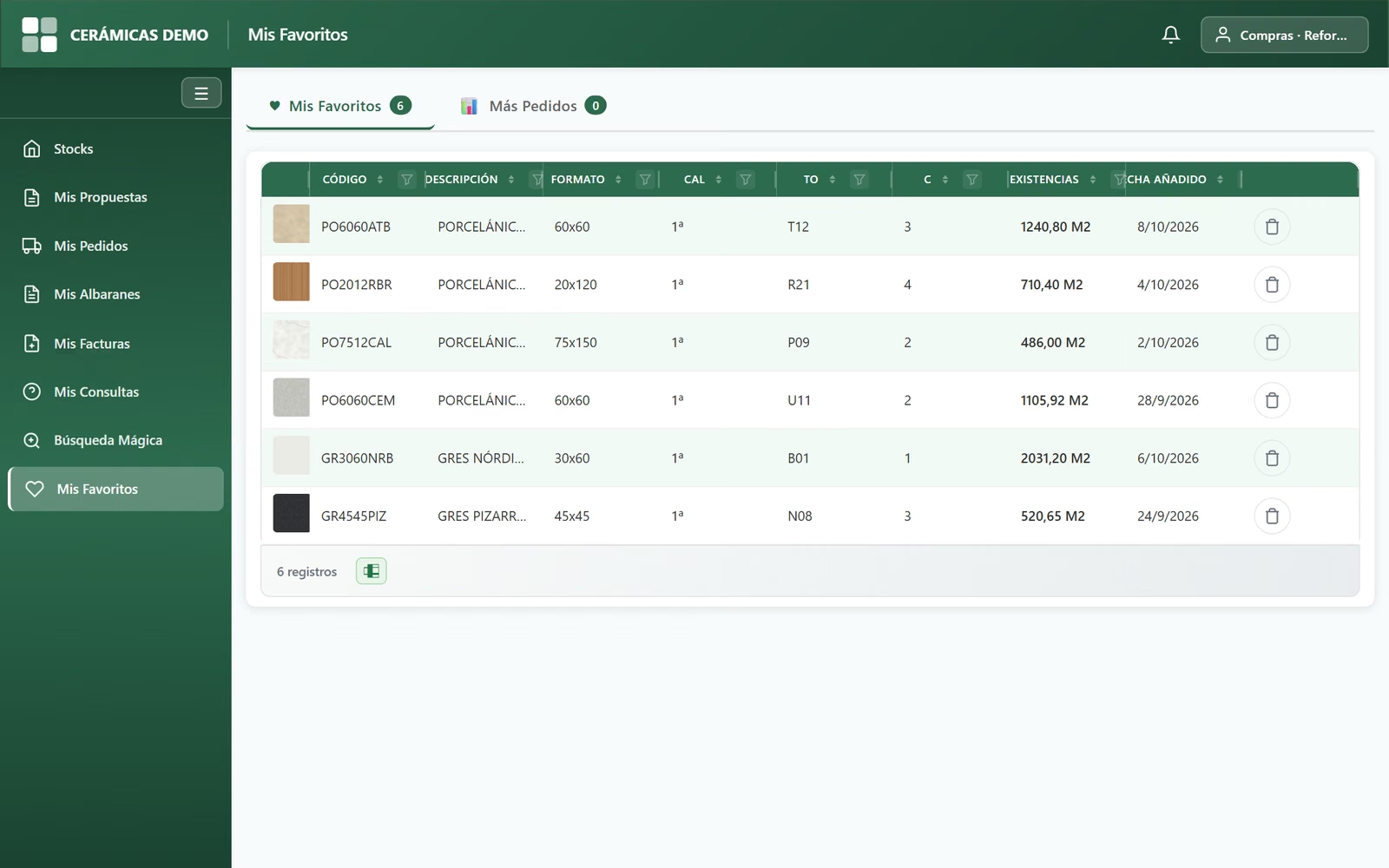
My favourites
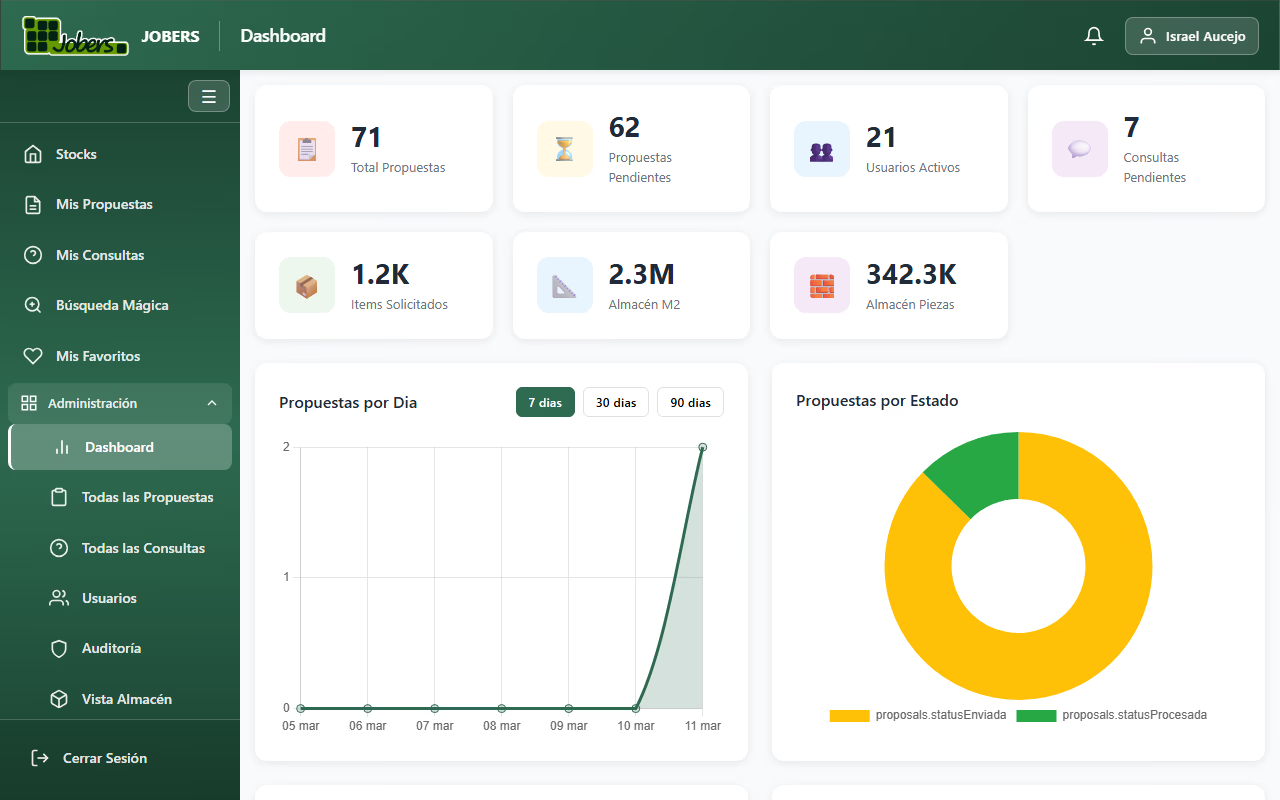
Admin dashboard
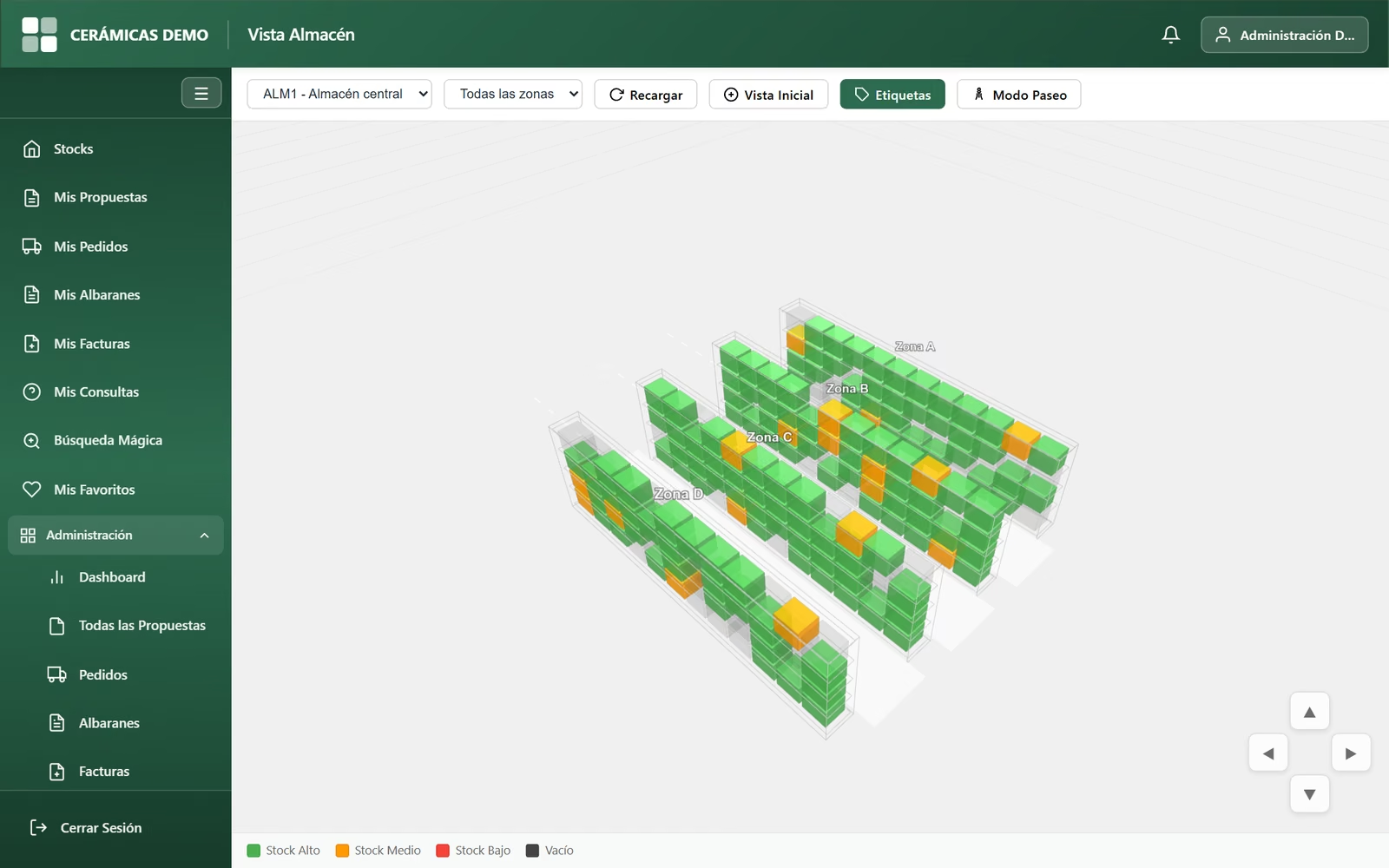
3D warehouse view
Catalogue with photos
As picture cards or as a table, with filters by size, type, model, colour and quality, column filters and export to Excel.
Real-time stock
Stock read straight from the ERP, by quality, shade, calibre, pallet and box. And the price, only for the users you allow to see it.
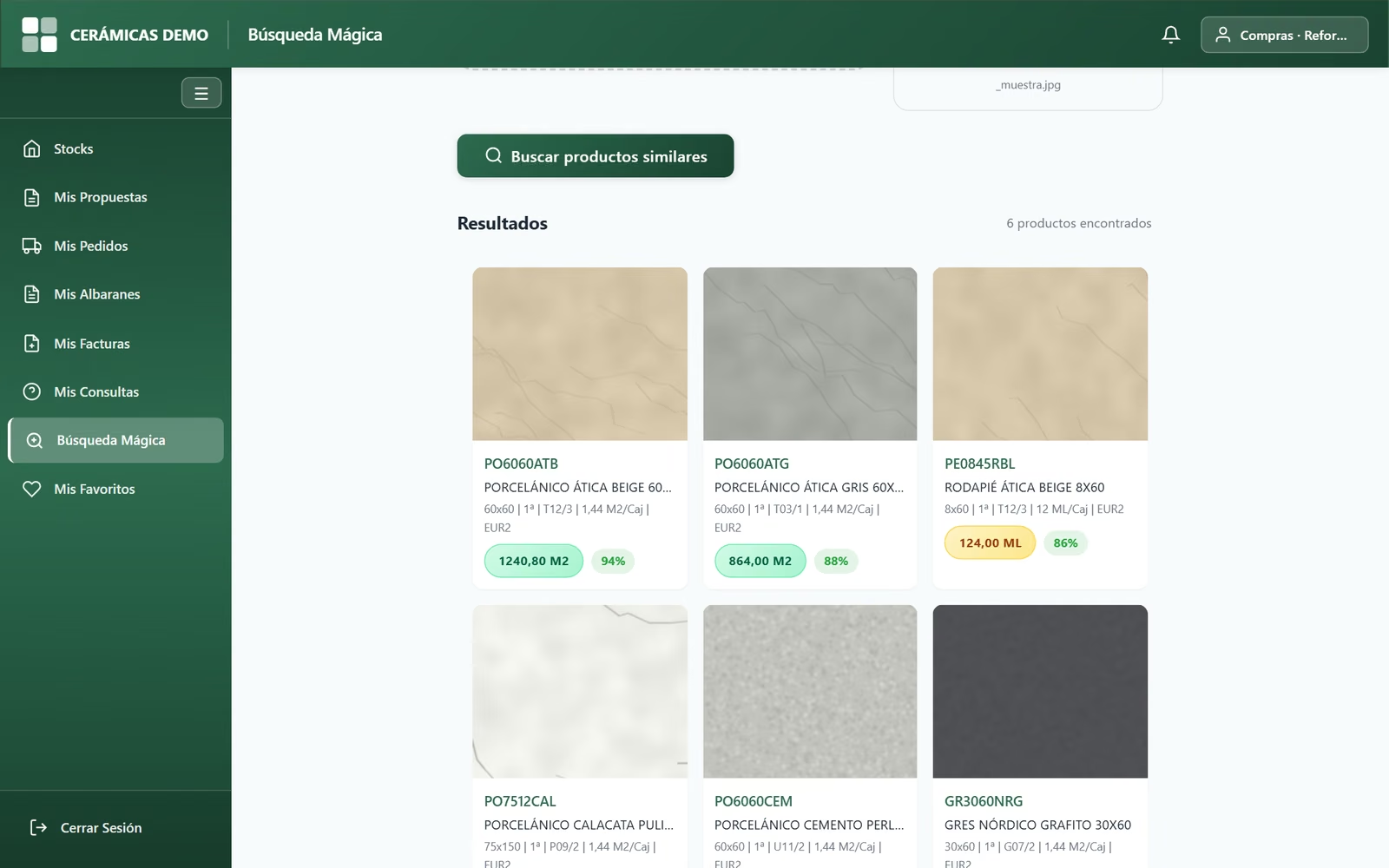
Image and voice search
Customers upload a photo of a tile and see the most similar items in your catalogue. Or they just say what they are looking for.
Order proposals
Customers build their list, set quantities by box or pallet and send it: it reaches you by email with the PDF, ready to go into the ERP.
Orders, delivery notes and invoices
Switch it on and each customer can check their ERP documents line by line, without calling the office.
Data sheet and contact
Photo gallery, packaging and weights, PDF technical data sheet, and enquiries by form or WhatsApp from the product itself.
Favourites
Each user saves their usual items and sees at a glance what they order most.
Admin dashboard
Proposals, enquiries, most-viewed items, user activity, a map of logins, sessions, audit trail and a 3D view of the warehouse.
Your brand, your language
Logo, 15 colour themes and dark mode. Interface in Spanish, English and French. Plus an API with a key for integrations.
Definition
What is a B2B portal and why does a construction business need one?
A B2B portal (Business-to-Business) is a private website where your trade customers — contractors, installers, distributors, partner merchants — browse your catalogue, see real stock in real time, download technical data sheets and send you their orders without picking up the phone or writing an email.
Unlike an online shop (B2C), a B2B portal does not sell to just anyone: each user logs in with their own account, sees what your company decides (for example, whether they see prices), and what they send is an order proposal that your team reviews before it goes into the ERP. JobStocks is built for ceramics and building materials manufacturers, merchants and distributors, and connects natively to the Jobers ERP.
Use cases
B2B portal for manufacturers, distributors and installers
Builders’ merchants
Your trade customers check real warehouse stock, send their order proposal and download the data sheet without calling.
Ceramics and tiles
Stock by quality, shade and calibre, photos of every model and a PDF data sheet. Everything customers need to pick the right batch.
Manufacturers with a distributor network
Your distributors check stock and send proposals at any time of day. Your sales rep stops being a switchboard.
International customers
Interface in Spanish, English and French: each user picks their language.
Sales teams
A sales rep can check the orders, delivery notes and invoices of the customers they look after, from their phone.
Tradespeople on site
It works on mobile: search for a tile by voice or with a photo and see straight away if it is in stock.
ROI
What changes day to day with a B2B portal
Without a B2B portal
- ✕ Constant calls asking about stock and prices.
- ✕ Orders by WhatsApp and email, easy to lose.
- ✕ A PDF catalogue that is out of date within 2 weeks.
- ✕ Sales reps swamped with enquiries that never close a sale.
- ✕ Customers who go to the competitor that does have a website.
With JobStocks
- ✓ Customers check real stock 24/7 from their phone or laptop.
- ✓ Order proposals arrive by email with their PDF and are logged, ready to go into the ERP.
- ✓ Catalogue always up to date: changes in the ERP show instantly.
- ✓ Customers check their orders, delivery notes and invoices without calling the office.
- ✓ Sales reps free for visits and prospecting.
Frequently asked questions
What people ask us most about JobStocks
What is a B2B portal and what is it for in construction businesses?
Where does the stock customers see come from?
Can my customers see prices?
Does it replace my online shop?
Can they check their orders and invoices?
What is image search?
How long does it take to get up and running?
Does it support several languages for international customers?
Want your customers to order from you online?
A personalised demo with your own data. No obligation.