Your customers’ private portal
Customer Portal — documents and electronic signature
Each customer logs in with their own user and finds everything that is theirs: invoices, quotes, delivery notes and service reports, with the PDF on screen. They sign quotes and service reports – with a finger, on their phone – and raise issues without having to call. Documents are published automatically from your management software: your team uploads nothing by hand.
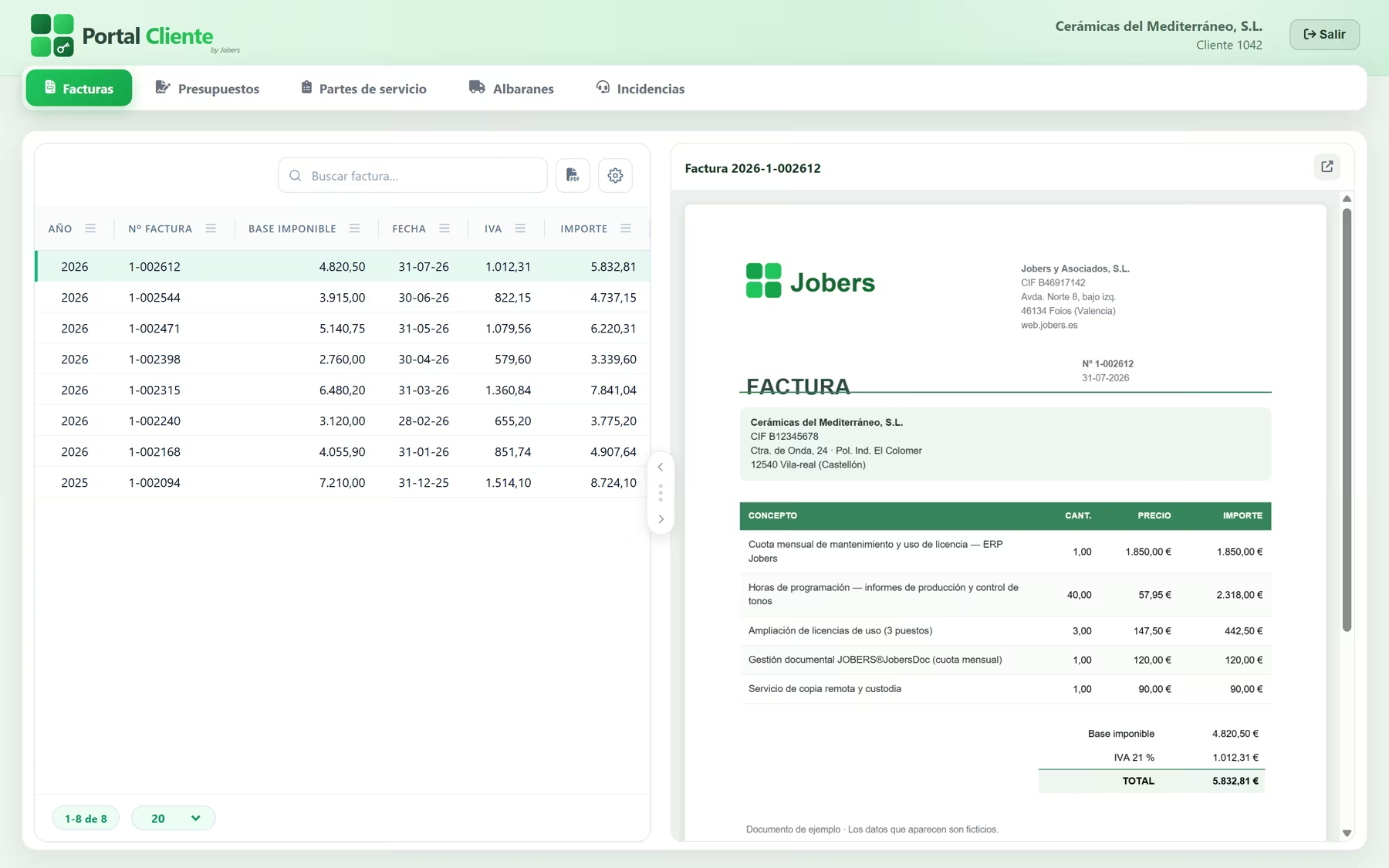
Invoice 2026-1-002612
31-07-2026
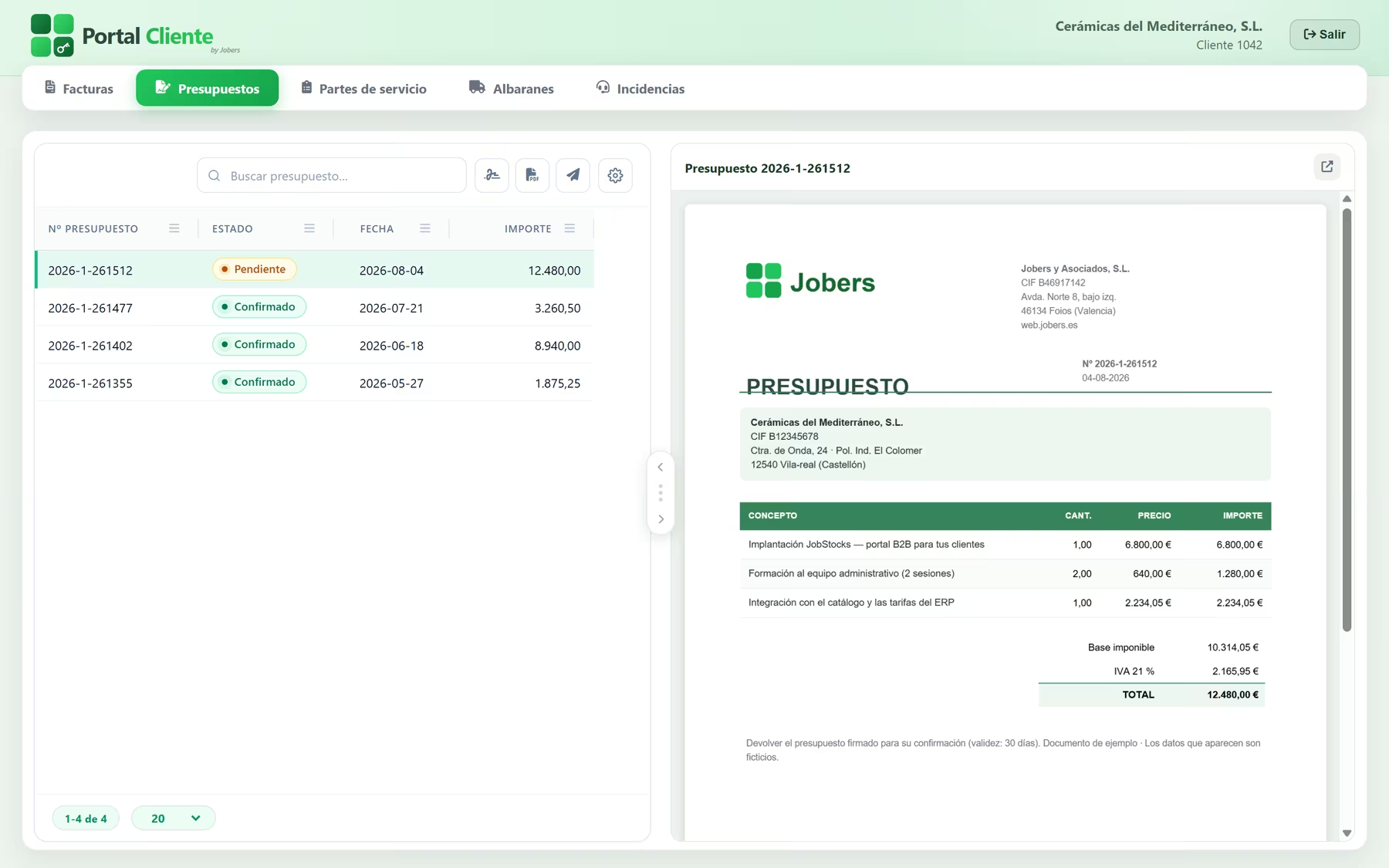
Quote 261512
Awaiting confirmation
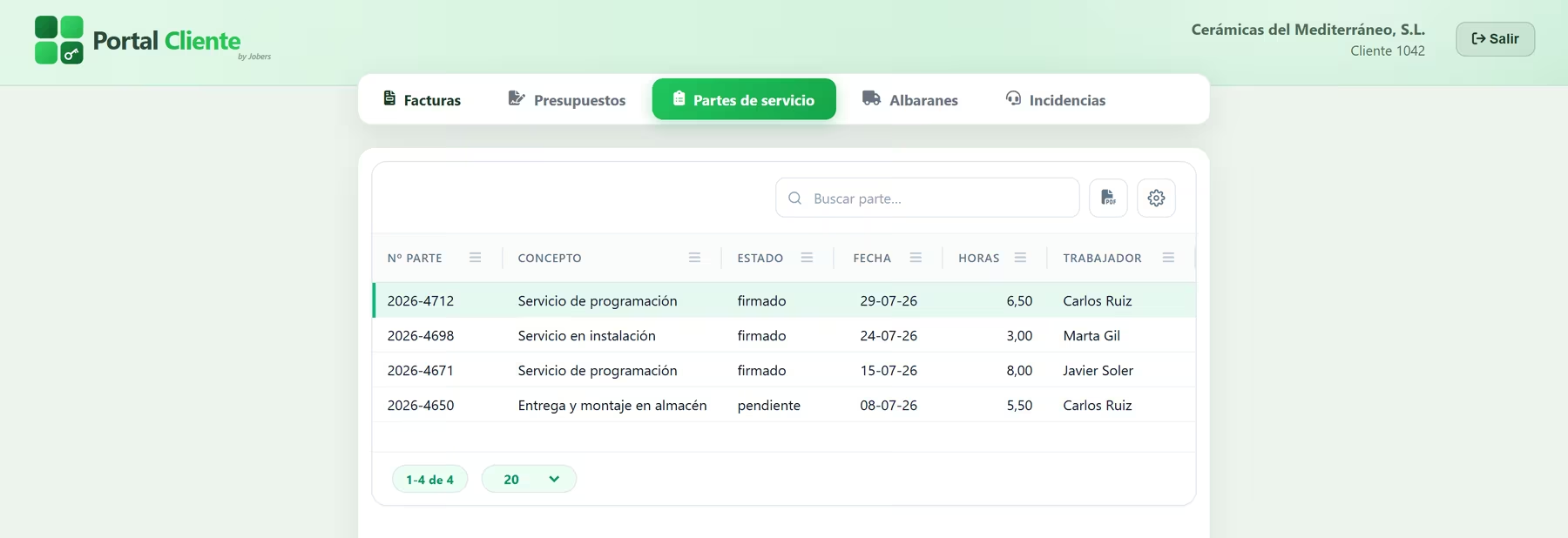
Service report 2026-4712
6.50 h · 29-07-2026
Gallery
Features in detail
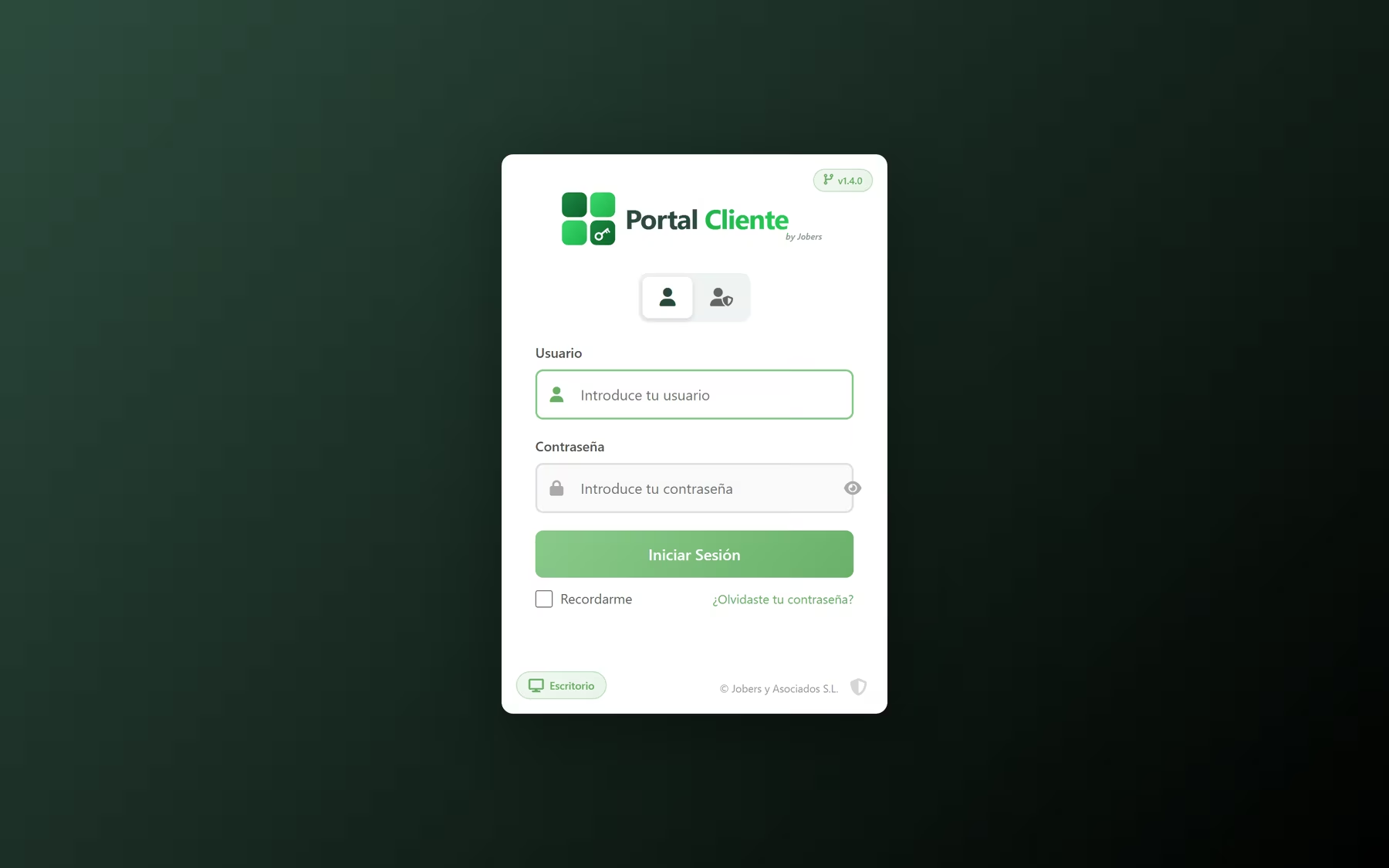
Customer login
Their invoices, with the PDF alongside
Quotes awaiting confirmation
Service reports, several at once too
Issues with their conversation thread
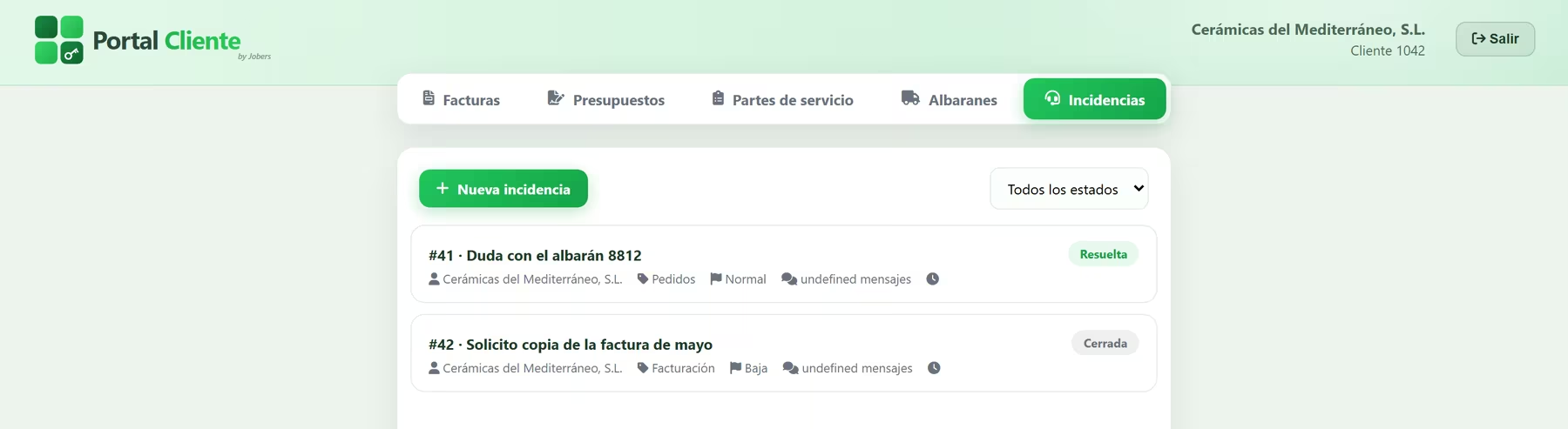
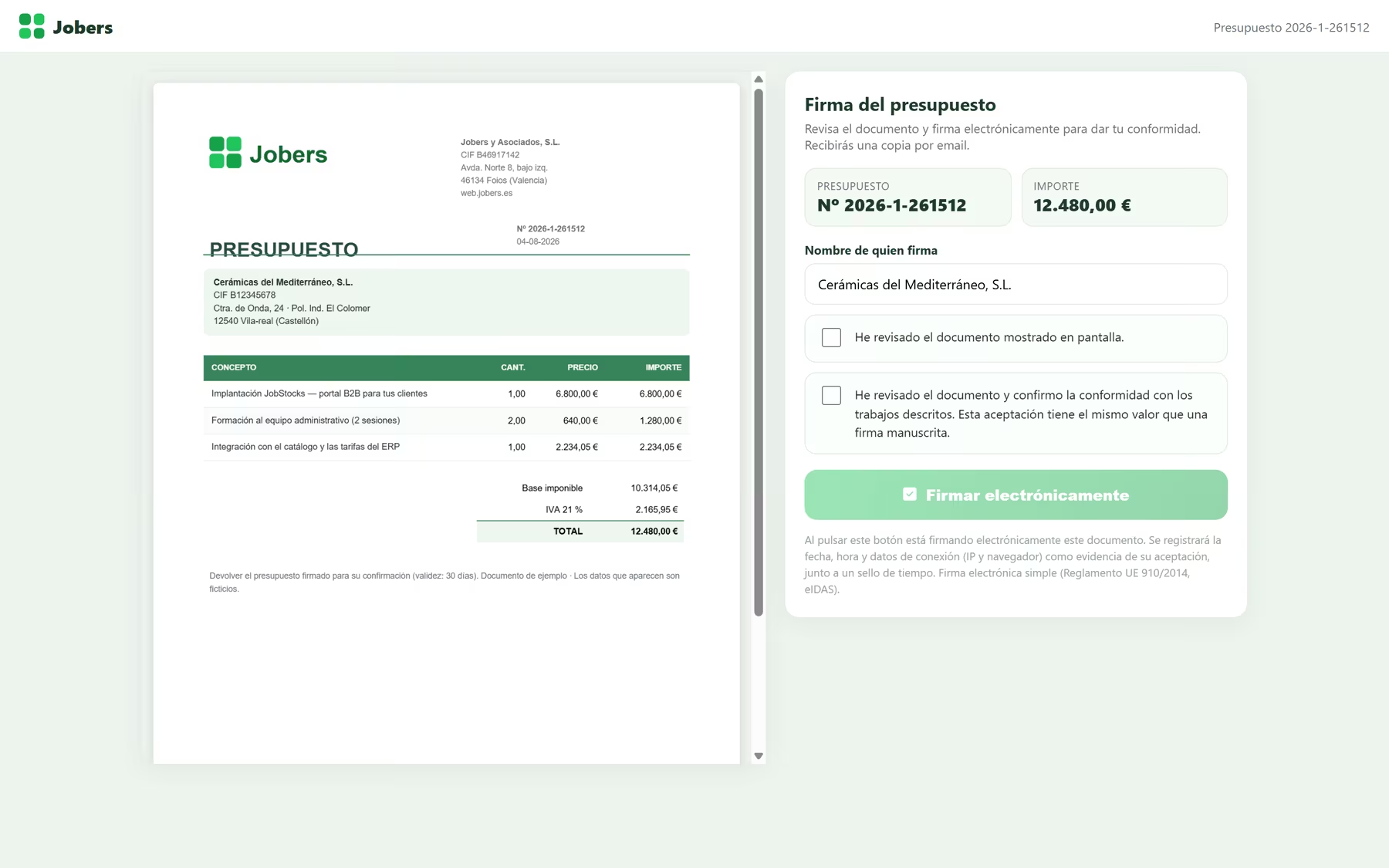
Electronic signature on a computer
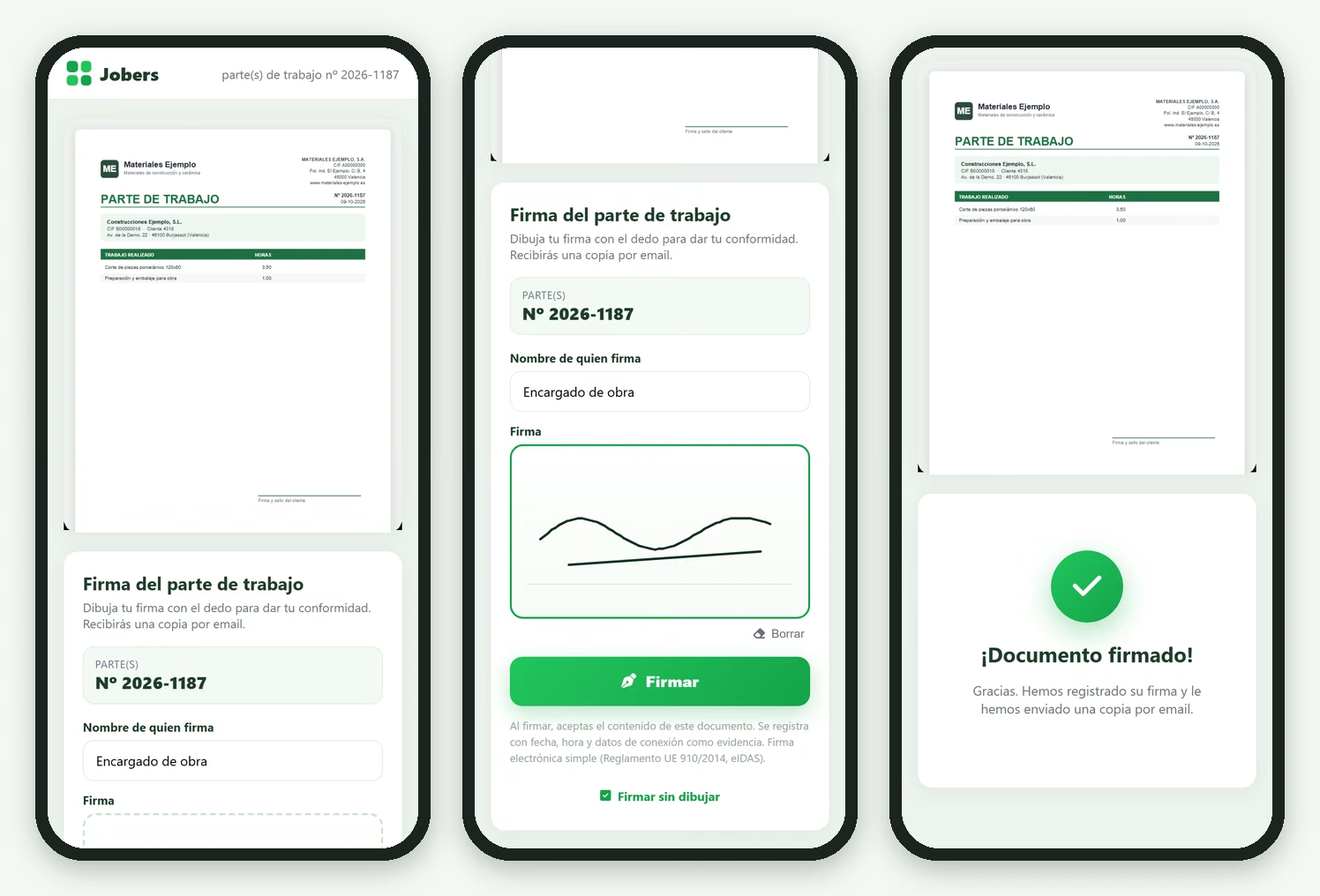
Signing with a finger, on a phone
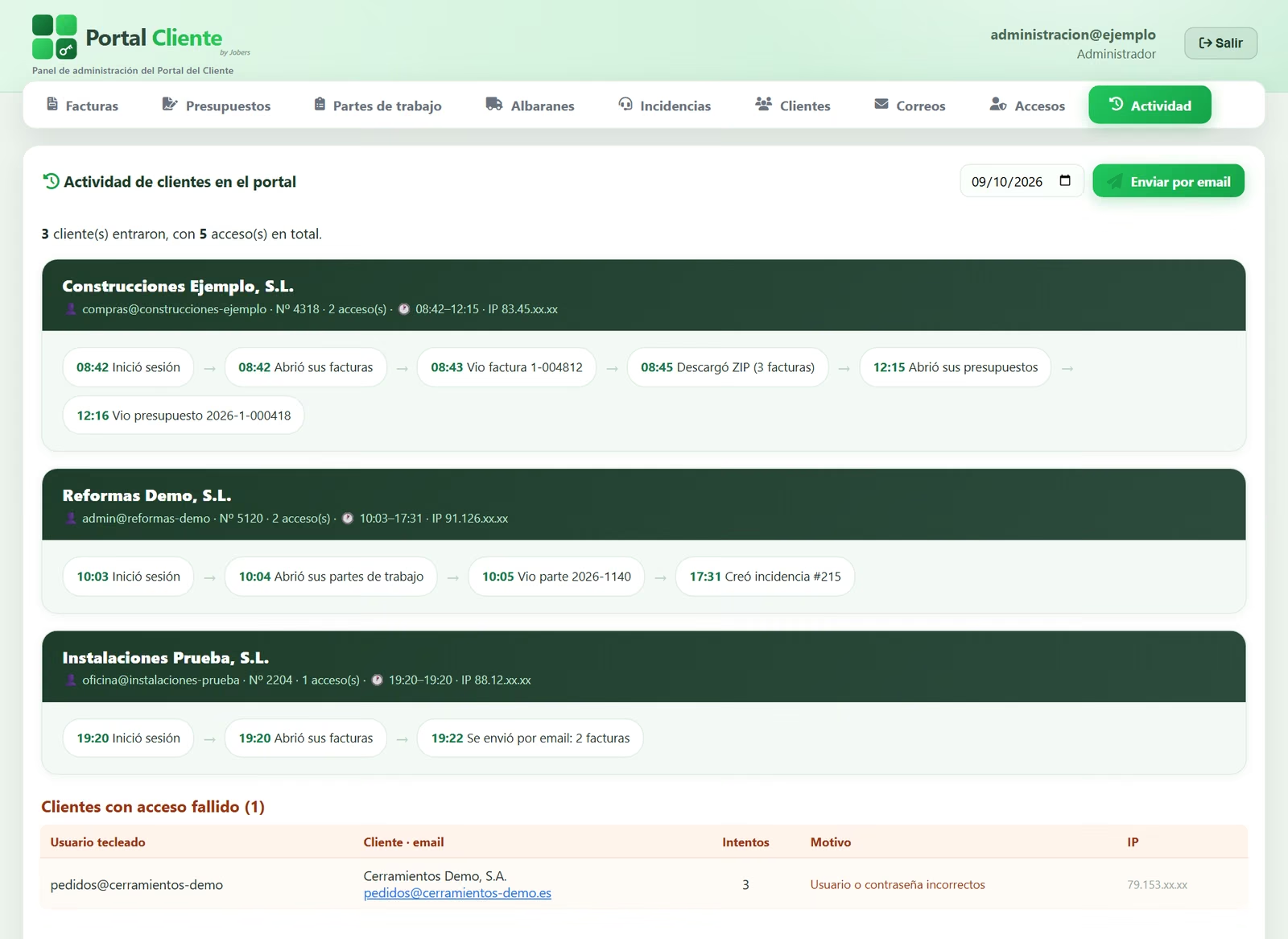
Admin panel: what each customer does
Their invoices, always to hand
The full history with the PDF alongside, showing net amount, VAT and total, searchable and downloadable. Published automatically from your management software.
Quote signing
The customer reviews the document on screen and confirms it with an electronic signature. In your software it is marked as approved automatically.
Delivery notes and service reports
Every delivery and every job with its PDF, its technician, its hours and the invoice that bills it.
Several documents at once
The customer selects the ones they need and downloads them as a single PDF or a ZIP, or has them sent to their email.
One login per customer
Each customer sees only what is theirs. Credentials are created automatically when their first document is published, and if they forget their password they reset it with a single-use link.
Issues and queries
With category, priority and attached photos or documents. Your team replies in the same thread and the customer is notified by email.
Evidence and timestamp
PDF hash, IP address, browser, reading sequence and RFC 3161 timestamp. Evidence annex in the final PDF.
Automatic publishing
Nobody uploads documents by hand: automated processes push them to the portal as soon as they exist in your software.
Mobile, tablet and PC
Nothing to install. To sign, the link in the email is enough, and on a phone they can sign with a finger.
Automatic email delivery
Every new invoice can go out by email on its own, from your sender address and with a template you edit like a word processor.
Know who logs in and what they view
A panel with each customer’s activity: when they logged in, what they opened and what they downloaded. Plus a summary by email every evening.
Document archive
Signed documents are sealed and filed in JobersDoc, under the customer’s file.
Definition
What is a customer portal and what problem does it solve?
A customer portal is a private website where each of your customers logs in with their own user and finds everything that is theirs: their invoices, their quotes, their delivery notes and their service reports, each with its PDF. No more digging through emails or calling your admin team.
The difference lies in who maintains the portal. Here, nobody: your management software publishes the documents on its own as soon as they exist, with automated processes that run every few minutes. If an invoice is corrected, the one on the portal is replaced by the right one. Your team uploads nothing by hand and there are no two places to keep in step.
And it does more than just show documents: quotes are confirmed right there, with an electronic signature and its evidence file, and that approval flows back into your software on its own.
Document signing
Let your customers sign without printing, scanning or waiting
The customer receives a link, sees the document on screen – the full PDF, not a summary – ticks the acceptance box and signs. On a phone they can also draw their signature with a finger. No more print, sign, scan and email back, which is where the days get lost.
Once signed, the document does not stay on the portal: it comes back home. It is sealed with your company’s certificate, filed in the document management system under the customer’s file, and the status is updated in your software – the quote is marked as approved – without anyone lifting a finger. The signer receives their copy and your team, the notification.
Quotes. Confirmed online. Your software marks them as approved and they are ready to invoice.
Delivery notes and service reports. The customer confirms the delivery or the job before it reaches the invoice.
SEPA mandates. The direct debit mandate, signed and filed, which is what allows you to collect by direct debit.
What is recorded for every signature
A signature without proof is worthless the day you need it. That is why every acceptance builds an evidence file that cannot be altered afterwards, and that file travels inside the PDF itself as an evidence annex.
Exactly what was signed
SHA-256 hash of the PDF shown on screen. If anyone changed a single comma, it would not match.
When, for real
Server date and time plus an RFC 3161 timestamp from an external, independent authority.
Who and from where
Signer’s name, IP address and browser, with a single-use link that expires.
How they came to sign
The full sequence: opened → document viewed → acceptance ticked → signed, with the text and version of the clause accepted.
Simple electronic signature under Regulation (EU) 910/2014 (eIDAS). The resulting PDF is also sealed with your company’s electronic certificate.
Use cases
Where a customer portal makes the biggest difference
Building materials merchants
Customers download their invoices and delivery notes whenever they like. No more weekly “can you resend me May’s invoice?”.
Ceramic tile manufacturers
Project quotes confirmed online, with date and time recorded. No waiting for a signed PDF by email.
Services and maintenance
The service report is signed on the spot, with a finger on a phone, and the customer has it in their portal, next to the invoice that bills it.
Companies with a small admin team
The person in admin stops spending half a morning finding and forwarding documents.
Distribution and delivery
Delivery notes available to the customer from the next day, without calling the warehouse.
Companies with recurring customers
Fees, maintenance contracts and month-by-month services: the whole history, in order and always to hand.
Day to day
What changes in your admin department
Without a portal
- ✕ “Can you resend me May’s invoice?”, several times a week.
- ✕ Quotes that get printed, signed, scanned… and take days.
- ✕ Customer approval in a stray email, impossible to find later.
- ✕ Delivery confirmations that have to be chased one by one.
- ✕ Queries by phone, WhatsApp and email, with no record of what was said.
With the Customer Portal
- ✓ Customers download any of their documents whenever they need them.
- ✓ Quotes confirmed the same day, from a mobile phone.
- ✓ Every approval, with its evidence file and its timestamp.
- ✓ Signed delivery notes and service reports, next to the invoice that bills them.
- ✓ Queries on record, with the document in front of you and without losing the thread.
Frequently asked questions
What we get asked most about the Customer Portal
What is a customer portal and what is it for?
Who uploads the documents to the portal?
Is the quote signature legally valid?
Which documents can be signed?
Does the customer have to install anything or register?
Can I tell whether the customer has seen an invoice or a quote?
What if a customer has a question about an invoice?
Can they download several invoices at once?
What if your customers stopped asking you for documents?
Do not hesitate to get in touch: we will give you all the information and a demo, with no obligation.