Invoice OCR with artificial intelligence
JobIADoc — automatic digitisation connected to your ERP
Supplier invoices arrive in your mailbox, at the scanner or in your ERP’s capture screen, and JobIADoc reads them with Claude’s vision models: header, line items, amounts, VAT, withholdings and totals, with the lines adding up to the taxable base. It checks the supplier’s tax ID with the Spanish tax agency (AEAT), flags duplicates and leaves the document ready for the ERP to import, with no typing. 95-99% accuracy on any invoice format.
Total time: 47 seconds
JobIADoc in action, with sample data
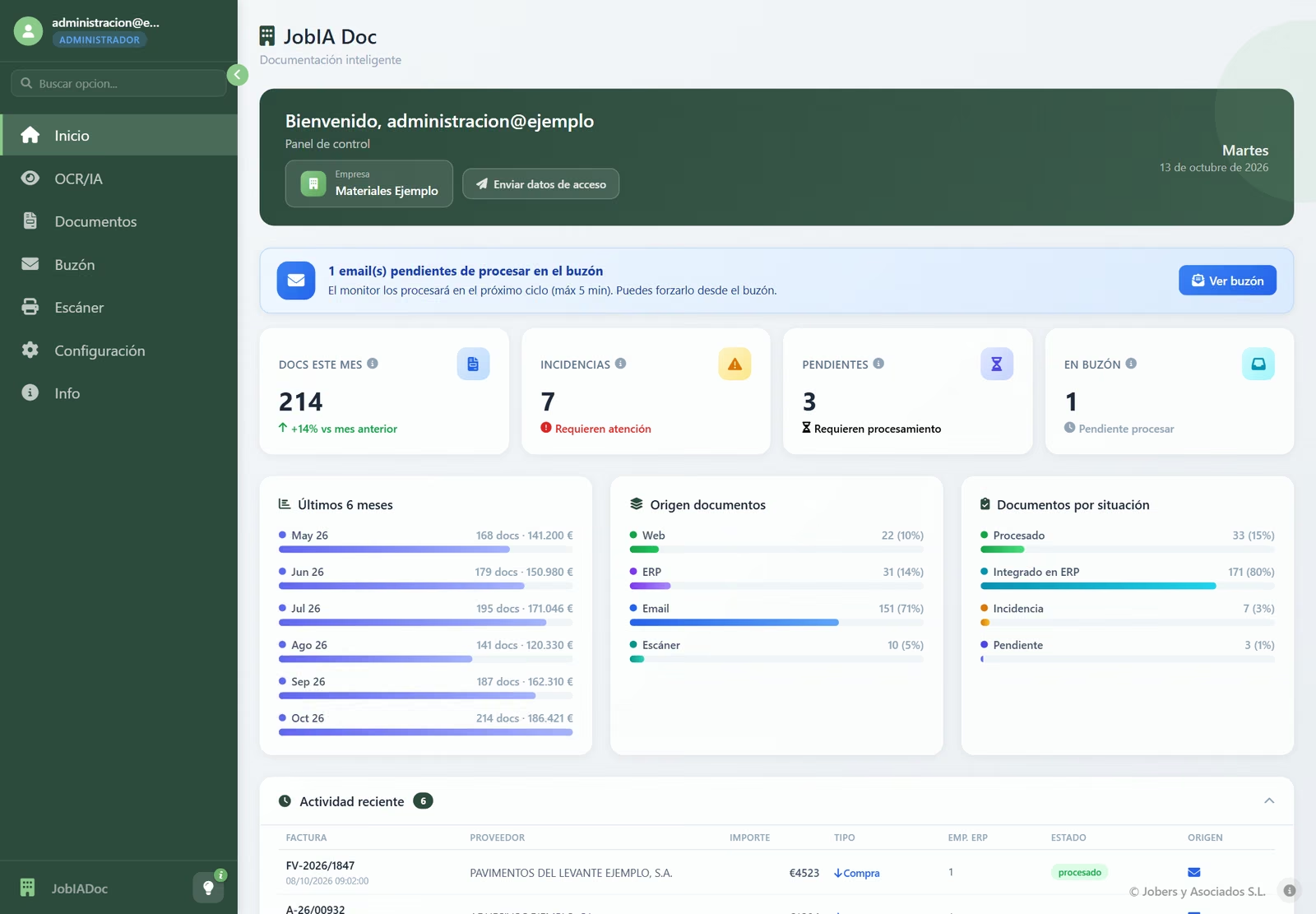
Real screenshots of the application
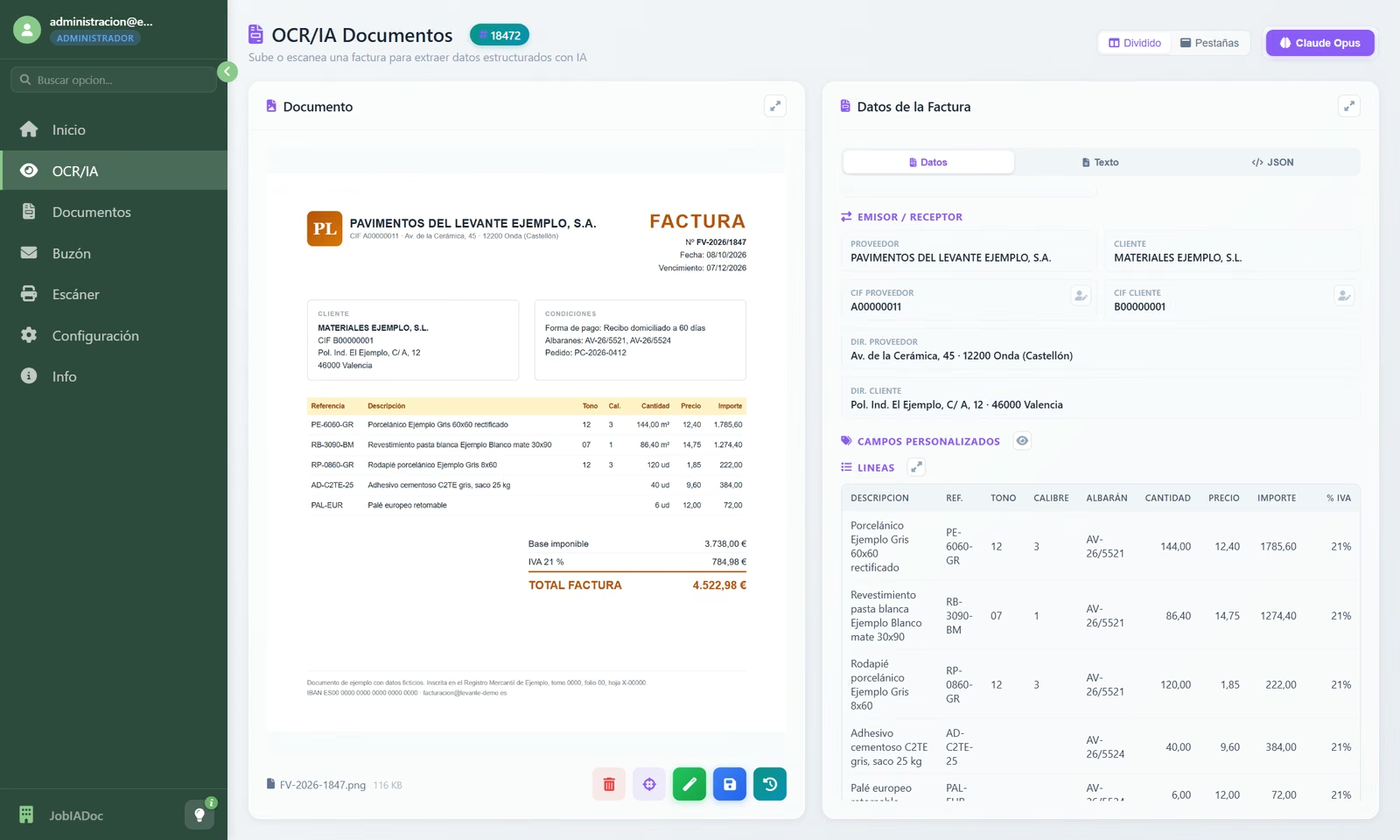
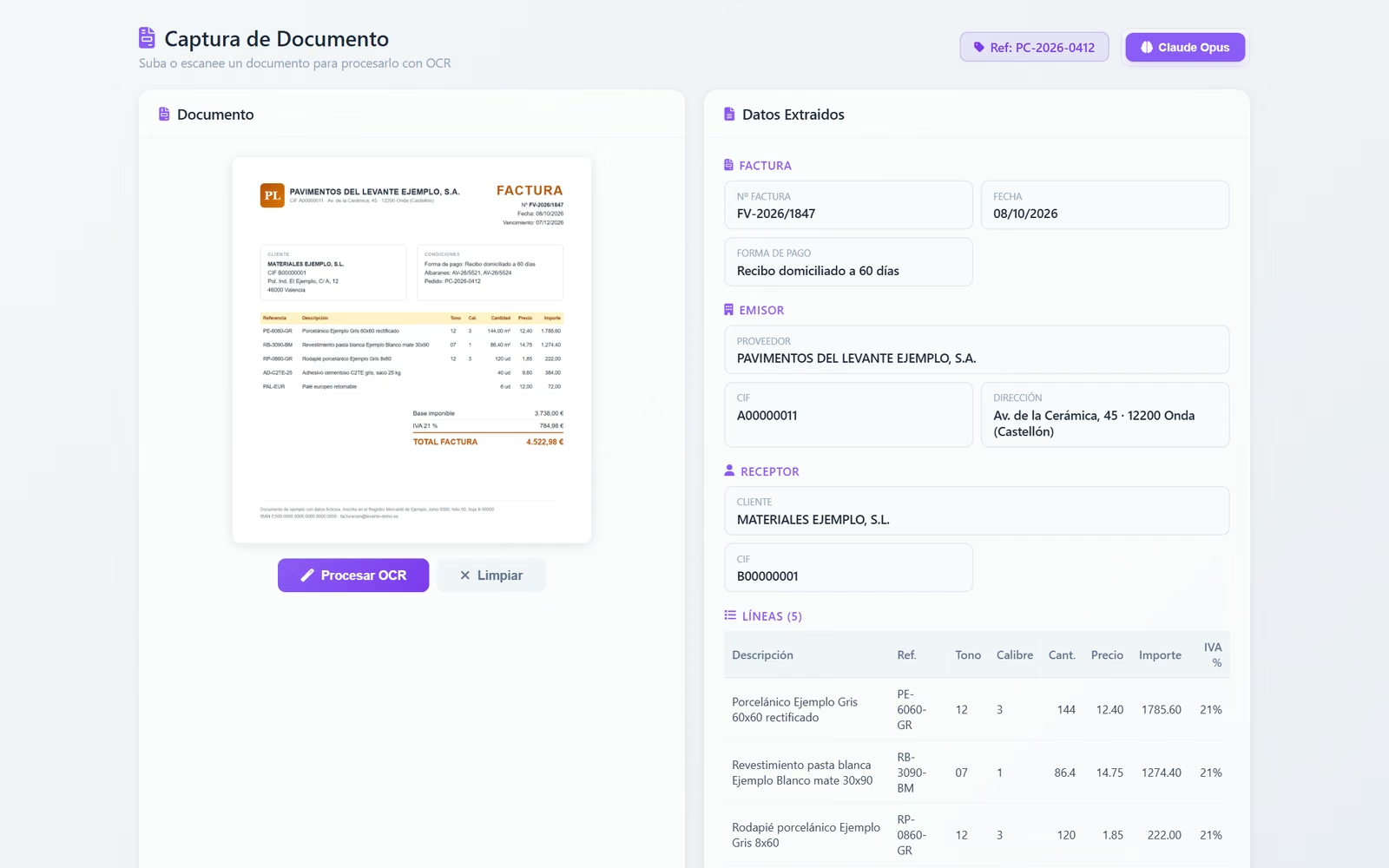
The invoice, read by the AI
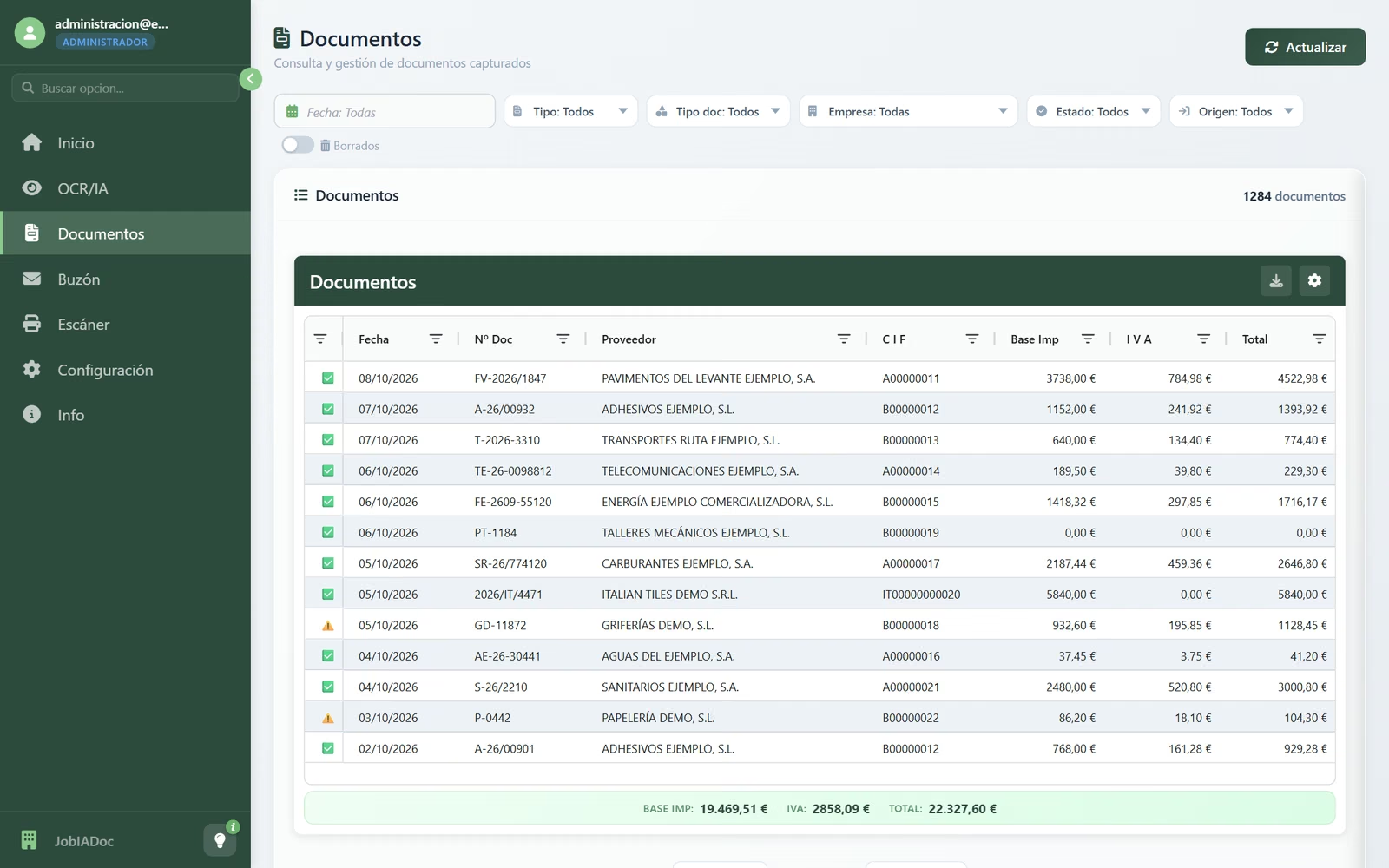
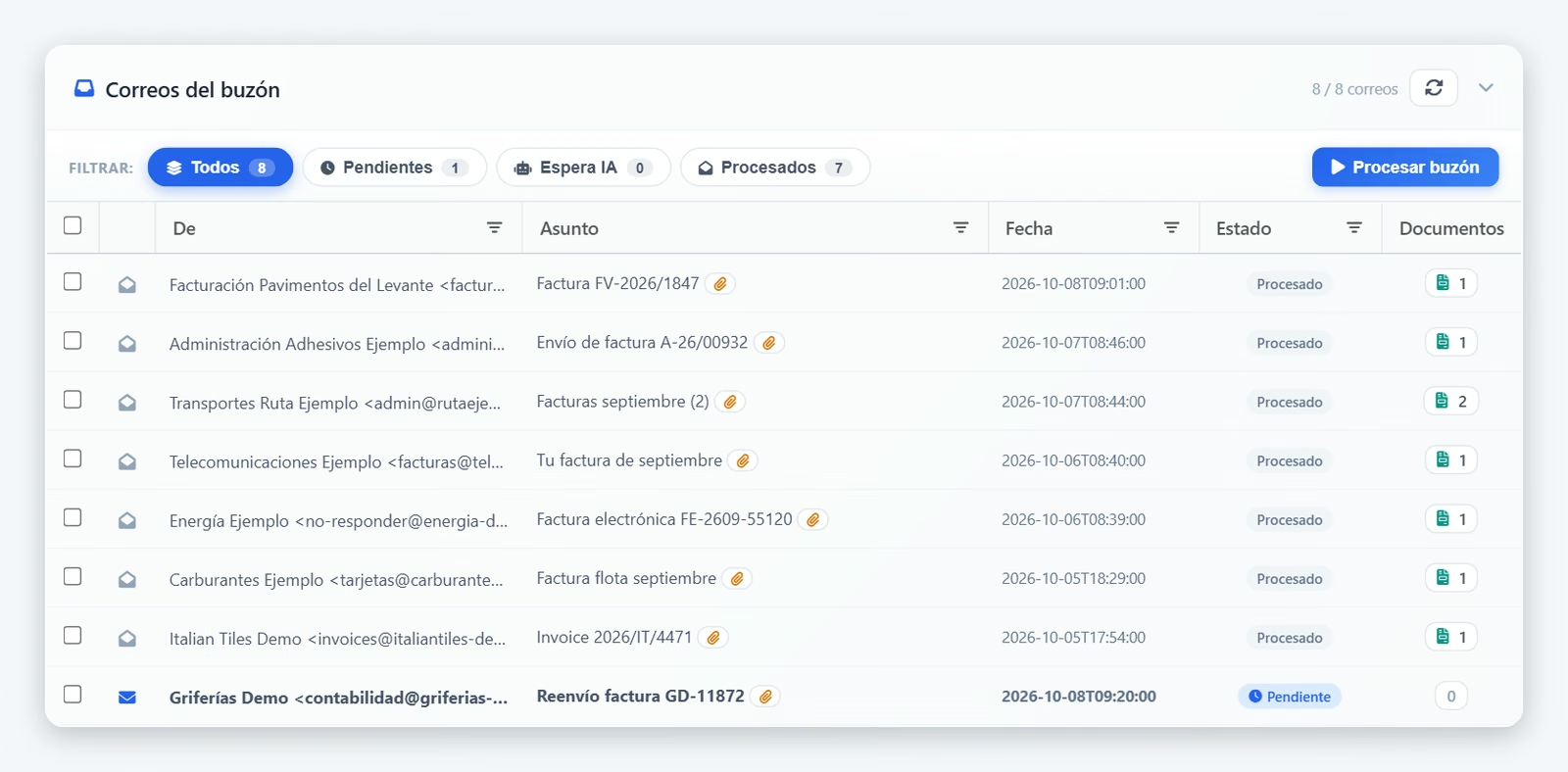
Every document, with its status
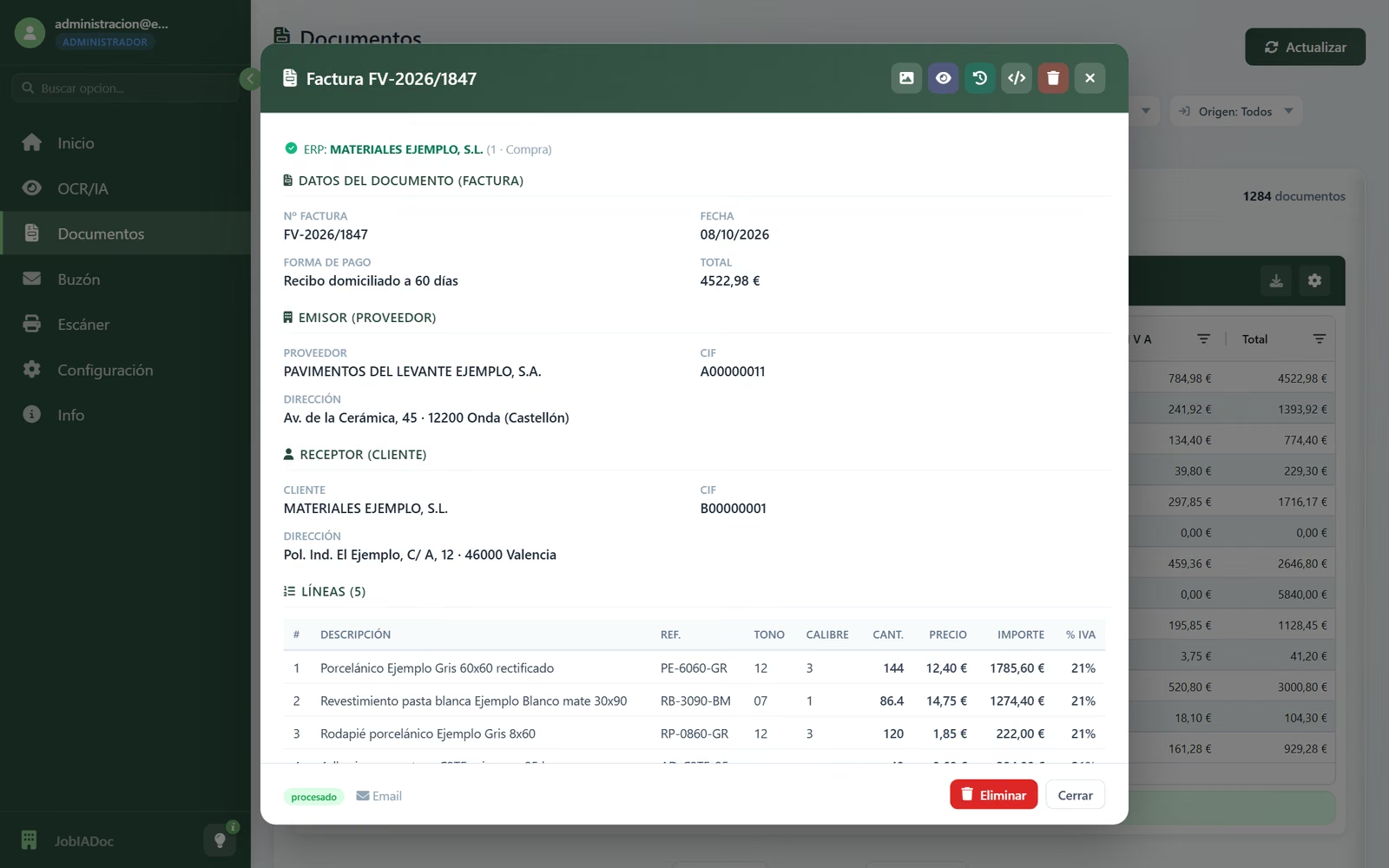
Detail with lines, shade and calibre
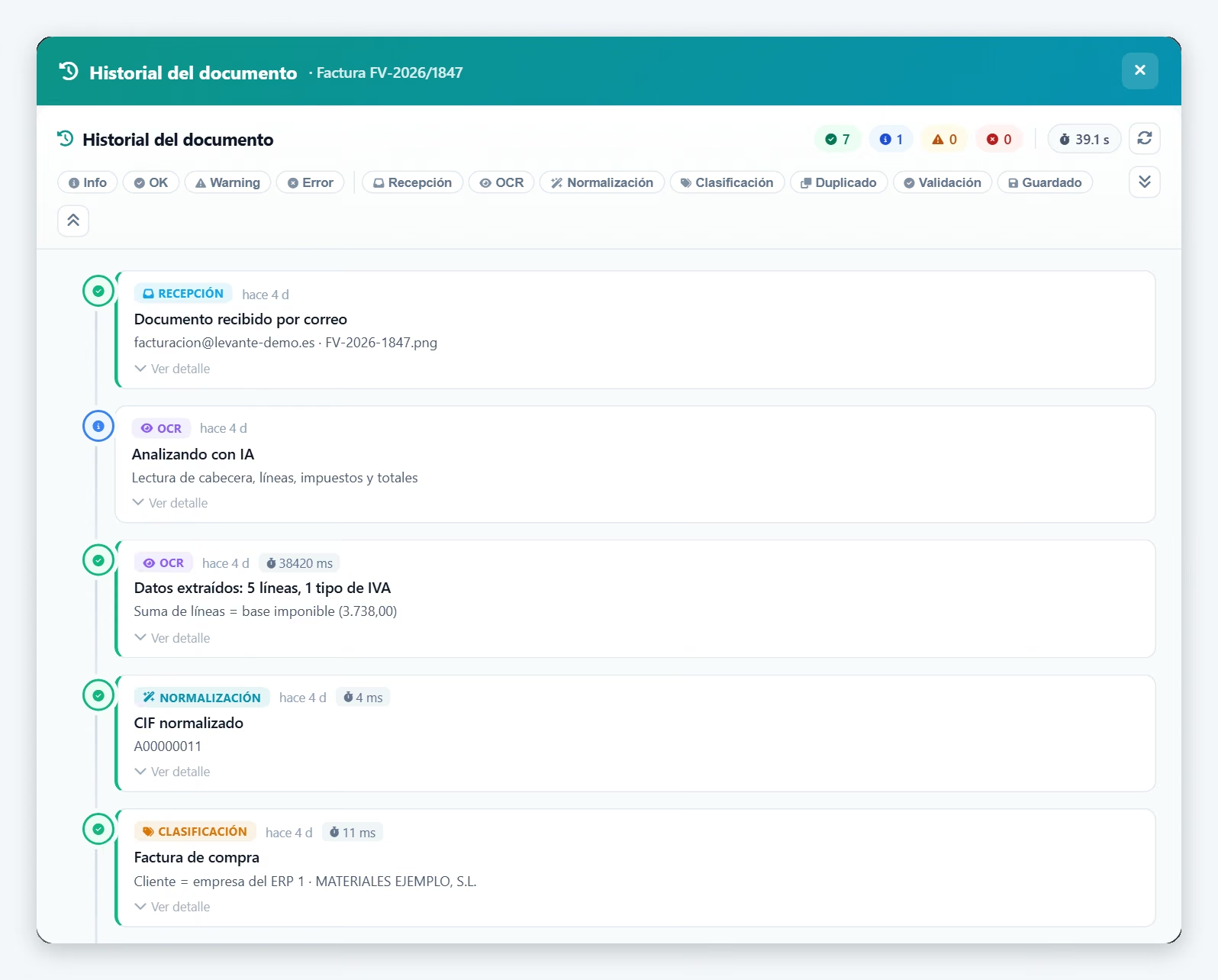
The history of every document
The mailbox, processed on its own
Home dashboard
Capture from the ERP
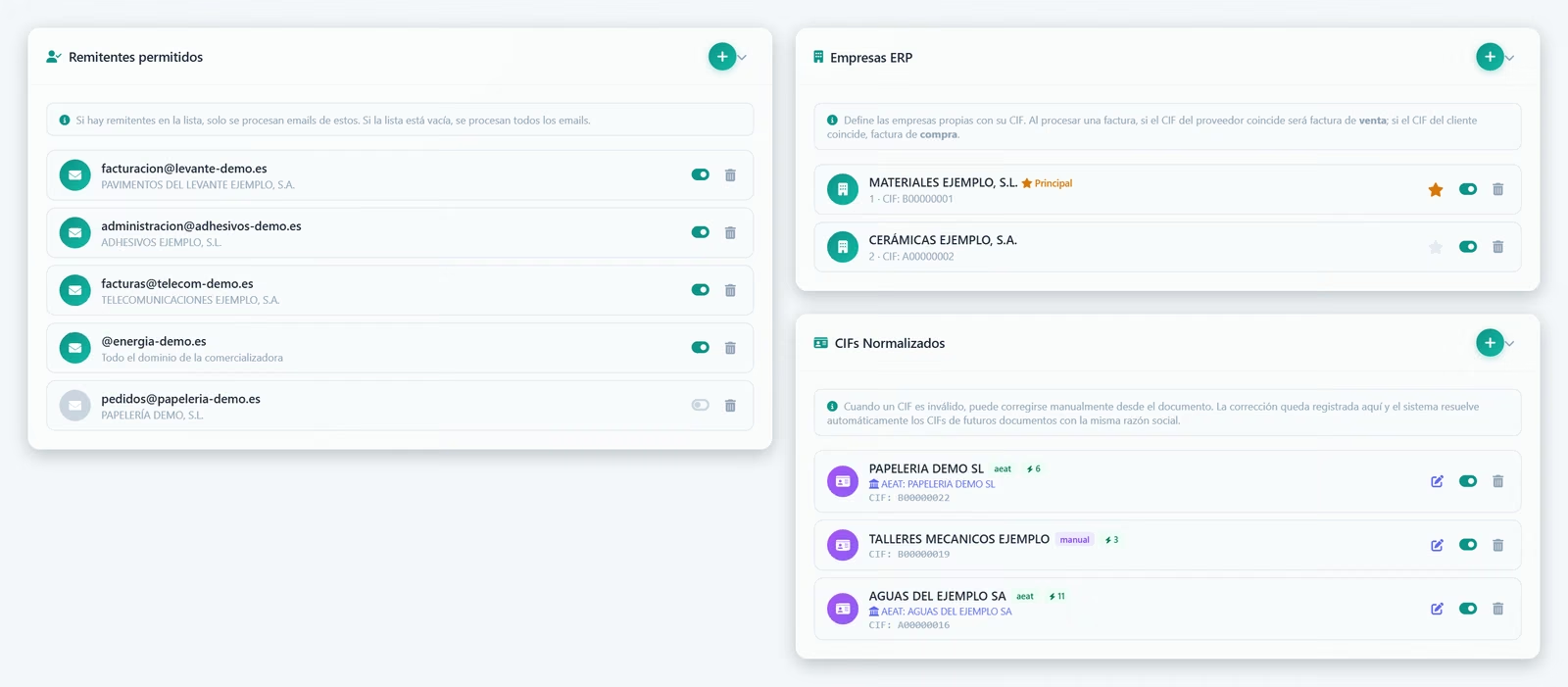
Senders, companies and tax IDs
AI Vision reading
Claude vision models that understand any invoice format: scans, phone photos and multi-page PDFs.
Complete extraction
Header, lines with reference, shade, calibre and delivery note, VAT breakdown, withholdings and totals, with the lines adding up to the base.
Credit notes, currencies and special VAT
Credit notes and corrective invoices with the right sign, foreign-currency invoices, imports, reverse charge and intra-EU purchases.
Mailbox
Checks the mailbox every few minutes: PDF, image and ZIP attachments, only from the senders you allow, and discards anything that is not an invoice.
Checked tax ID, no duplicates
Checks the supplier’s tax ID with the AEAT (or VIES) and warns you if the invoice was already registered.
ERP integration
REST API and a capture screen that opens from the ERP. Native integration with ERP Jobers.
Built-in scanner
Direct scanning from your multifunction printer via eSCL or WIA: scan and process in one step.
History of every document
What arrived, what the AI read, what was checked and who corrected what: full traceability for every invoice.
Multi-company
If you run several companies, each invoice is assigned automatically to the right ERP company from the customer’s tax ID.
Definition
What is AI OCR and why does it change invoice digitisation?
Traditional OCR (Optical Character Recognition) reads text from images using patterns and templates. To recognise an invoice, you have to configure where each field sits in each specific format. If the supplier changes its invoice, you have to configure it again.
AI Vision OCR needs no templates: it understands the document the way a person does. JobIADoc uses Claude’s vision models and a per-supplier learning layer that remembers where each piece of data is. It works with any invoice format, with low-quality scans, stamps or handwritten notes, and with long telephone, electricity, water or fuel-card invoices, keeping the lines that add up to the taxable base.
The result goes straight into ERP Jobers, ready to match against the purchase order and post to the accounts, with the supplier’s tax ID checked and no duplicates. No typing, no transcription errors.
Use cases
Documents JobIADoc processes automatically
Supplier invoices
Header, line items, amounts, VAT and withholdings. Credit notes, corrective invoices and foreign-currency invoices too.
Delivery notes and work reports
Delivery notes from suppliers and carriers and work reports, with the order of each line. Handwritten ones go for review.
Utility invoices
Telephone, electricity, water or fuel cards: the lines that add up to the base, without repeating the usage detail.
Customer orders
Orders that arrive by email, as a PDF or in the message text, with reference, model, colour and size on each line.
Email reception
A monitored mailbox: invoices that reach your inbox, even inside a ZIP, are processed automatically.
Direct scanning
eSCL and WIA support: scan and process in one step from the multifunction printer.
ROI
How much time you really save
95-99%
accuracy extracting key fields (amounts, VAT, totals)
4-8h
saved every week by the admin team (200-500 invoices/month)
2-4 months
typical ROI from go-live
Frequently asked questions
What people ask us most about JobIADoc
How accurate is AI OCR compared with traditional OCR?
How does it learn to read each supplier’s invoices?
Does it integrate with any ERP or only with ERP Jobers?
What happens with invoices that cannot be read properly?
How much time do you really save?
Can it be installed on our own server?
Is it secure? What happens to my invoice data?
How much time does your team spend typing invoices?
A personalised demo with real invoices from your suppliers. No obligation.