Document management for businesses
JobersDoc — all your company’s documents, to hand and linked to the ERP
Invoices, delivery notes, orders, contracts, certificates, drawings and Outlook emails in a single archive, organised by company, department, type and a folder for each customer or supplier. They are filed from the ERP, with the filing assistant, from a phone or with the office scanner; found in seconds and viewed without downloading. Everyone sees only what they should, and every view is logged.
JobersDoc
18,432 documents filed
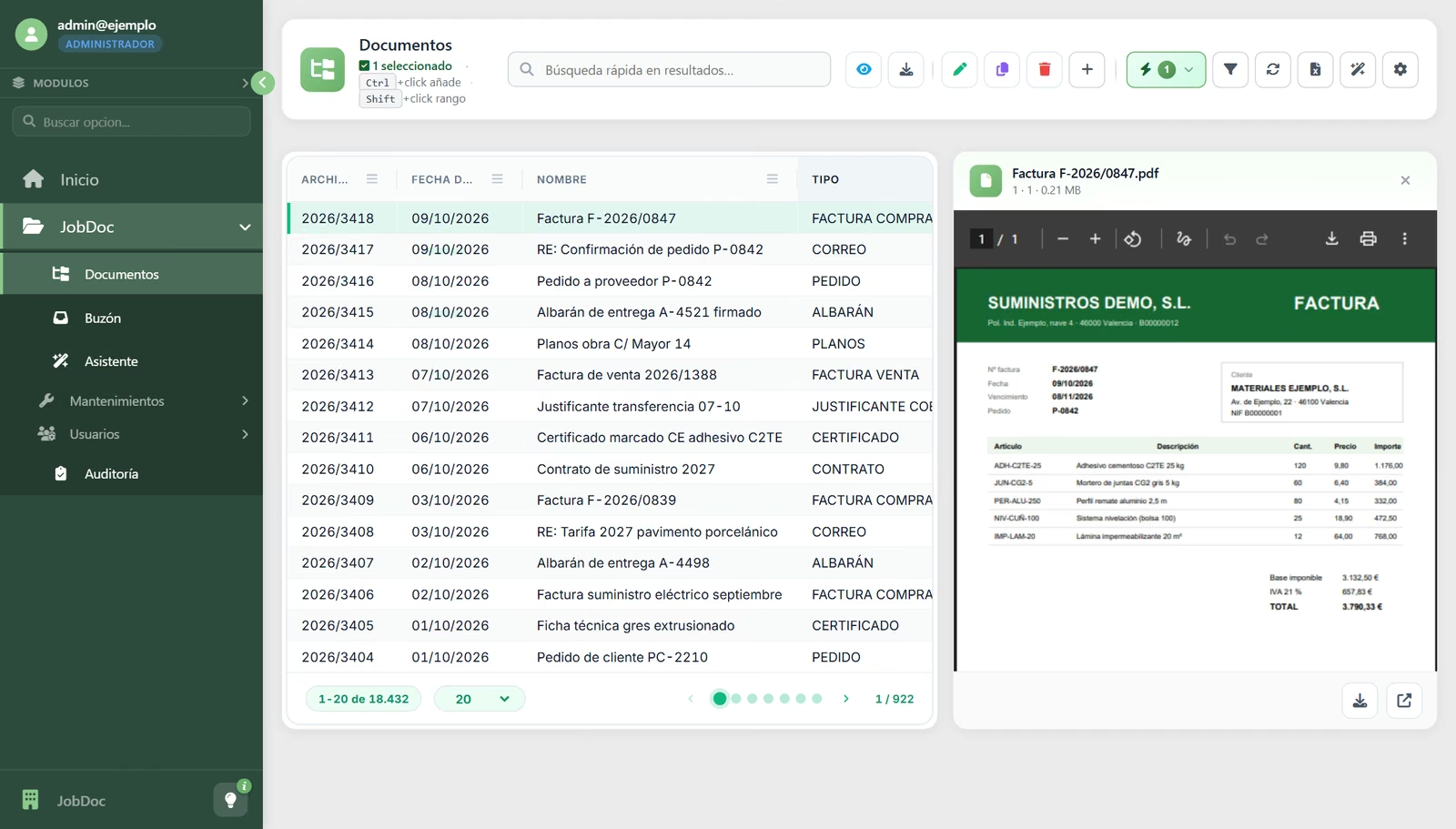
Factura F-2026/0847.pdf
Purchase invoice — 09/10
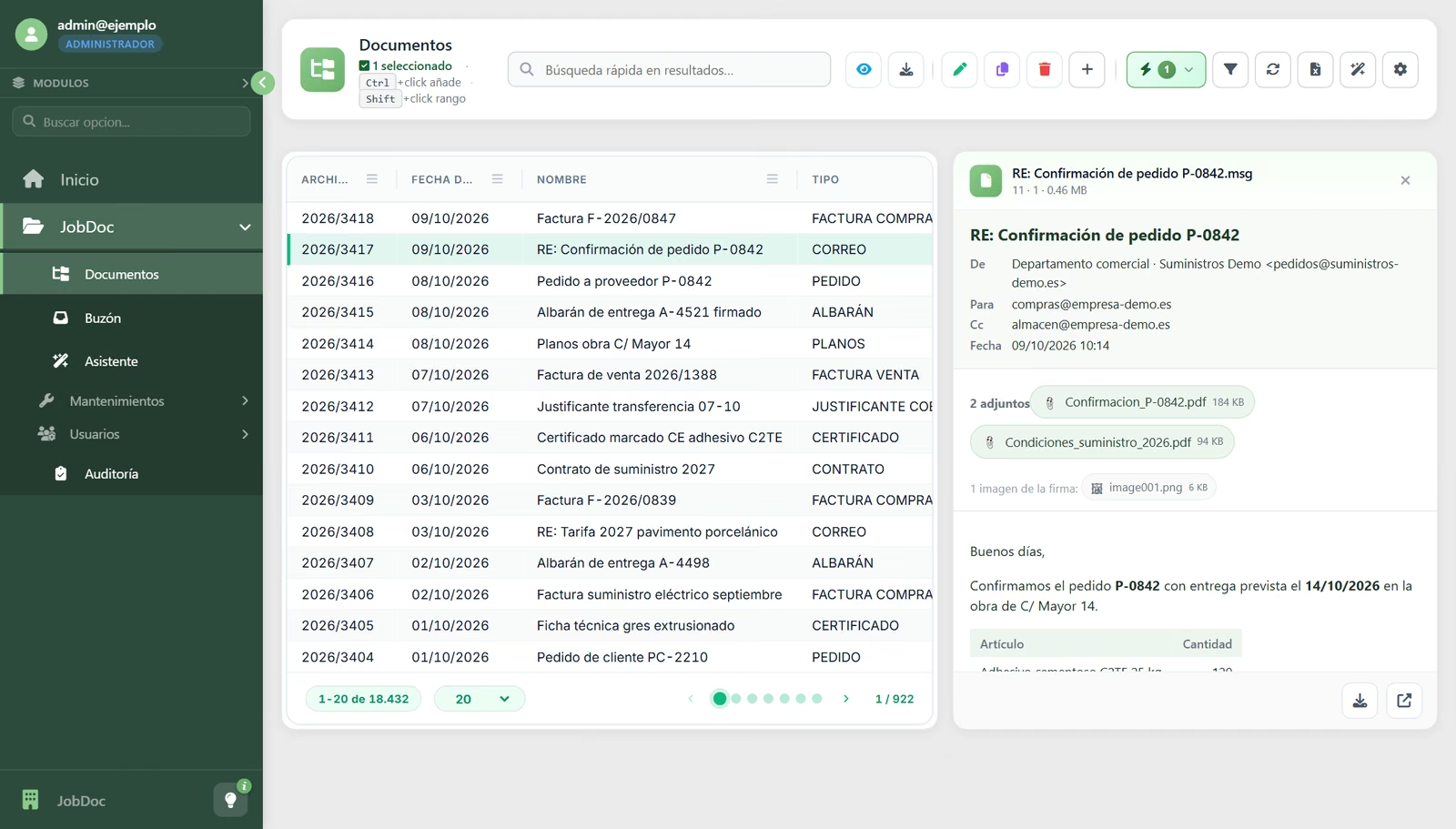
RE: Confirmación de pedido P-0842.msg
Email — 09/10
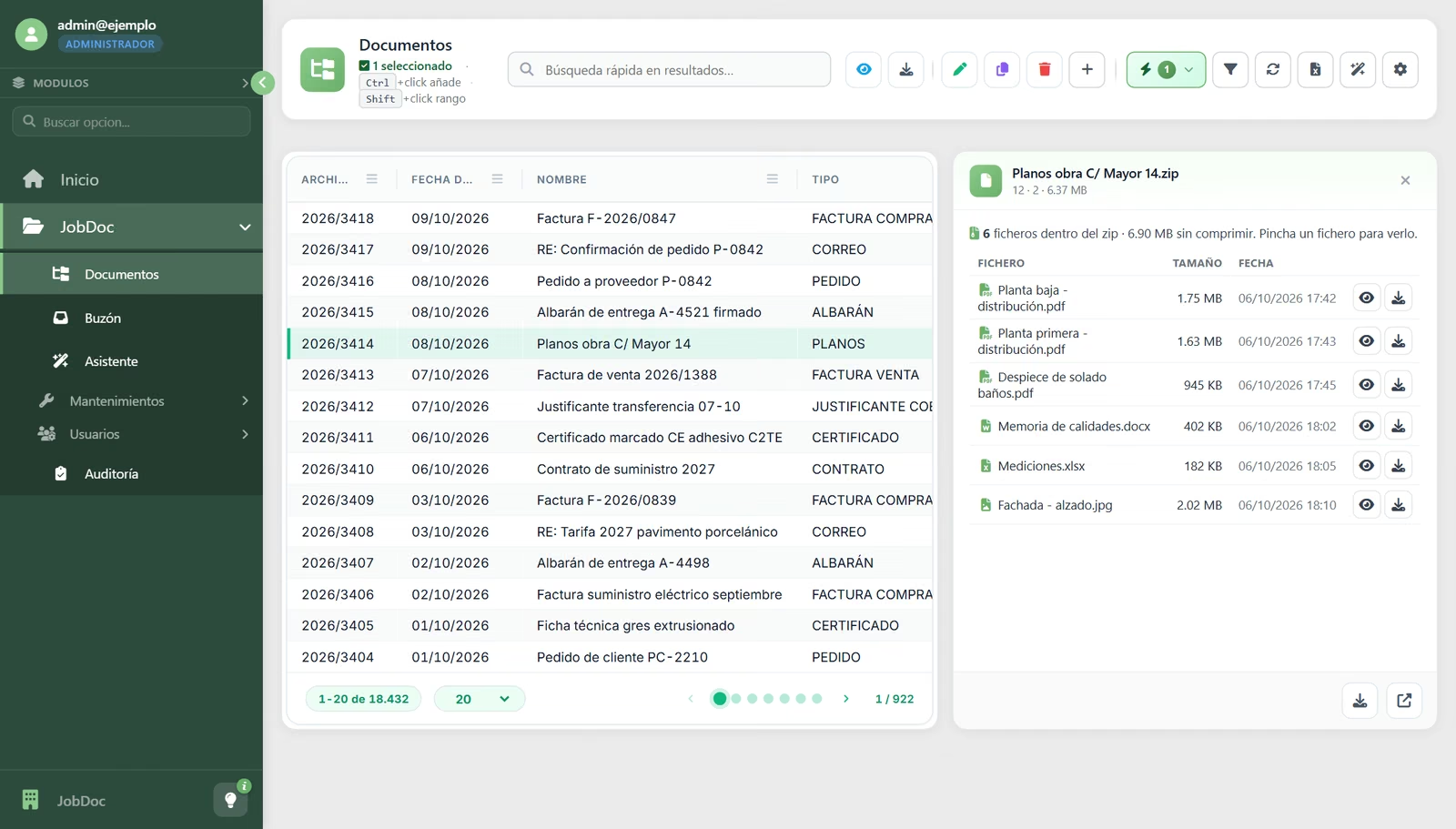
Planos obra C/ Mayor 14.zip
Drawings — 08/10
Real screens · sample data
How JobersDoc works
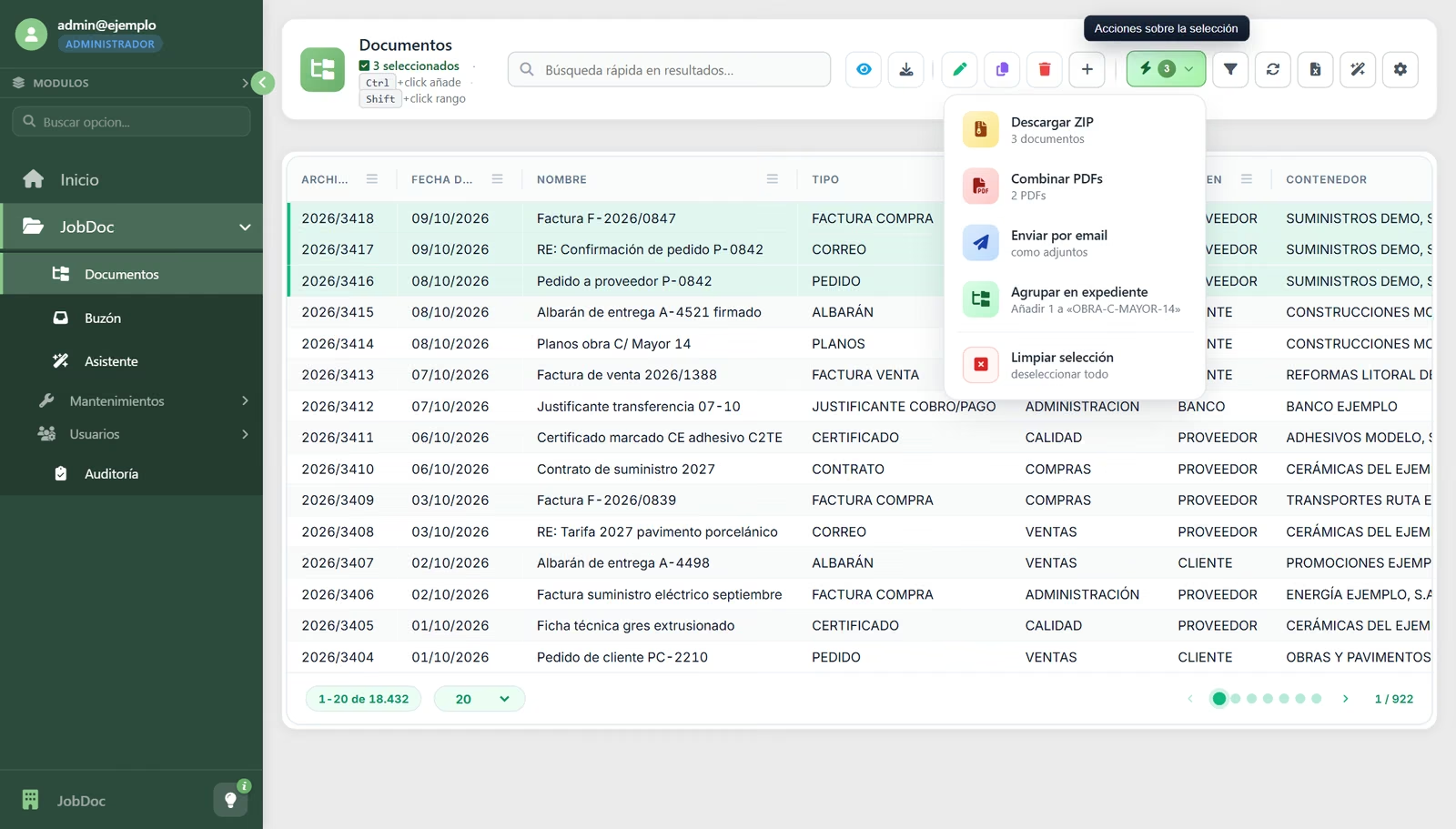
Documents: the list with the preview alongside
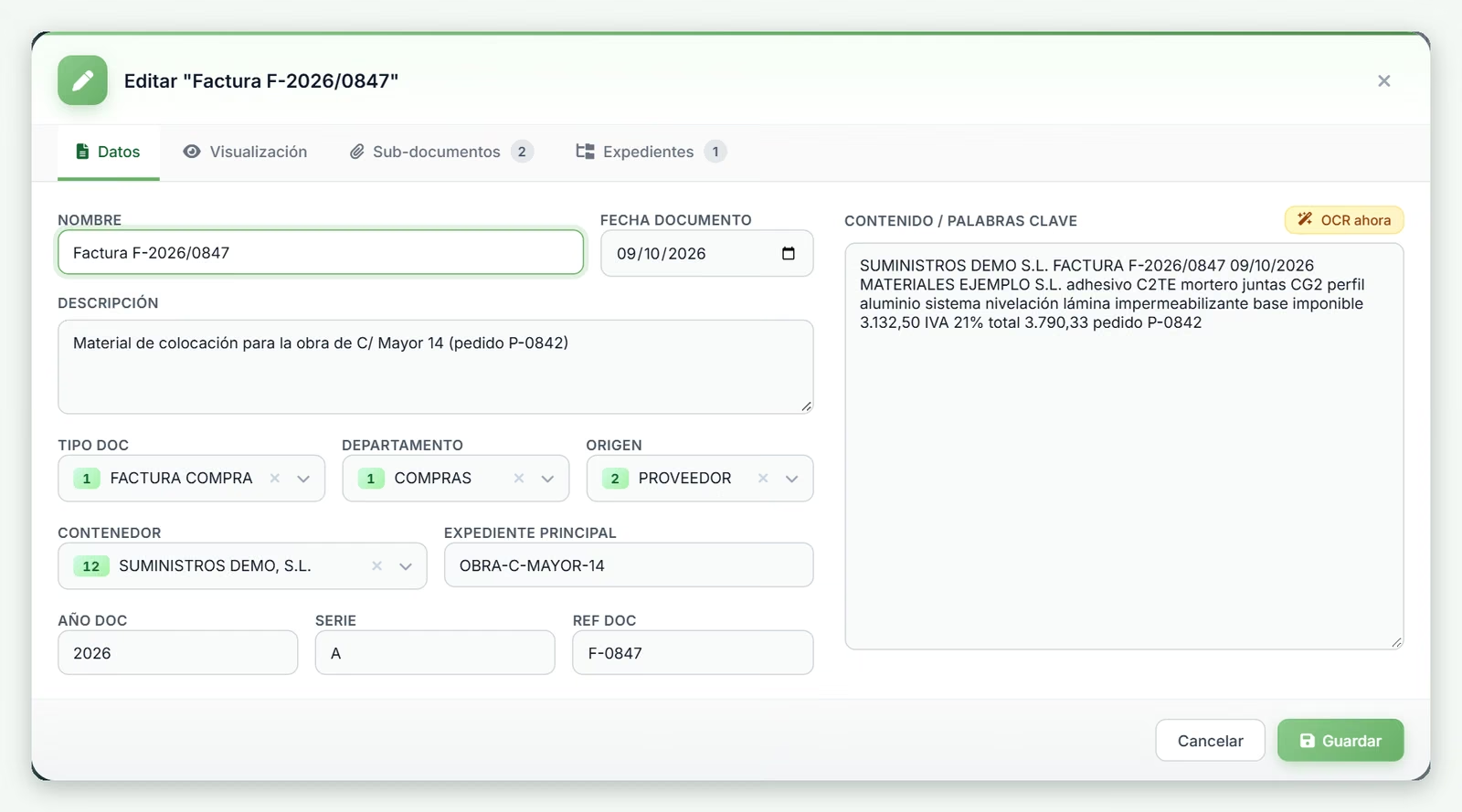
The record: type, department, folder and case file
An Outlook email, read without downloading it
What a zip file contains, file by file
Several at once: ZIP, a single PDF, email or case file
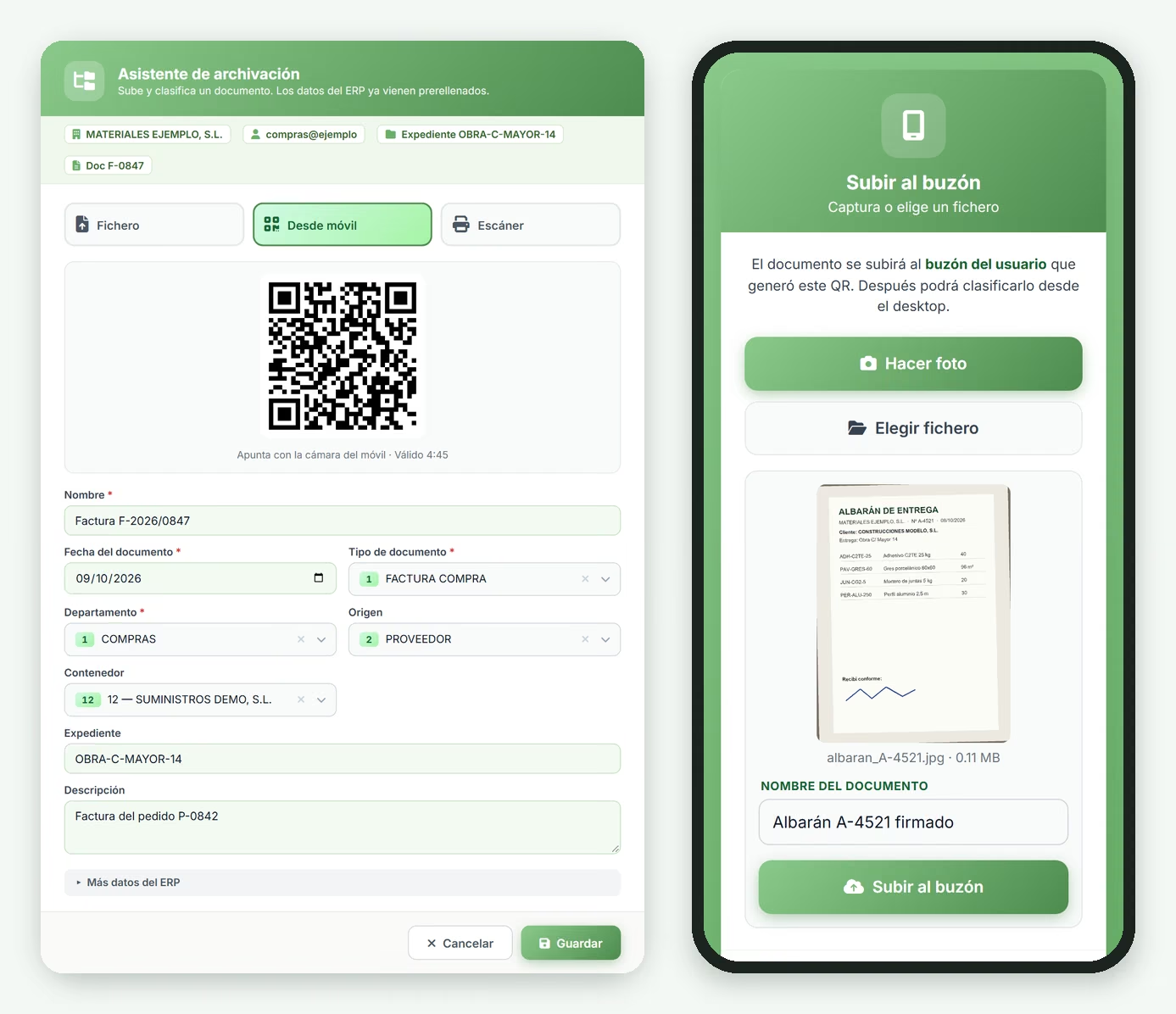
The filing assistant and uploading from a phone
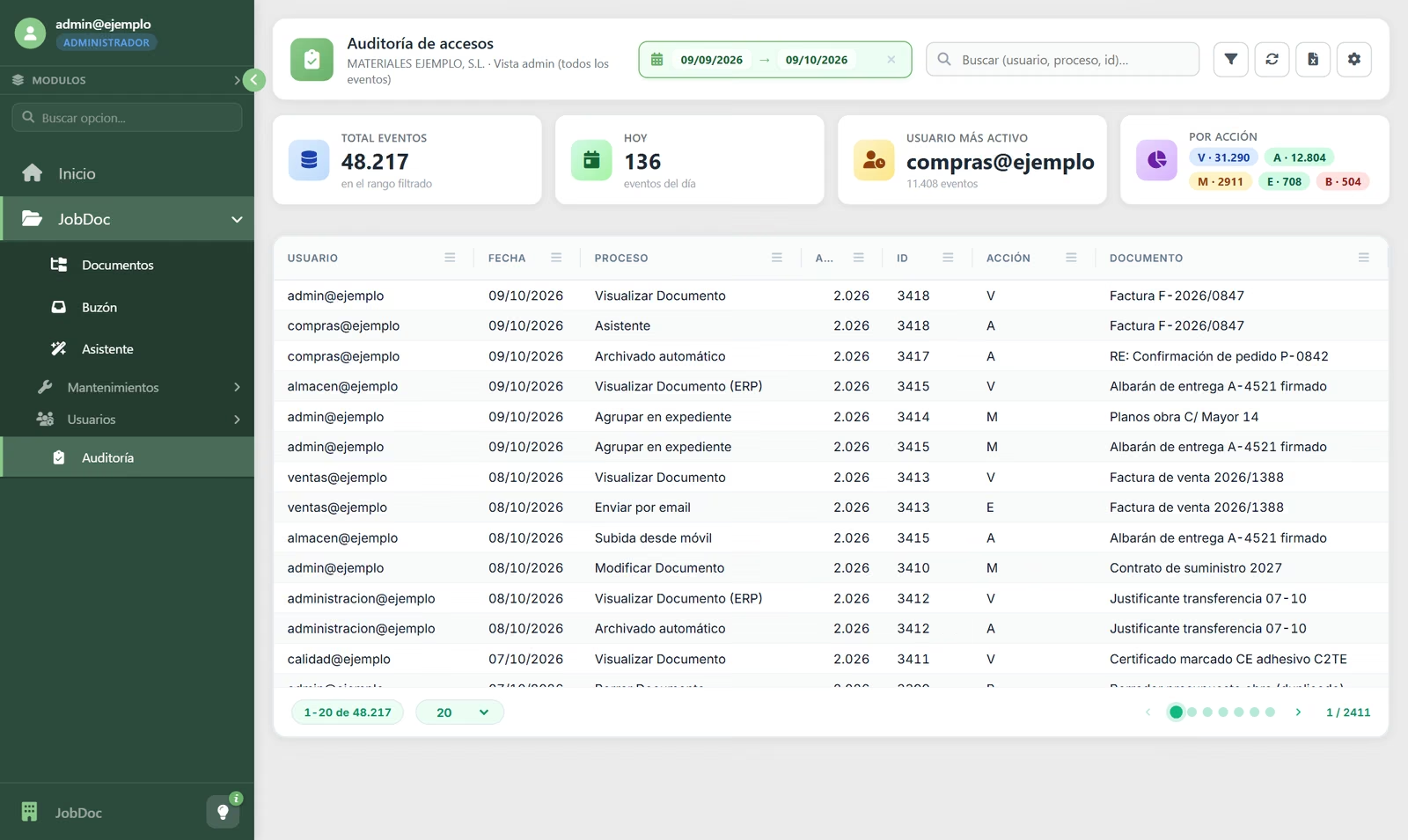
Audit trail: who did what and when
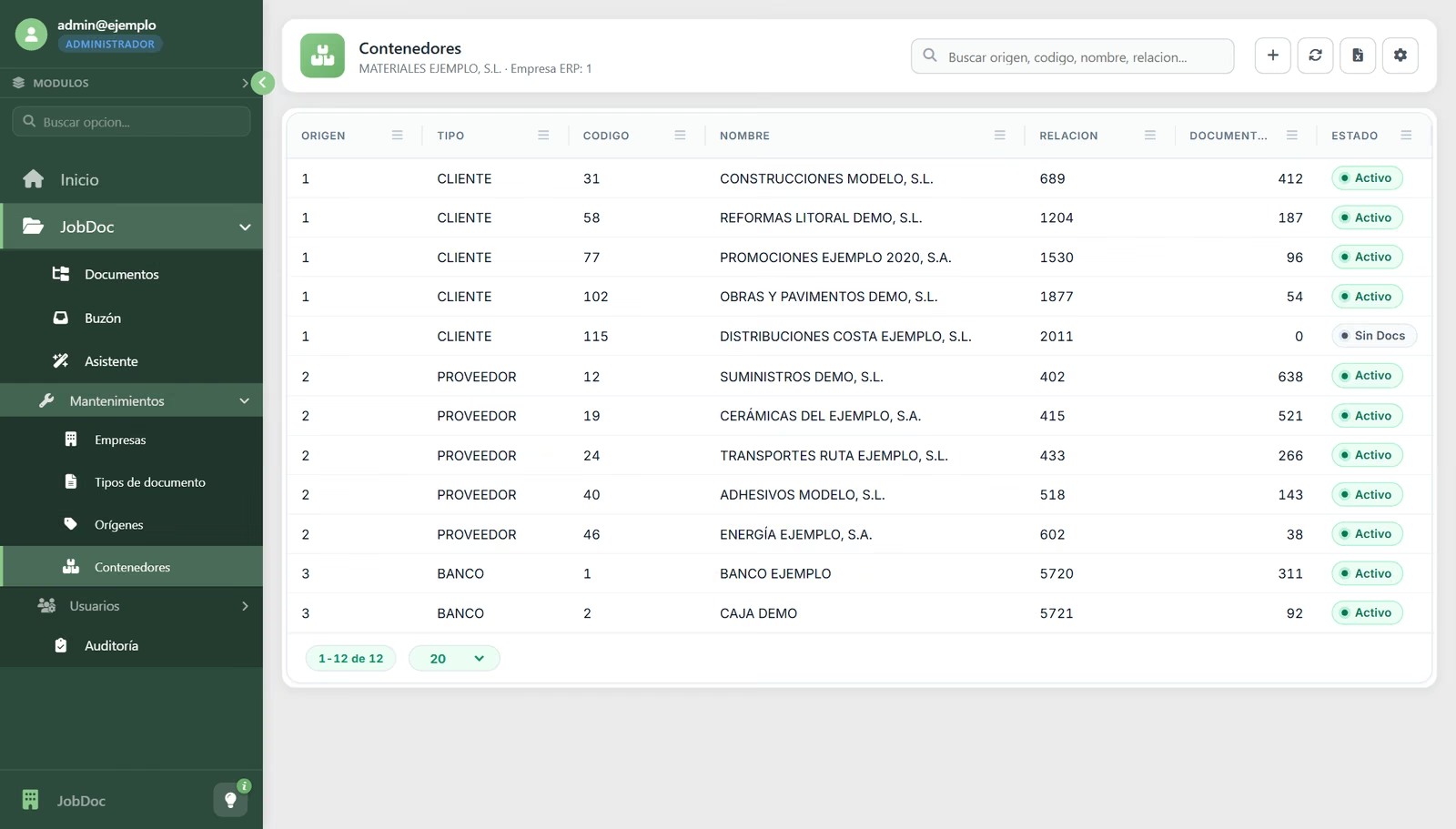
A folder for each customer, supplier and bank, linked to the ERP
File from anywhere
From the ERP when the document is saved, with the assistant, by dragging the file, with a phone photo or with the office scanner.
Instant search
Quick search, column filters and search by content or keywords, even across tens of thousands of documents.
View without downloading
PDFs, images, Outlook emails with their attachments and the contents of zip files, all in the same preview panel.
Folders and case files
Each customer, supplier or bank has its own folder; the documents for a project or an order are grouped into a case file.
Sub-documents
Attachments hang from the main document: the invoice together with its delivery note and goods-received sheet.
Bulk actions
Select several documents and download them as a ZIP, merge them into a single PDF or email them as attachments.
Access control
Each user sees the document types for their level and the departments assigned to them; adding documents is a separate permission.
Multi-company
Several companies in a single installation, each with its own departments, document types and folders.
Audit trail
Additions, views, changes, emails and deletions logged with user, date and document, plus statistics.
Definition
What business document management is and why it makes the filing cabinet obsolete
Document management (DMS, Document Management System) is the system a company uses to file, organise, find and control access to its electronic documents: invoices, delivery notes, contracts, certificates, drawings, correspondence. It replaces physical folders and Drive folder trees with structured classification based on metadata, linked to the rest of the company’s software.
JobersDoc is built in from the start with the Jobers ERP and JobFinan: they file what they generate automatically and open the original from the invoice, the order or the journal entry, without switching programs. Multi-company and multi-department, with a filing assistant, upload from a phone, direct scanning, advanced search and a record of every access.
Use cases
Documents that JobersDoc files and finds
Invoices and delivery notes
The ones the ERP files automatically and the ones that arrive on paper or by email. Any invoice, found in seconds and opened from its ERP record.
Contracts and legal documents
Employment and commercial contracts, powers of attorney and agreements, visible only to those with the right level and department.
Project and site documentation
Drawings, specifications, certificates, work reports and deliverables, grouped in the project’s case file and in the customer’s folder.
Certificates and technical data sheets
Quality certificates, CE marking and product data sheets, in each supplier’s folder and one click away.
Important emails
Outlook emails filed with their attachments, readable without downloading them or opening Outlook.
Audits and inspections
An auditor or inspector can access the requested documents in minutes, not days.
Frequently asked questions
What people ask us most about JobersDoc
How is JobersDoc different from a company Drive or SharePoint?
Can it scan documents directly?
Does it link to the ERP?
Can documents be viewed without downloading them?
How is access controlled?
Can it keep invoices for the legally required period?
Want to find any document in seconds?
A personalised demo with your own documents. No obligation.