Invoices and delivery notes on autopilot: JobIADoc’s new unified pipeline
JobIADoc launches a single process that captures, validates and posts to the ERP any supplier invoice or delivery note — whether it arrives by email, as a PDF, from the scanner or uploaded by hand. Zero manual intervention.
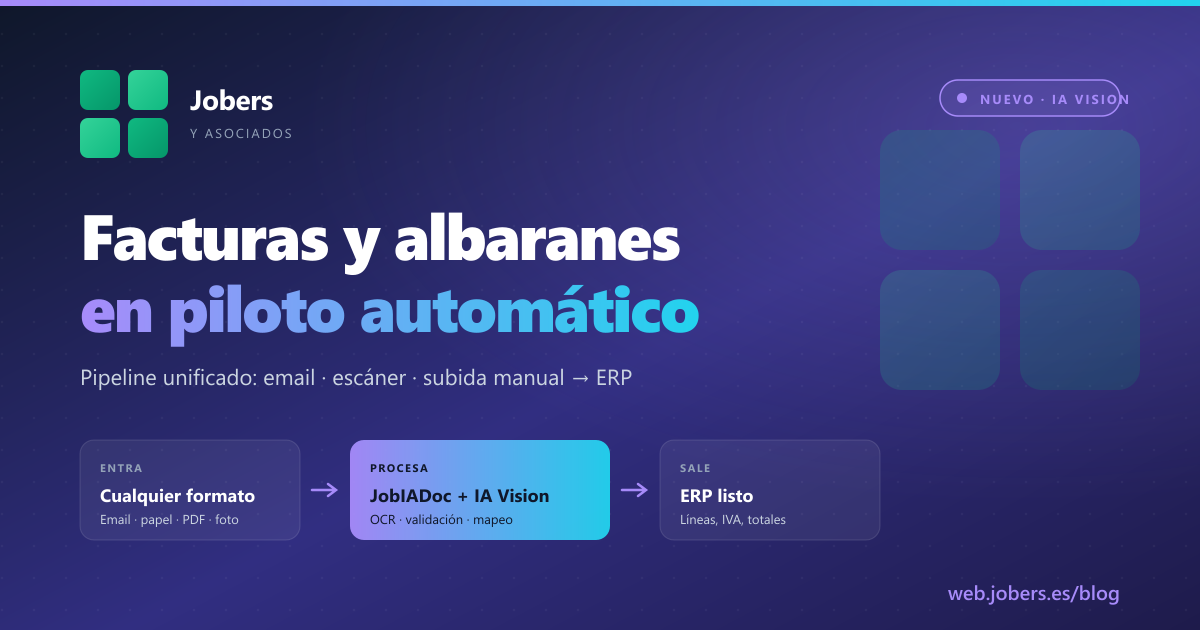
If your admin staff spend the morning opening emails, downloading PDFs, typing in delivery note lines, checking tax IDs and keying data into the ERP, you are paying salaries for work that should no longer exist. The new version of JobIADoc closes the loop: a single automated pipeline that processes supplier invoices and delivery notes from any source, validates the information against official records and hands them to the ERP ready for reconciliation.
The problem we solve
In an average company in our sector — a building materials merchant, a hardware distributor, a ceramics factory — dozens or hundreds of supplier documents come in every day:
- Invoices arriving in the admin team’s inbox (
compras@,facturas@). - Paper delivery notes left at the counter by the delivery driver.
- Loose PDFs forwarded by a sales rep after a visit.
- Documents scanned by the bookkeeper every Monday morning.
- Manual uploads to the ERP when someone gets tired of waiting.
The problem isn’t just the time spent typing. It’s the chaos: each source followed a different process, each with its own errors and gaps. If an invoice came in twice (paper + email), you had a duplicate. If a tax ID was mistyped, the problem surfaced three weeks later at month-end close.
What JobIADoc launches: a unified pipeline
We have redesigned the engine so that it no longer matters where the document comes from. The process is always the same:
1. Intake — any format, any source
- Email mailbox monitored in the background. When a PDF invoice lands in
compras@yourcompany.com, JobIADoc picks it up automatically. - Integrated scanner via eSCL/WIA. Put the delivery note on the glass, press a button and it’s in.
- Manual upload from the web — drag and drop any PDF or photo.
- Pending for retry — if the AI was saturated when the document arrived, JobIADoc marks it in the mailbox with an IMAP flag (
JobIADocAIRetry) and reprocesses it later on its own. You don’t do a thing.
2. Processing with AI Vision
The engine combines two AI vision models (Groq Vision + Claude Vision) to guarantee accuracy even on invoices with stamps, smudges, poor quality or unusual layouts. It extracts:
- Header: supplier, tax ID, number, date, due date.
- Detail lines: code, description, quantity, unit price, discount, VAT per line.
- Totals: taxable bases, VAT, withholdings, totals.
- Sector-specific data: batches, calibres and shades in ceramics; source delivery note numbers for matching against orders.
3. Automatic validation
This is where it differs from any ordinary OCR:
- Tax ID checked against the AEAT (the Spanish tax agency, VNifV2 service) using a digital certificate. If the tax ID doesn’t exist or doesn’t match the company name, JobIADoc warns you before it reaches the ERP — not afterwards.
- Fallback to VIES for intra-EU transactions.
- Learned mapping per supplier. Every time you process a document from a supplier, JobIADoc memorises its layout. The 5th invoice from that supplier is processed much faster and more accurately than the first. With no programming.
4. Posting to the ERP
The document comes out the other end as a structured record ready for reconciliation: an invoice or delivery note with its lines, VAT, withholdings and totals. If your ERP is the Jobers one, it goes straight in. If it’s another, it connects via API or export.
5. Full traceability
Every document has its timeline: when it came in, which AI processed it, which validations it passed, where it ended up, who reviewed it if there were doubts. 100% auditable, exportable, no secrets.
Why it changes the day-to-day
Let’s put some real numbers on it, based on the companies already using it:
| Before | Now |
|---|---|
| 5-7 minutes per invoice typed by hand | 15-30 seconds without touching anything |
| 200-300 invoices/month × 6 min = 20-30 hours/month of admin time | 1-2 hours/month reviewing exceptions |
| Typing errors (wrong tax ID, altered taxable base) discovered at close | Errors caught instantly and blocked |
| Duplicate documents between email and paper | Automatic deduplication by image hash |
| “Who entered this, and when?” with no clear answer | Auditable timeline per document |
Your admin staff stop typing. They move on to reviewing exceptions — the few cases where the AI has a reasonable doubt, usually invoices from new suppliers or documents in poor condition.
Delivery notes: the most interesting case
Supplier delivery notes tend to be the most abused document in the purchasing process. They arrive on paper, with lots of lines, and then have to be matched against the order and the invoice to validate prices. Traditionally:
- The driver leaves you the delivery note → paper folder.
- Three days later, the invoice arrives by email → you key it into the ERP by hand.
- Someone has to manually check that the lines and prices match.
- Discrepancies → call to the supplier → correction 2 weeks later.
With the unified pipeline:
- You scan the delivery note the day it arrives — JobIADoc processes it and pins it to the corresponding order.
- When the invoice comes in by email, JobIADoc automatically cross-checks it against the delivery note already captured.
- If the lines and prices match, it is ready to pay. If not, an issue is raised with the exact difference flagged.
Result: the delivery note → invoice → reconciliation cycle drops from 3-4 weeks to 2-3 days.
The guarantees JobIADoc provides
- AI usage limits per company (monthly and daily, configurable) so the cost stays predictable.
- Automatic email alerts if something gets stuck or usage spikes.
- On-premise → central sync every 5 minutes: if you have it deployed on your own server, the key information is replicated to the central Jobers dashboard for support and multi-company consolidation.
- Super-Admin dashboard for company groups: a single view of all your sites, with usage, errors and volume.
- Daily email reports first thing in the morning with what happened yesterday.
- Sender whitelist in the email monitor — it only processes legitimate suppliers, not spam.
How to get started
If you are already an ERP Jobers customer, adding JobIADoc means activating a module and configuring the email mailbox. We coordinate the roll-out with your admin team so the pipeline starts processing your real suppliers without any surprises.
If you have a different ERP, let’s talk: we have integrated with SAP Business One, Sage 200, Microsoft Dynamics and several sector-specific systems. The AI component is the same; what we adapt is the output connector.
See it live
If you want to see the pipeline processing your own invoices and delivery notes:
- At the show: at Hábitat Valencia (28 Sept – 1 Oct) and Eurobrico (6-8 Oct) we’ll have a scanner connected on the stand. Bring 4-5 paper supplier invoices and you’ll see the result on the spot.
- Online: ask us for a 45-minute demo with your team. If you send us 10 of your real invoices beforehand, we’ll build the demo with your own data.
JobIADoc is not just another OCR. It’s the way to take the work that adds no value off your admin team’s plate — so they can focus on what does: resolving discrepancies, negotiating with suppliers, controlling costs. Leave the rest to the machine.
Shall we talk about your case?
If you would like to see how Jobers could work in your company, ask us for a no-obligation demo.
Request a demo