JobRutas: paperless warehouse deliveries, tracked live
Real-time GPS, digital signature, delivery photos, delivery notes managed from a mobile. JobRutas is the native app that connects your drivers to the office without a single sheet of paper.
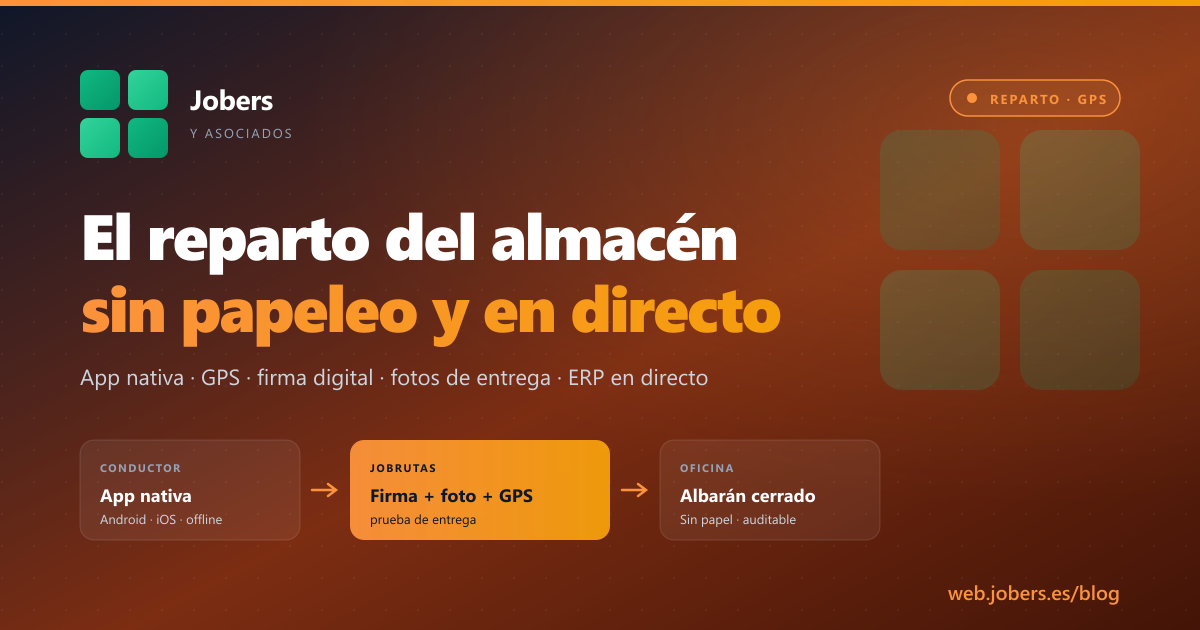
If you run a building materials warehouse with your own fleet, you know the cycle: the lorry leaves in the morning with a wad of paper delivery notes, comes back in the afternoon with them signed and smudged, and the next day someone has to type the data into the ERP, file the paperwork and decipher illegible signatures. If a customer rings two weeks later saying “this never arrived”, you have to search by hand through the physical folders.
JobRutas closes that loop. It’s the native app your drivers carry on their mobile, connected to the ERP in real time, replacing paper delivery notes with digital signature, delivery photos and geolocation.
The problem with paper deliveries
A run-through of the typical gaps in the current cycle:
- The driver leaves with 18 paper delivery notes. Lose one, and there’s no copy.
- At each drop, the customer signs on something propped on the bonnet. The signature is enough to validate payment, but sometimes it is illegible.
- If there’s a problem (damaged pallets, missing units, wrong address), the driver makes a handwritten note. That note reaches the office the next day, if at all.
- The customer rings asking “what time will my material arrive?”. Your admin staff have no way of knowing other than ringing the driver.
- At the end of the day, someone types 18 delivery notes into the ERP to close off the dispatches.
What changes with JobRutas
In the van — native app
Your driver carries a React Native app installed on Android or iOS. When the route starts:
- They see the day’s delivery list in geographical order, with address, contact, phone number and notes.
- Each delivery includes the delivery note detail: packages, weight, amount, special instructions (awkward ramp, call ahead, leave in the garage).
- GPS switched on: the office sees the lorry’s position in real time, with estimated times to each customer.
At the customer — complete proof of delivery
On arrival at the customer:
- Digital signature from the recipient directly on the mobile screen. It is attached to the delivery note, legible and digitally filed.
- Delivery photo: the driver photographs the unloaded material, the pallet, the spot where it was left. Unequivocal proof for resolving future claims.
- Delivery geoposition: the exact location and time are recorded.
- Delivery note status: delivered, partial, refused, with a reason. If something is missing or the customer refuses an item, it is recorded instantly.
In the office — live data
While the driver is out delivering:
- The office team sees the fleet map with every vehicle and its deliveries.
- If a customer rings, you can give them a real estimated time (“the lorry is 15 minutes away”).
- Issues arrive instantly, not the next day. If an item is missing, someone can prepare another shipment that same afternoon.
- Each delivery note is closed automatically in the ERP when the delivery is confirmed. No typing after the fact.
Automatic customer notifications
Optional, but recommended: the customer receives automatic alerts by SMS or email:
- “Your order has left the warehouse — estimated arrival 11:30.”
- “The driver is 15 minutes away.”
- “Delivery completed successfully.”
It drastically reduces the “when will it arrive?” calls and improves the perception of service without your admin staff picking up the phone.
It works without signal too
For rural areas or industrial estates with poor coverage:
- The app works offline. The driver can keep working; signatures and photos are stored on the device.
- As soon as it regains connection, everything syncs automatically. Not a single piece of data lost.
Web PWA for supervision
Alongside the drivers’ mobile app, you have a web PWA accessible from any browser for:
- Supervision from the office (fleet map, delivery status, open issues).
- Access for the logistics manager from their desk or from home.
- Statistics: average delivery times, most efficient routes, issues per driver.
What you gain
| Before | With JobRutas |
|---|---|
| Paper delivery notes that have to be filed | Digital delivery notes with signature, photo and geoposition |
| Manual typing at the end of the day | Automatic closure in the ERP on confirming delivery |
| Customer rings to find out when it will arrive | Customer receives an automatic notification |
| “I delivered that, somebody signed for it” | Complete proof with legible signature + photo + GPS + time |
| Issues come to light the next day | Issues instantly, so the office can react |
| Delivery statistics = none | Times, routes, issues per driver and per route |
Integration with the rest of the suite
JobRutas doesn’t work in isolation. It is connected to:
- ERP Jobers — orders to be delivered flow into the app automatically, and closed delivery notes go to the ERP without touching anything.
- JobersSGA (radio-frequency warehouse management) — picking ends with the lorry being loaded, and JobRutas carries the process on.
- JobCRM — if the driver spots a cross-selling opportunity or a change at the customer, they note it and it reaches the sales team.
- JobIADoc — if documents come with the delivery (CMR, invoice printed on request), they are digitised in the same flow.
See it live
- At the show: at Hábitat Valencia (28 Sept – 1 Oct) and Eurobrico (6-8 Oct) we’ll have JobRutas running on a tablet. If you have a delivery fleet and want to see how it would look with your customers, come along with a couple of real delivery notes.
- Online: ask us for a 45-minute demo — we’ll set up a session with your logistics manager and a couple of drivers.
Paper deliveries have been the last thing to go digital in many distribution businesses. And it is the first point where the end customer sees that your company is serious — a well-managed delivery note is worth more than half a website.
Shall we talk about your case?
If you would like to see how Jobers could work in your company, ask us for a no-obligation demo.
Request a demo