


Introducing the Employee Portal: clocking in, holidays, documents and payroll in one place
A new Jobers product. Everyone on your staff clocks in from their phone, requests holidays, uploads their documents and views and downloads their payslips. And HR reviews working hours, keeps track of expiry dates and sends the payroll provider the pre-payroll built from the clock-ins. It replaces JobFichador.
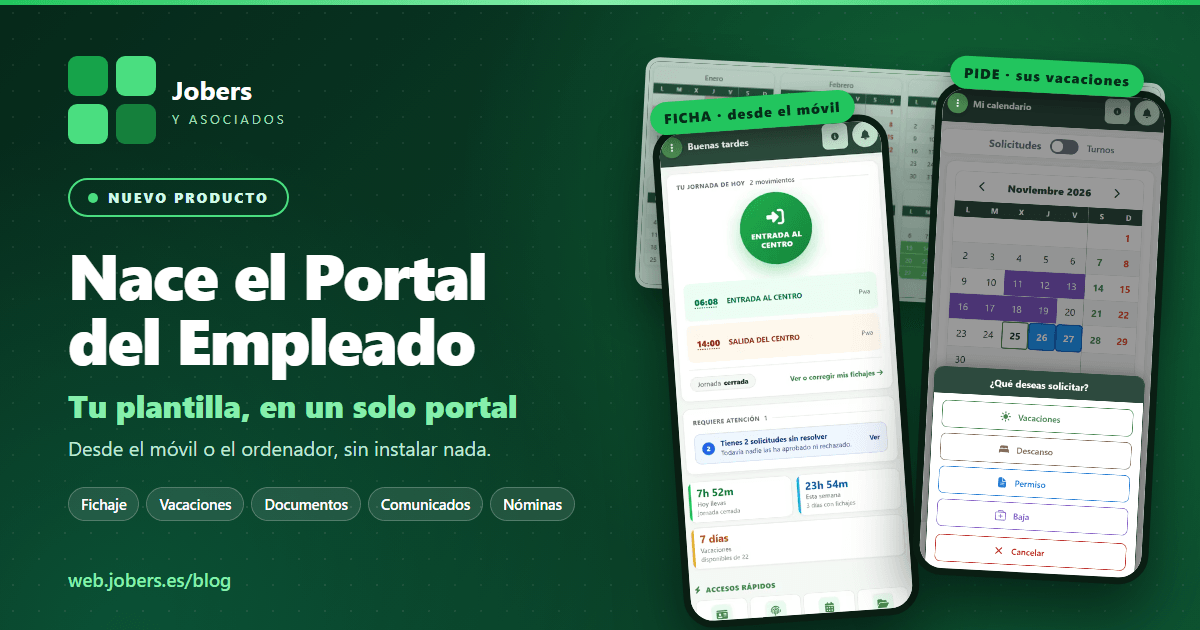
Today we introduce the Employee Portal, the new Jobers product for your staff and for whoever manages them. Everyone logs in from their phone or computer and finds their own things at hand: clock in, request holidays, check their calendar, upload their documents, read company notices and view and download their payslips. And from the same place, HR reviews working hours, keeps an eye on whatever is about to expire and sends the payroll provider the pre-payroll built from the clock-ins.
If you know JobFichador, this is its successor: clocking in becomes one of the three parts of the Portal, which adds personnel management and the payroll cycle. Would you rather watch it? The video is further down.
The problem: four places nobody reconciles
In most companies, working hours live in one app, holidays in a spreadsheet, licences and contracts in a folder and payslips in the payroll provider’s emails. Every month someone retypes overtime and advances, and every year someone finds out about an expired licence or CPC when it is already too late.
Nobody reconciles it until it is needed: an inspection, a payslip with a mistake, a former employee asking for payslips from three years ago. The Employee Portal brings all of that into one place, on the same data: the clock-ins feed the pre-payroll, and the payslip comes back to the same place to be viewed and paid.
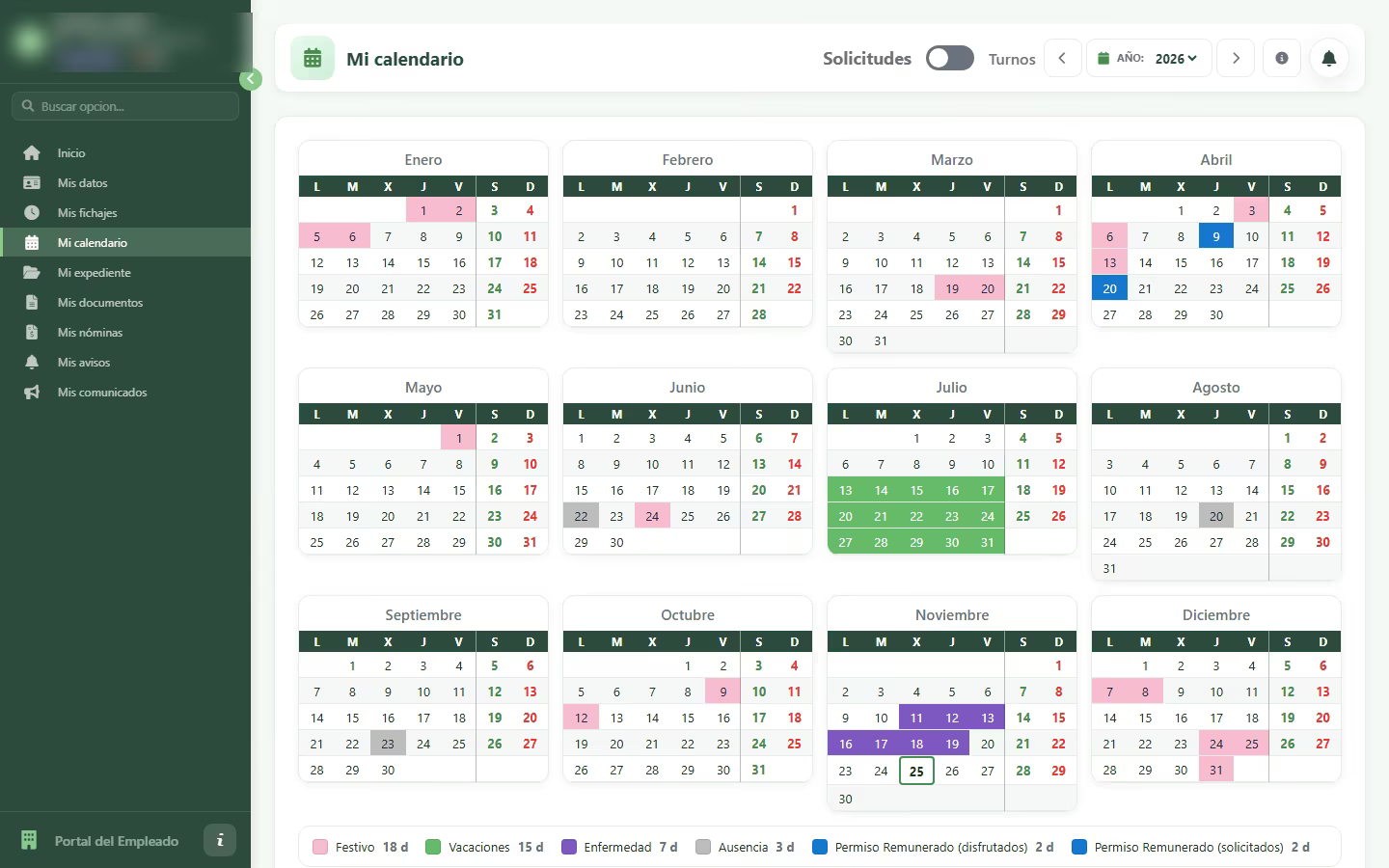
Time: clock in with two taps, and working hours that add up
Employees clock in from the browser on their phone or computer, with nothing to install (it can be added to the home screen like any other app). If the company turns it on, the location is saved only at the moment of clocking in: nobody is tracked during the day.
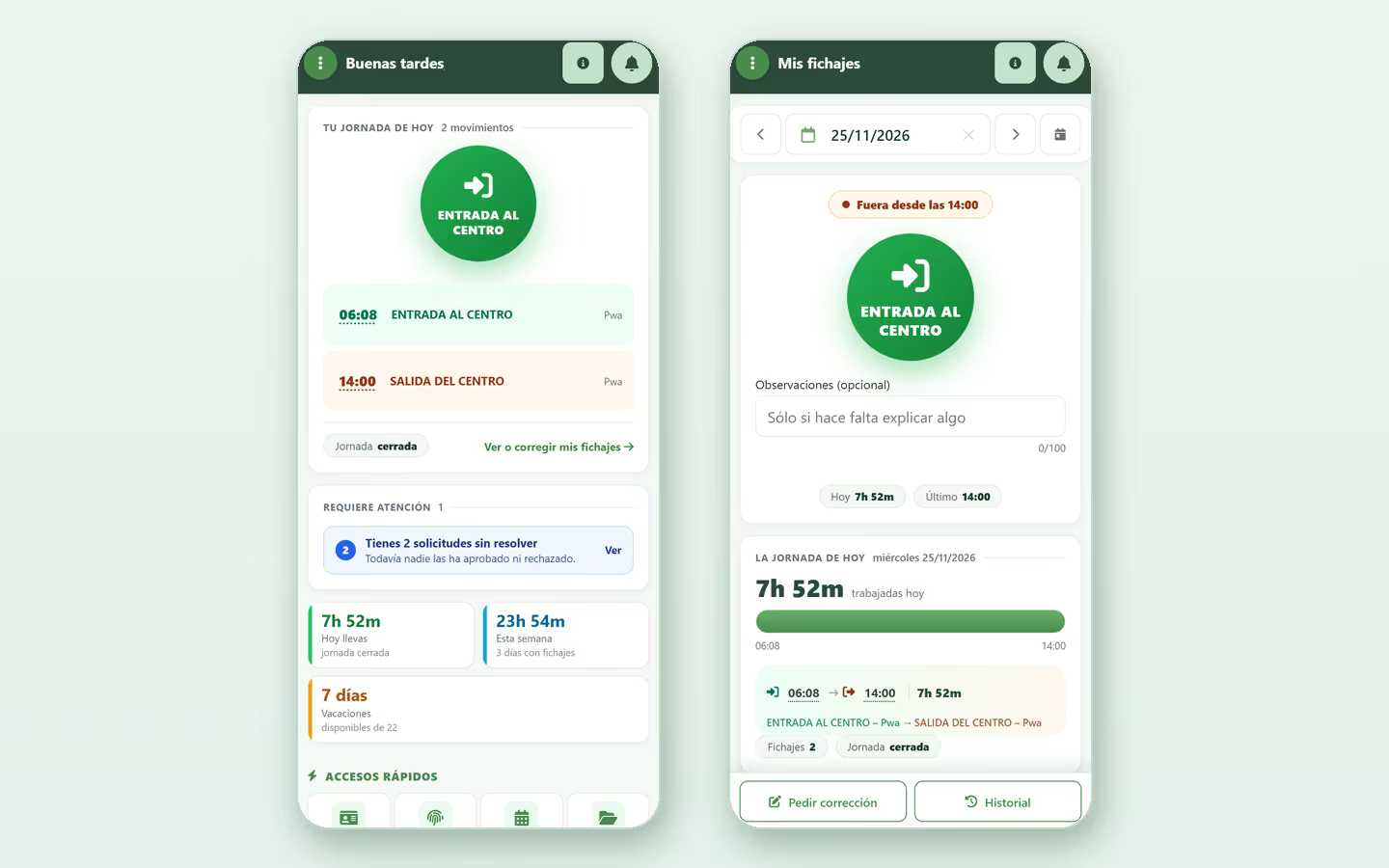
Holidays and leave are requested from the portal, the manager approves them and the calendar updates itself. Bank holidays, working hours and shifts are visible to everyone who needs them.
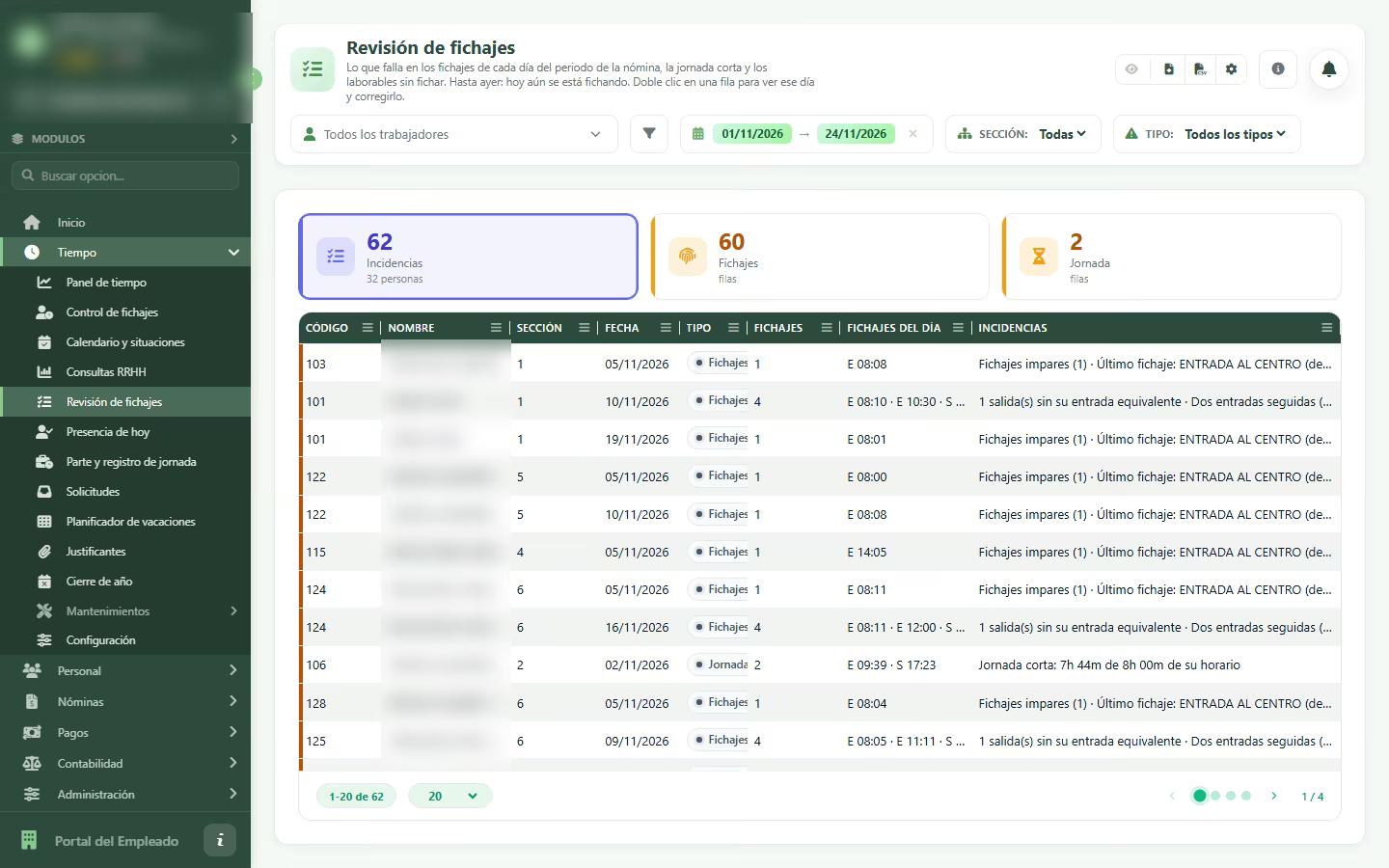
And when a clock-in is wrong, it is corrected without deleting anything: the original is kept, together with who changed it, when and why. HR has a review that flags what does not add up —odd numbers of clock-ins, short days, working days with no clock-in— so it can be sorted out before the month is closed.
Personnel: everything about each person, up to date, without chasing anyone
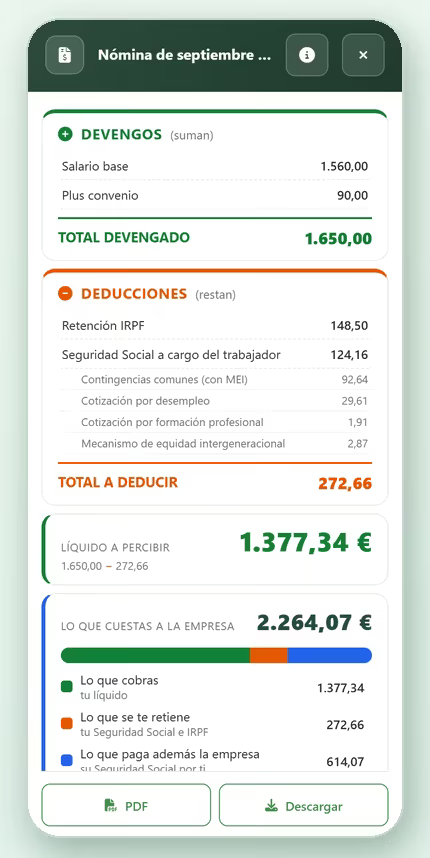
Each employee’s record is no longer scattered: details, job, workplace, contracts and their history, training and check-ups, in one place. Employees update their own address, bank account or family situation (Spain’s form 145) and you review it before accepting it.
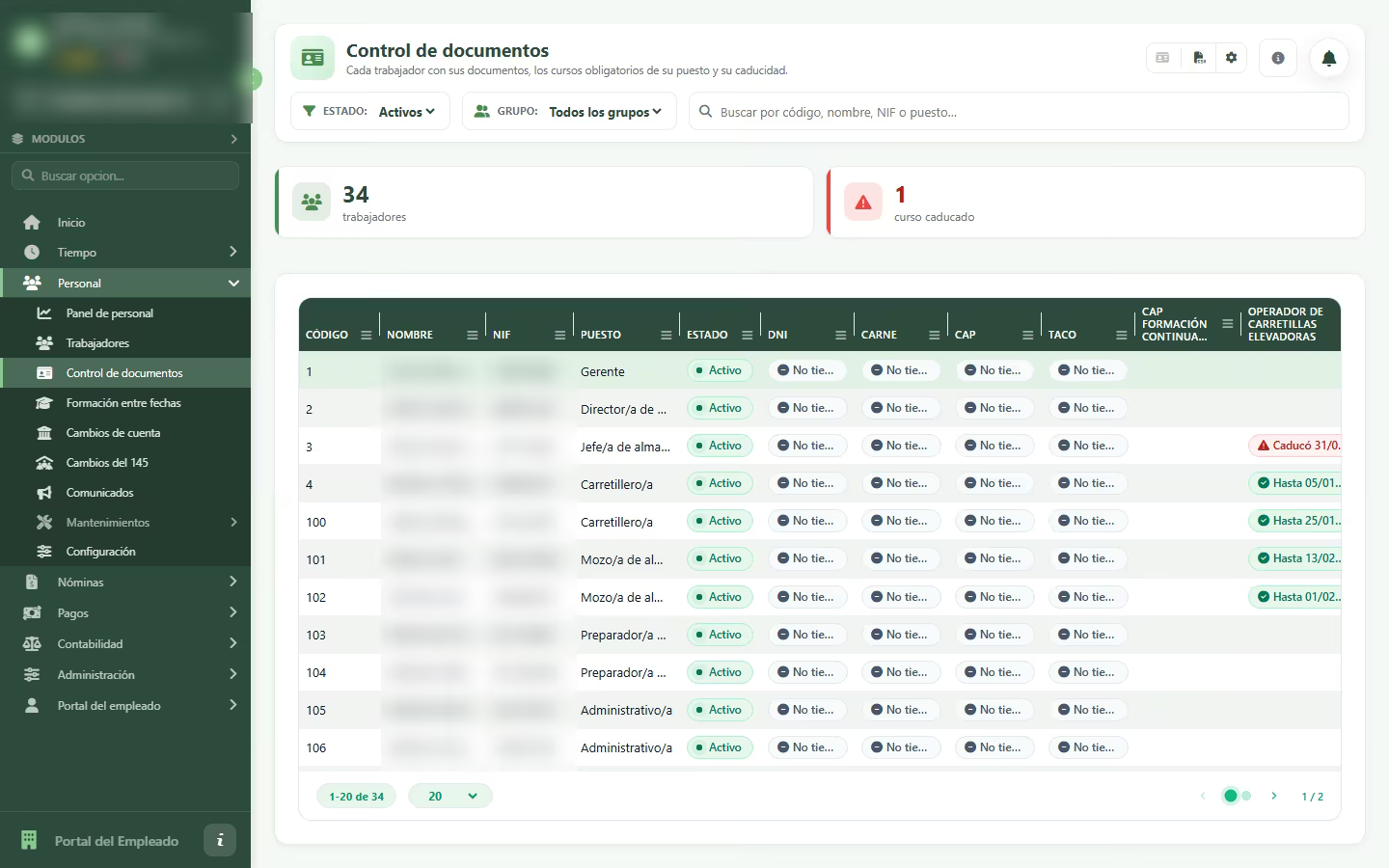
Notices —a circular, the working calendar, a change of hours or a safety note— reach the phone with an alert, and you know who has read them and who has confirmed they agree.
And people who leave the company can still look up their payslips and clock-ins for 4 years with their former-employee access, without having to ask you.
Payroll: the whole cycle, from start to finish
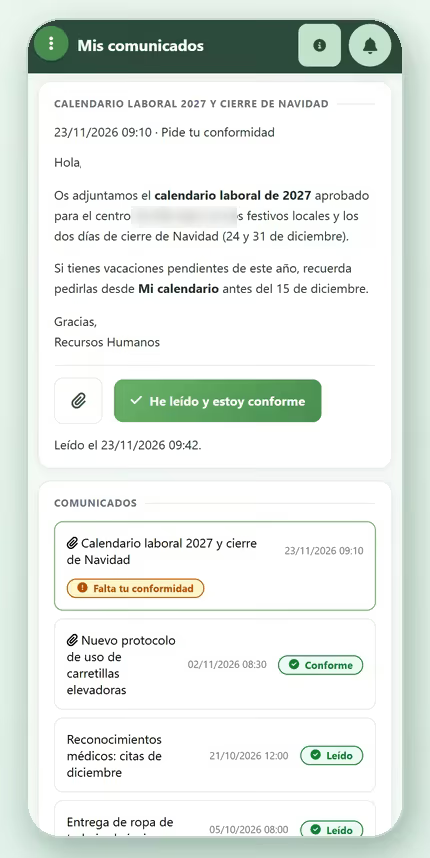
Your payroll provider still runs the payroll, with their own software, as always. The Portal takes care of everything before and after: the data they need, checking what they send back and getting it to each person, to the bank and to the accounts.
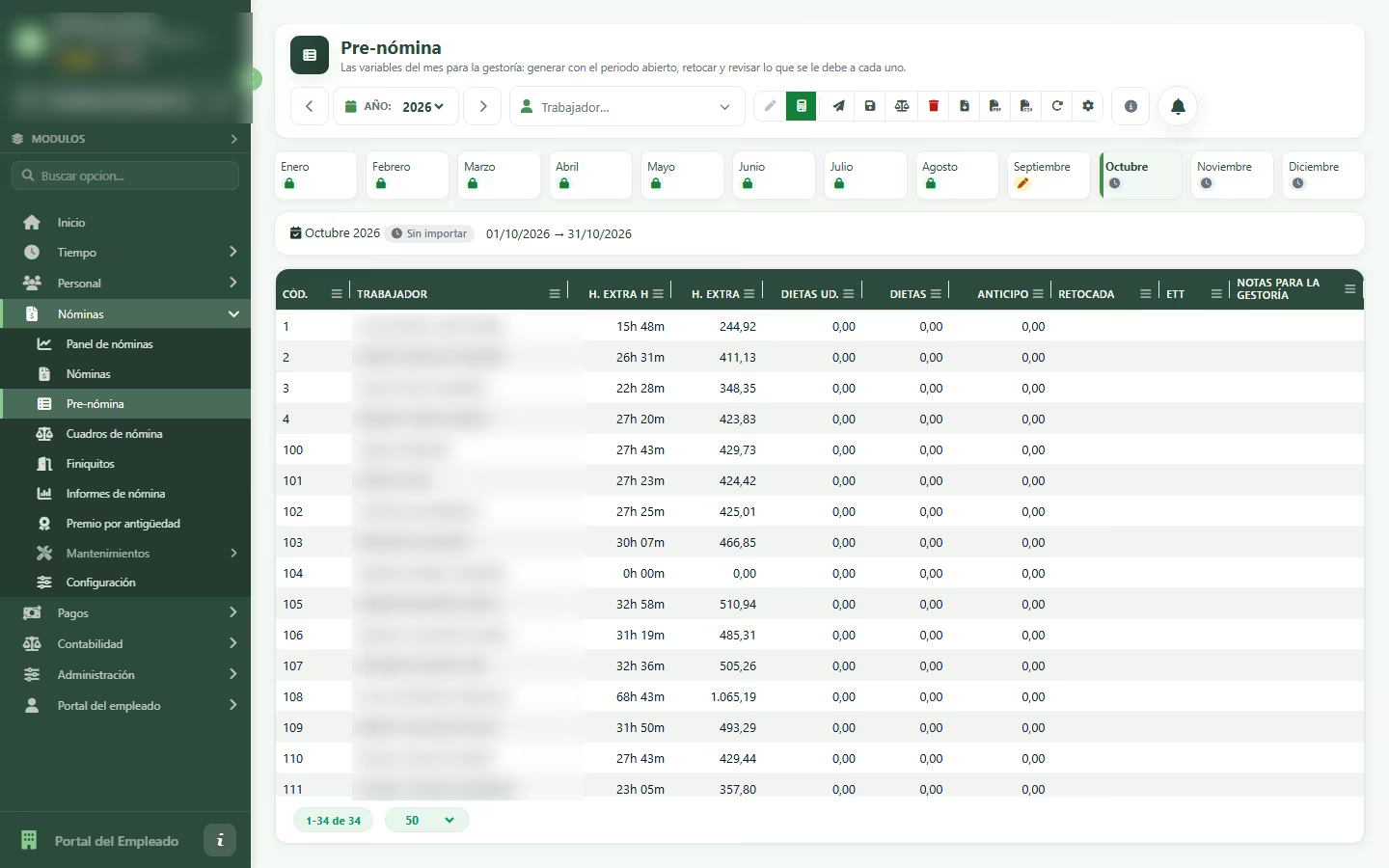
Each employee sees their payslip on the phone, explained: what they take home, what is withheld and what the company pays on top for them. They always have it at hand to view and download, without asking anyone for it.
With the payslips imported, the SEPA batch is ready for the bank and the journal entry can go to JobFinan; payslips and documents, to JobersDoc.
Who it is for
For any company that wants its staff well looked after without HR spending its days chasing paperwork. Where it shows the most:
- Companies with drivers: CPC, licence and tachograph card with a warning before they expire, and clocking in from the phone when the route starts.
- Staff away from the office (installers, workers, sales reps): they clock in from their phone and get notices right there.
- Warehouses with shifts: shifts, swaps and holidays in a calendar everyone can see, and a clock-in review that leaves a trail.
- Companies with several sites: each person at their site, each manager with their team and HR with the full picture.
- Outsourced payroll: if a payroll provider runs it, the portal prepares their data and checks what comes back before anyone is paid.
Watch it in a few minutes
A tour of the three parts: clocking in, each person’s record and the payroll cycle. The video is in Spanish, like the product.
If you already use JobFichador
Nothing changes: JobFichador keeps working as it does. Clocking in is now one of the parts of the Employee Portal; if you are interested in the rest —each person’s record and documents, notices or the payroll cycle—, we will show it to you with your own data and you can start with whatever you need most.
Shall we show you?
We show you the three parts and start with the one you need most. No commitment.
The Employee Portal does not calculate payroll: your payroll provider does. What it does is clear away everything around it —retyping hours, chasing expired licences, handing out paper payslips— so that everyone has their own things at hand and HR has time for what matters.
Shall we talk about your case?
If you would like to see how Jobers could work in your company, ask us for a no-obligation demo.
Request a demo