Introducing JobIAPed: your customers’ orders enter the ERP by themselves
A new product in the Jobers family. JobIAPed reads the orders your customers send by email — as a PDF, a spreadsheet, a photo or a handwritten note, in any language — identifies the customer and every item against your catalogue and posts them to the ERP with the stock reserved. A person only checks what is doubtful.
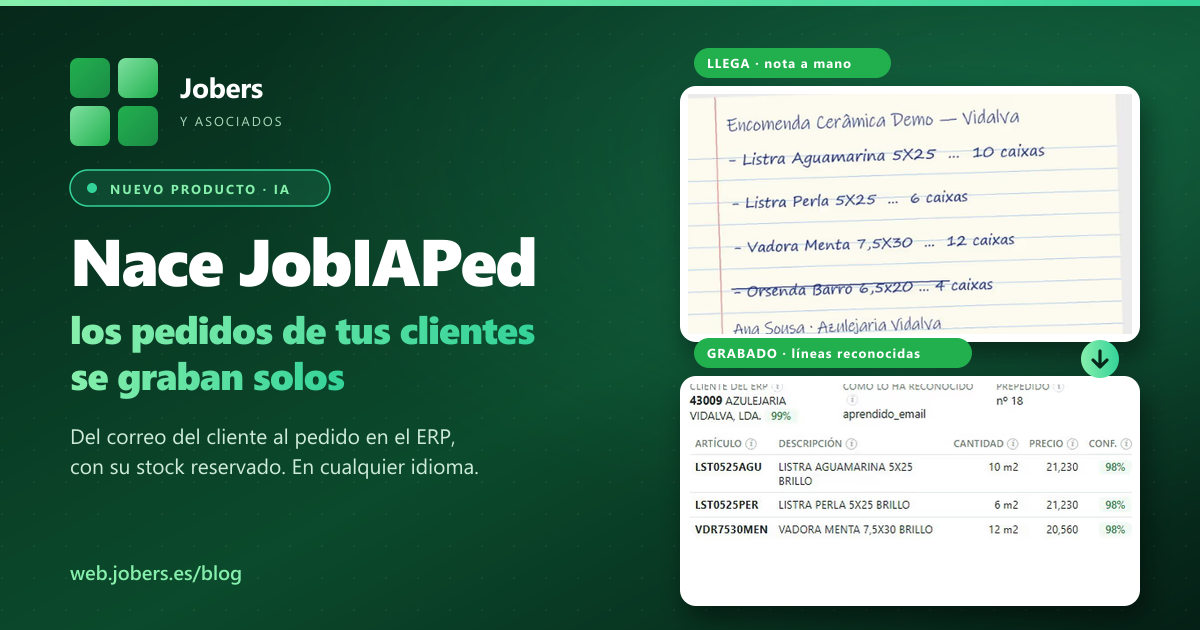
Today we introduce JobIAPed, the new product in the Jobers family. It does one thing, and it does it end to end: it takes the orders your customers email you and leaves them posted in your ERP, with the customer identified, every line matched to your item, your price and your unit, and the stock reserved. One person in sales administration looks only at the doubtful lines. Everything else goes in on its own.
It is the piece that was missing next to JobIADoc, which does the same with supplier invoices: that one removed the typing of invoices; this one removes the typing of orders.
The problem: typing what is already written
Every order that arrives by email is opened by someone, read, the customer is looked up, “12 boxes of the grey 15×15 for the hotel job” is translated into your reference, converted to square metres, the price is checked and it is keyed in. It is repetitive work, it arrives in bursts — first thing on Monday, the day before a bank holiday — and it is precisely where the quantity or reference mistakes slip in that later cost a return, an extra delivery or an awkward phone call.
And the order was already written. The customer wrote it, sent it and sometimes even signed it. The only thing missing was for someone to write it again somewhere else.
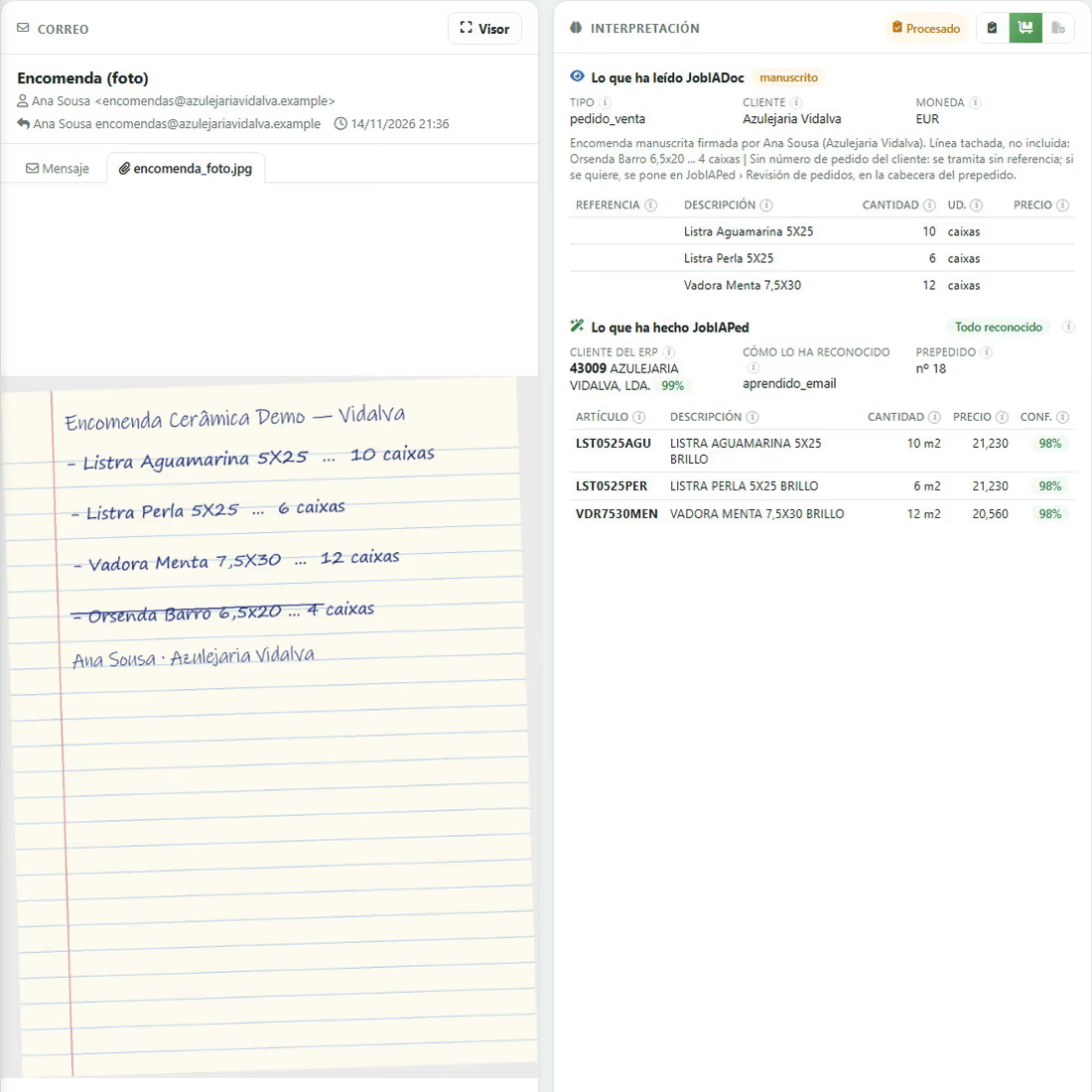
What JobIAPed does, in three steps
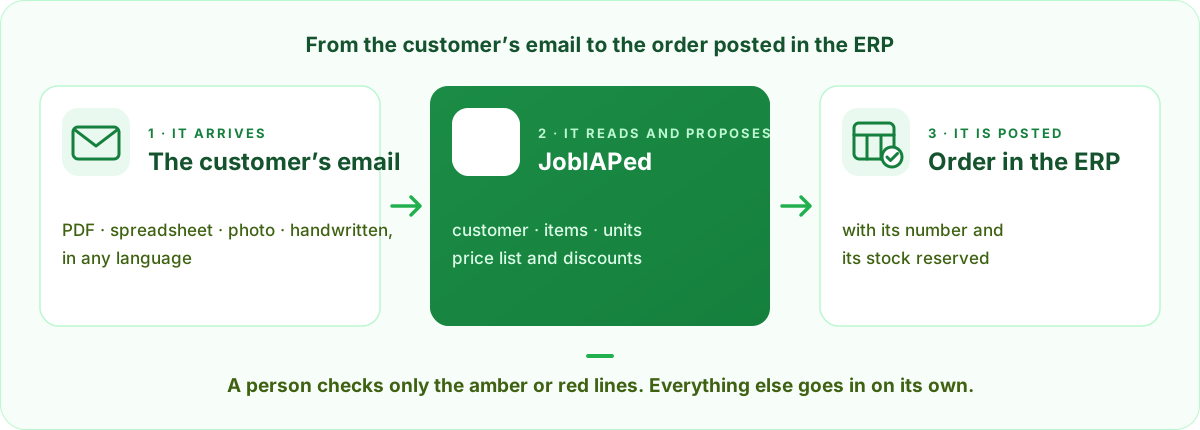
1 · It arrives: the customer writes to the usual address
Your customers do not have to change anything. JobIAPed watches that mailbox and separates what is an order from what is not — enquiries, complaints, advertising, supplier invoices — and explains why. What is an order is identified by its sender: the email of whoever writes is linked to their ERP customer the first time, and from then on the customer comes out by itself, at 99%, without looking at the document.
2 · It reads and proposes: whatever the format, in any language
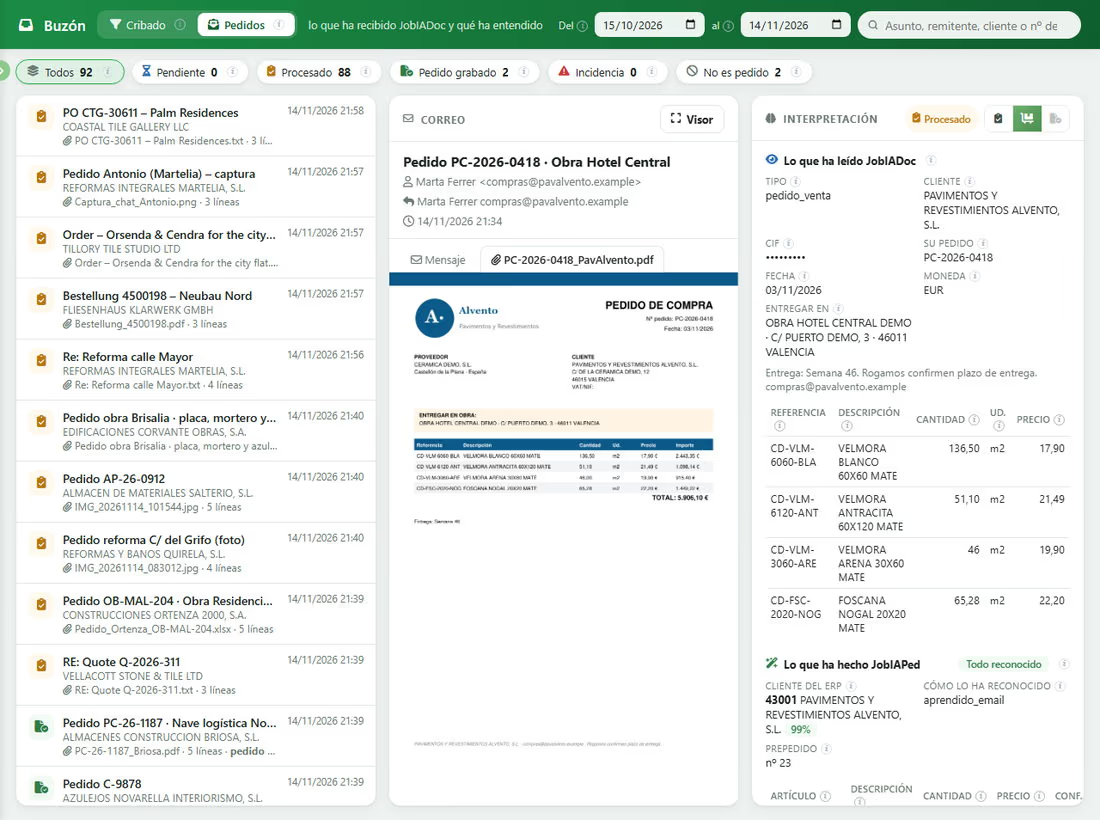
PDF, Excel, Word, a phone photo, a crooked scan, a handwritten note or the body of the message itself. JobIAPed identifies every item against your catalogue — by description, by the customer’s own references or by EAN — converts boxes, pallets or packs to your unit and prices it with your price list and your discounts. Three examples from our demonstrations:
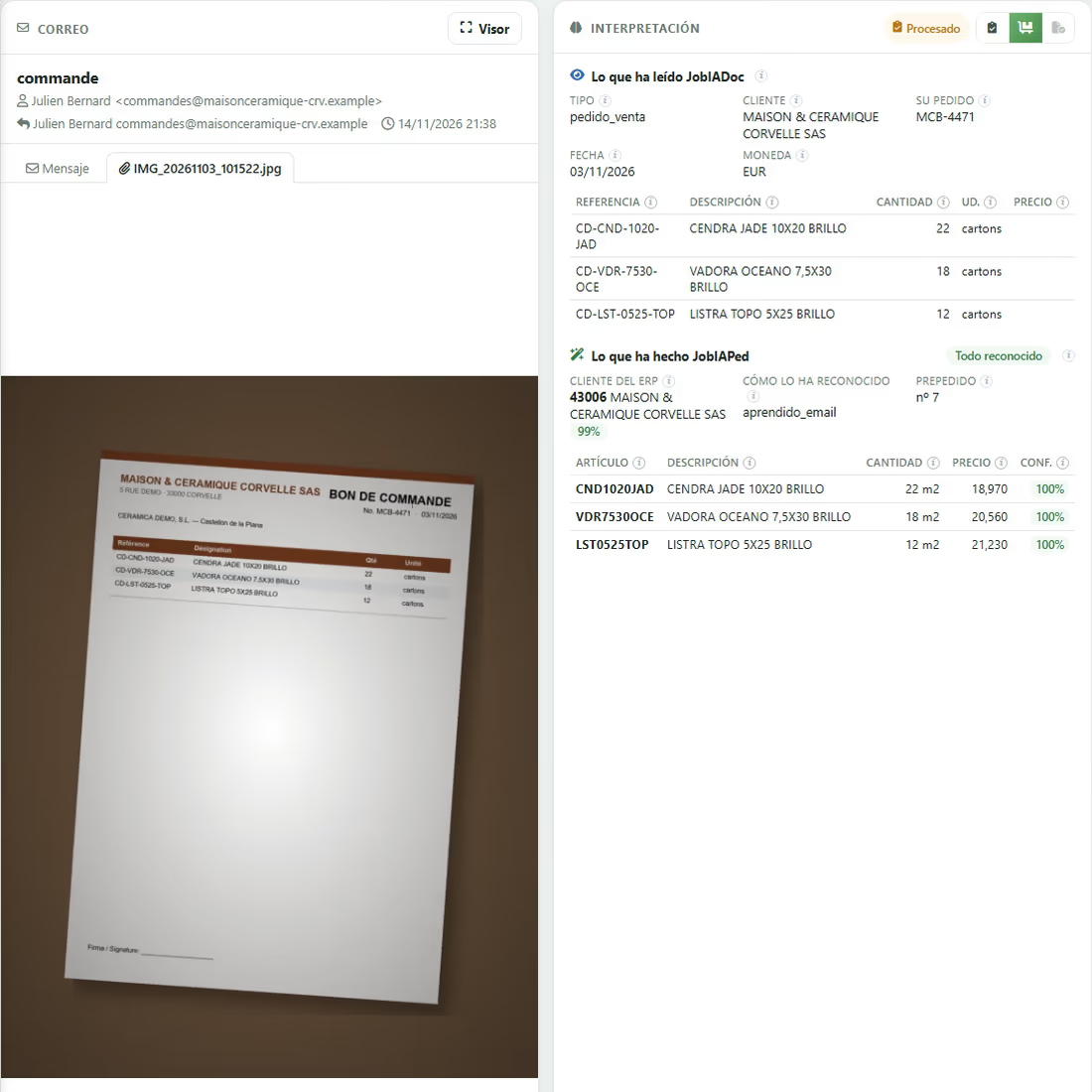
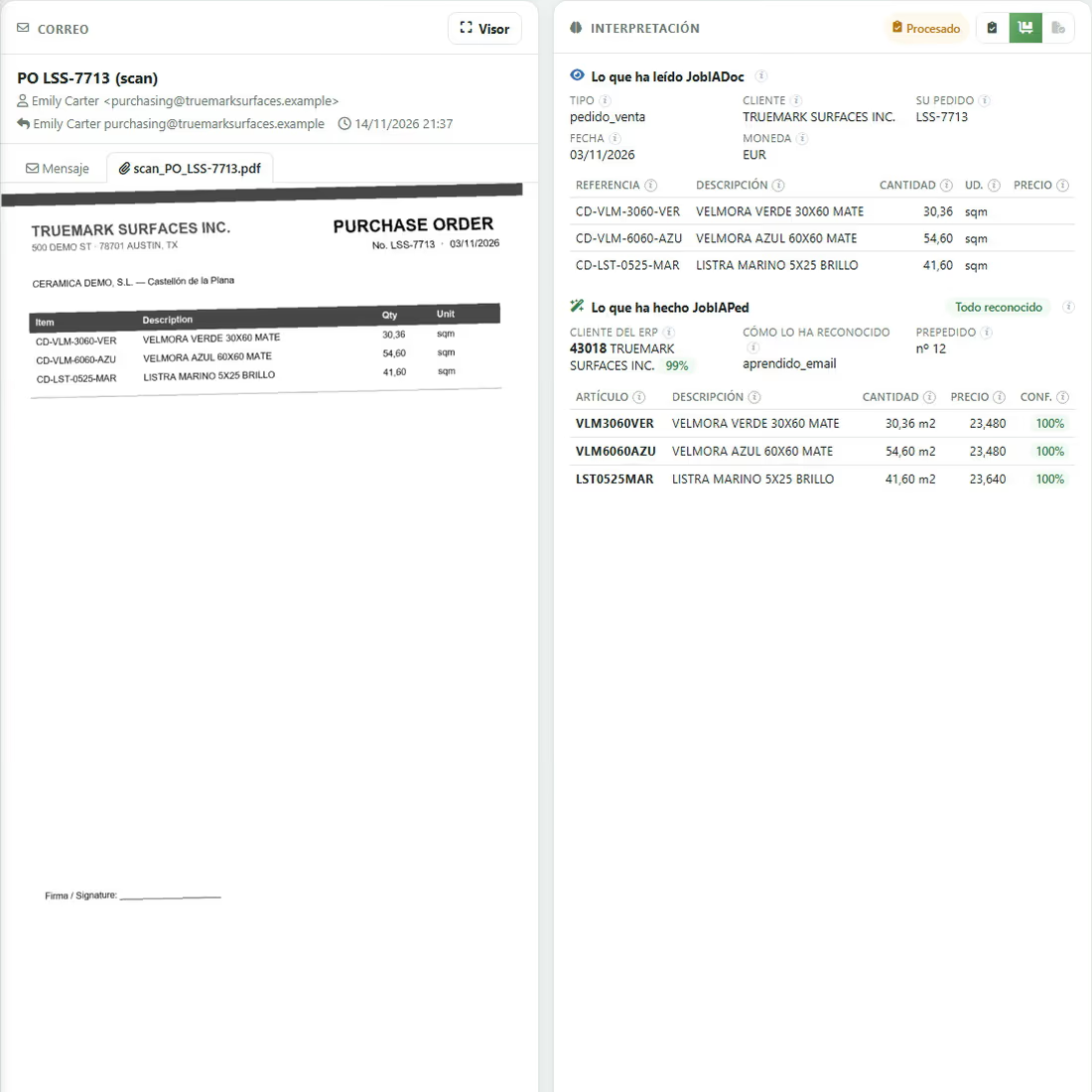
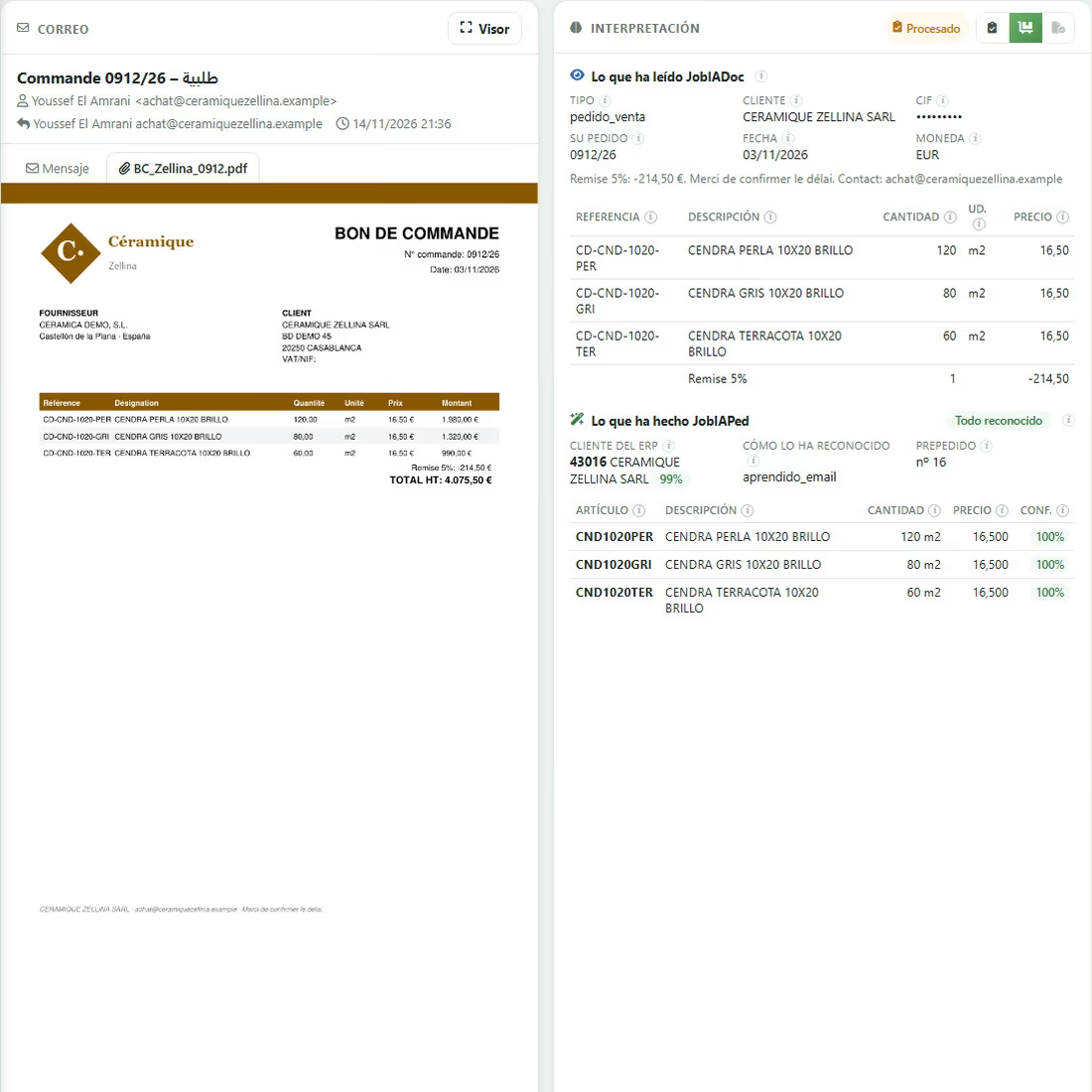
Reviewing is not rereading the order: it is a list where every line has a colour. Green, recognised; amber, to be checked; red, not identified. The green ones need no touching.
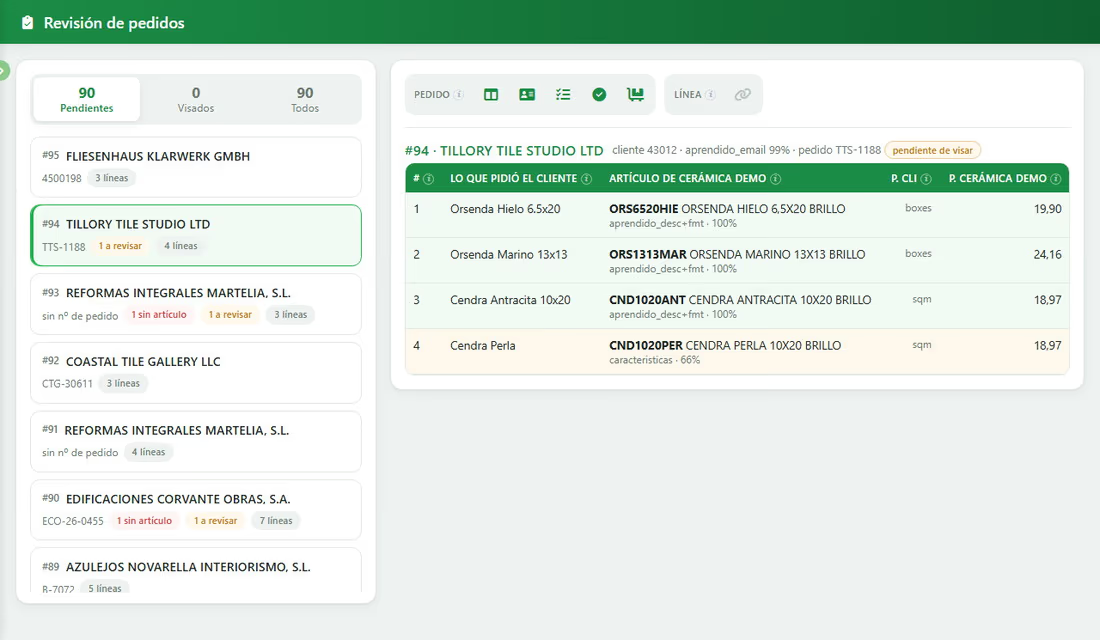
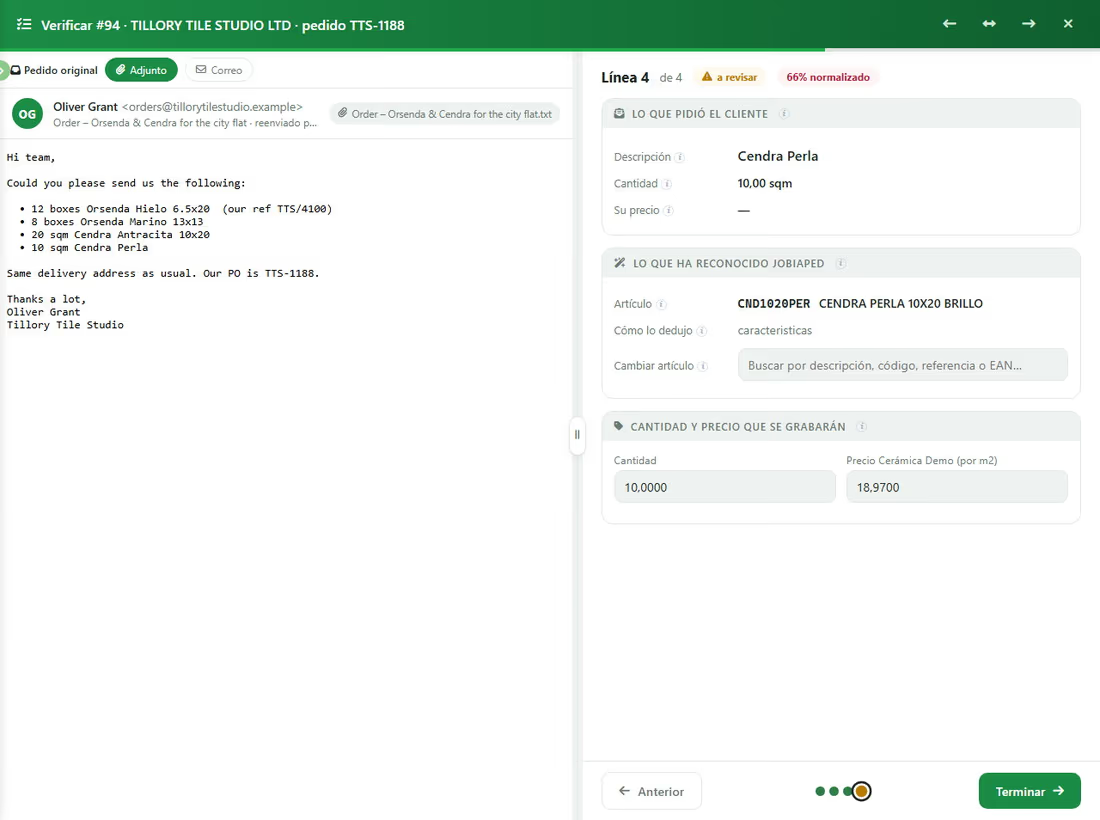
With the order open you see the customer’s original next to what JobIAPed understood: what they asked for, which item it recognised, how it worked it out, and the quantity and price that will be posted. If a line is not convincing, you change the item by searching by description, code, reference or EAN. Every correction is learnt and is not asked again.
3 · It is posted to the ERP, with its number and its stock reserved
Before posting, the order is shown as the ERP will see it: header with terms, price list, sales rep, carrier and discounts from the customer record; lines with size, pallets, boxes, quantity, price and amount; stock status or to be supplied; totals at the foot. You can change a price or a discount and see before and after.
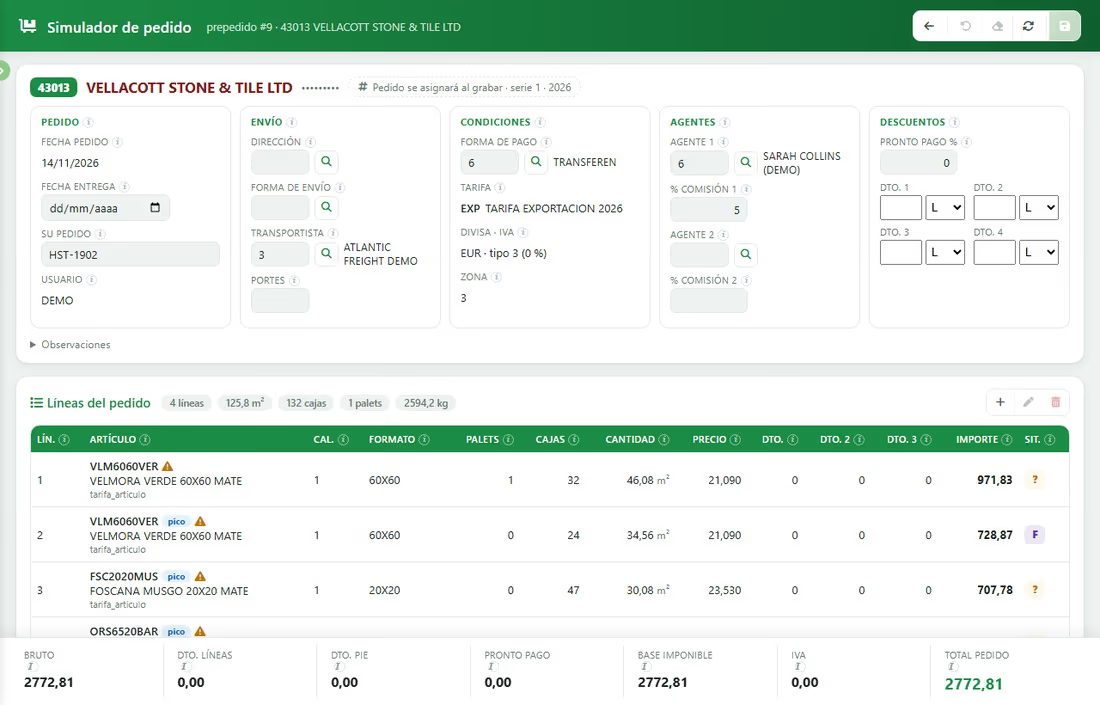
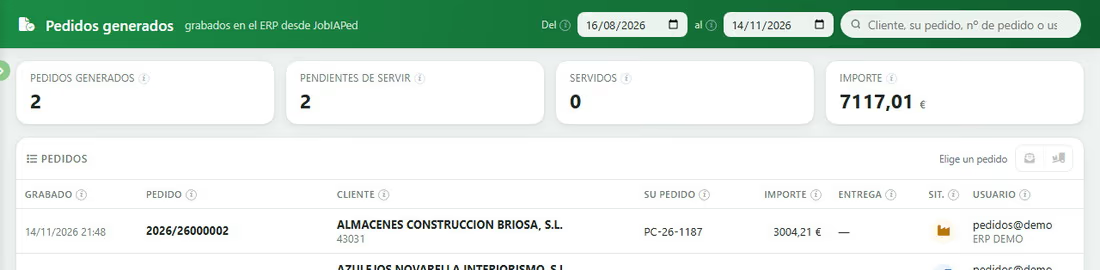
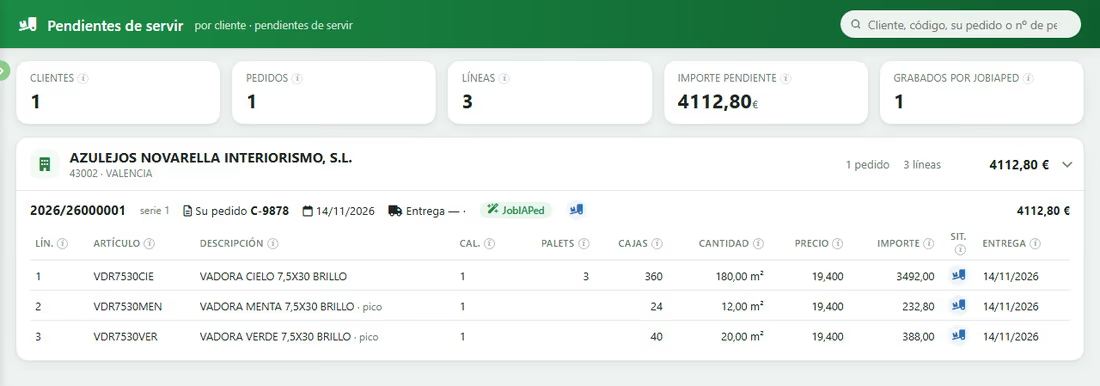
One click posts it to the Jobers ERP, which is what assigns the order number: there is no intermediate file and no second entry. The stock is reserved — or the line left to be supplied, if there is none — the original is filed and the sales rep and the customer are notified.
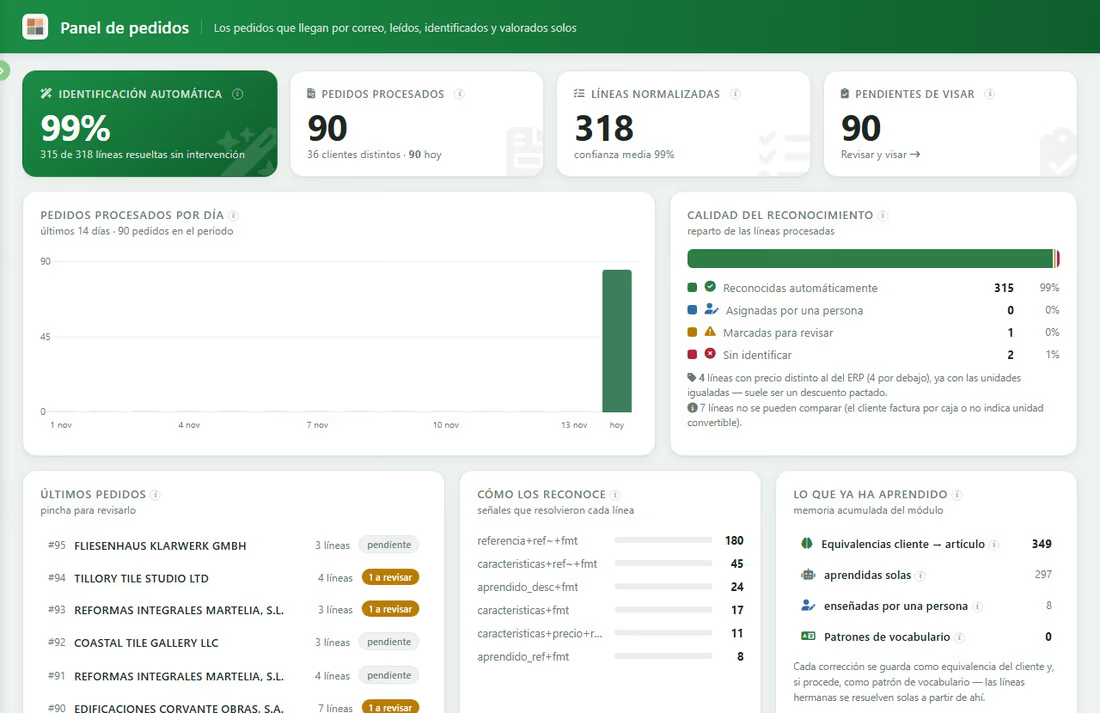
What our demonstrations measure
These are figures from the dashboards of our demonstration installations, built on the catalogue of a fictitious tile distributor: the customers, orders and prices you see on the screens are invented. With your catalogue the units will be packs, rolls, pallets or units; the way it works is the same.
What it never does
It does not invent. It asks. That is the rule that holds it up:
- If a description allows two candidates (the 40 or the 50, with or without facing), it does not choose: it flags the line for review and shows both.
- If the item does not exist in your catalogue, it says so in red. It does not replace it with “the closest one”.
- If the customer sends a price different from their price list, your price goes to the ERP and the difference is flagged for someone to look at (it is usually an agreed discount).
- If the units cannot be converted — packs with no packaging data — the line stays for review instead of being miscalculated.
- Emails that look like an order and are not — a quote request with quantities, a supplier’s offer — are discarded and the reason is explained.
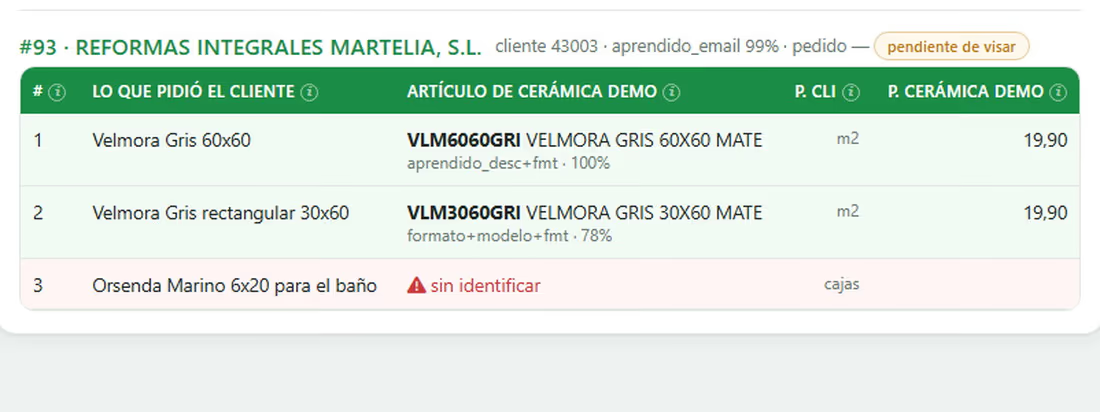
And it learns from every correction. From three things, specifically: from the sender (the email of whoever writes is linked to their ERP customer); from every correction (if someone assigns “grey elongated 6.4×22.3” to your reference, it is saved as an equivalence for that customer and the sister lines resolve themselves from then on); and from the customer’s own references (whoever orders with their codes or with EANs is resolved from the first order in which they are taught).
One more piece of the family that automates with AI
JobIAPed is the new one; JobIADoc is the one you already know. Together they close the two paper entry points that take up the most time in an admin office: customer orders and supplier invoices. JobIADoc reads every invoice, checks the tax ID with the tax authority, the totals and duplicates, files the PDF and, depending on what it is, sends it where it belongs:
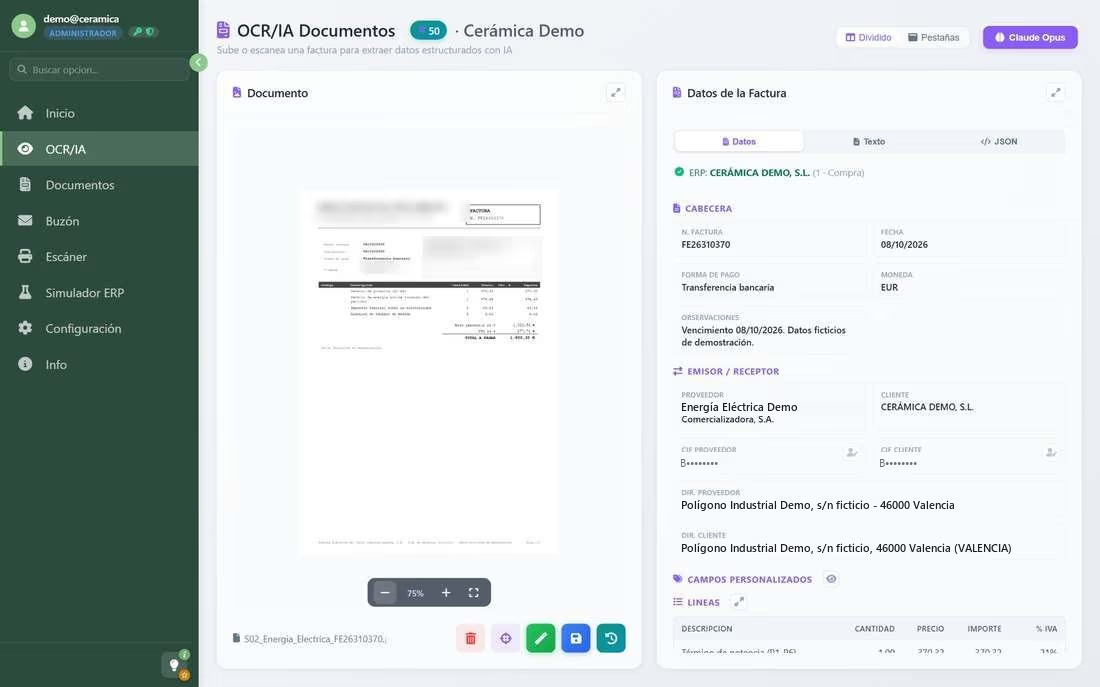
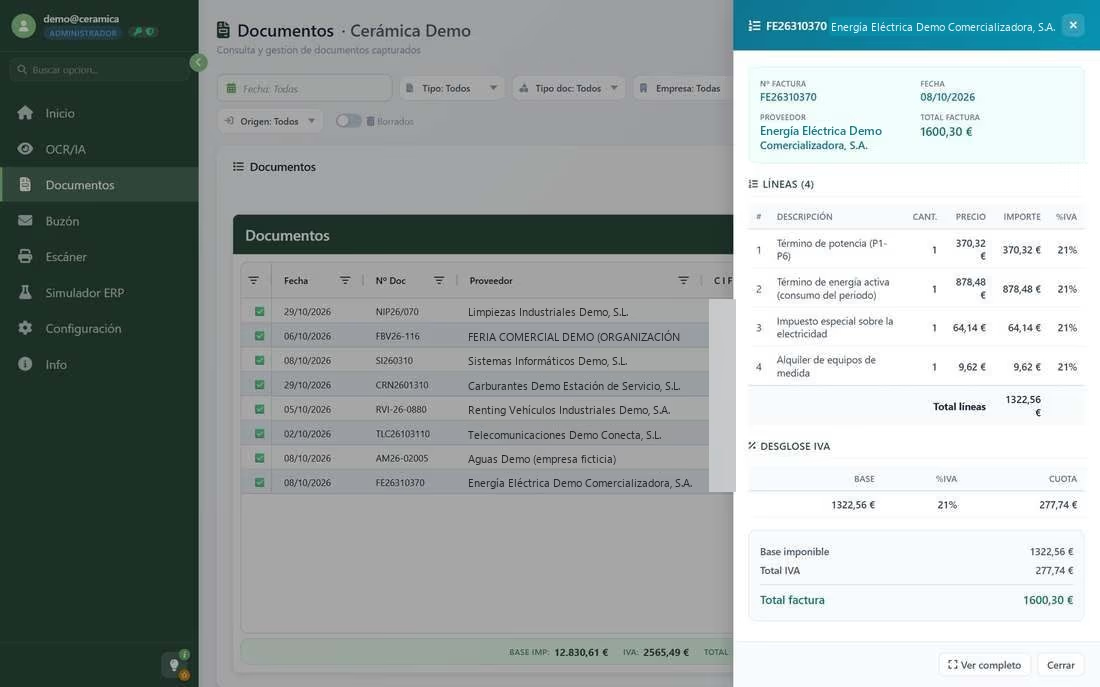
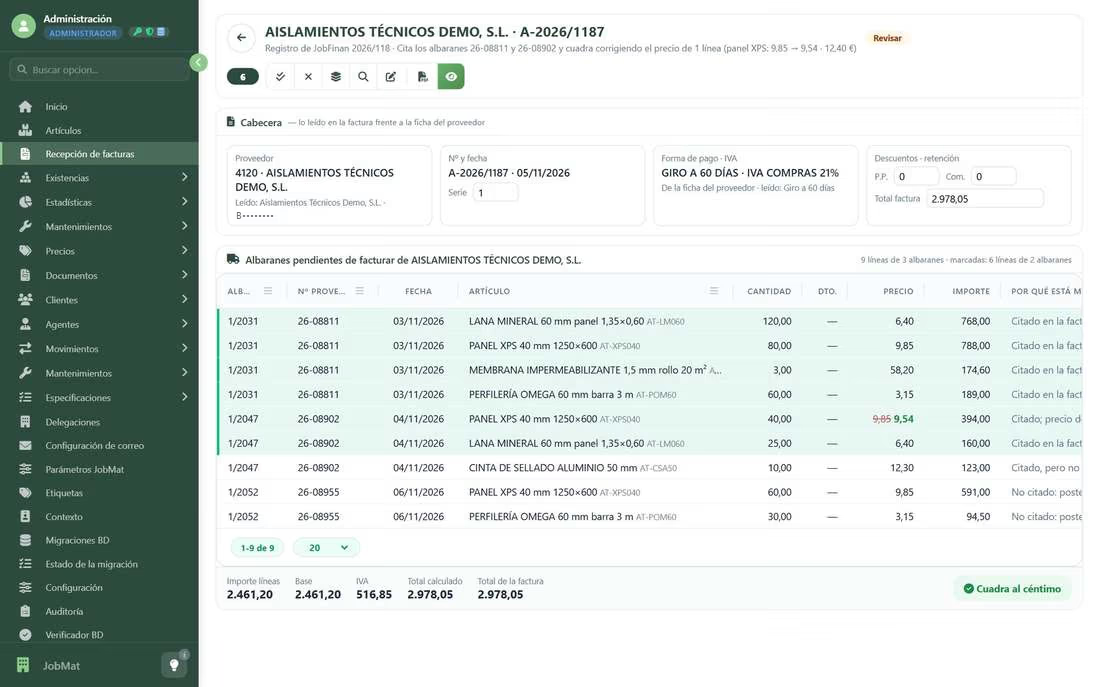
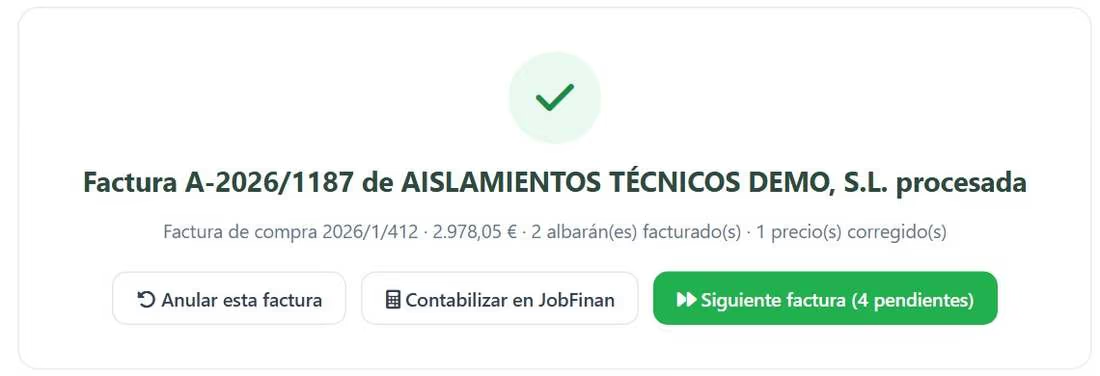
If you want the detail of that part, we tell it in “Invoices and delivery notes on autopilot”.
How to get started
Starting with JobIAPed is not a long project. On your side, three things are needed:
On ours: the analysis of your orders and price lists, the installation — with the Jobers ERP, on your server or in our cloud — the calibration with your sample and a shadow run: you keep working as always while we compare what JobIAPed would have posted with what you posted. When the numbers match, it takes over.
Shall we look at it with your orders?
A 45-minute online session with our demonstration installations. If you send us two or three real orders from your customers beforehand, we run them live. There is nothing to install.
JobIAPed is not an email reader. It is the way to take out of sales administration the work that adds nothing — writing again what the customer already wrote — so that the time goes to what does: looking after the customer, resolving the doubtful line, deciding the price. The rest should go in on its own.
Shall we talk about your case?
If you would like to see how Jobers could work in your company, ask us for a no-obligation demo.
Request a demo